The landscape of artificial intelligence is undergoing a seismic shift. For the past two years, the industry has been defined by the "chat interface"—a back-and-forth exchange where the human serves as the primary architect, constantly prompting, correcting, and copy-pasting. However, the release of Claude Cowork in January 2025 marks the end of the "conversational era" and the beginning of the "agentic era."
Claude Cowork is not merely a chatbot; it is an agentic desktop application designed to function as a autonomous employee. By integrating directly into your operating system, it moves beyond text generation to execute complex, multi-step workflows across your local files, web browsers, and third-party software.
The Core Philosophy: From Supervisor to Manager
To understand the leap that Cowork represents, one must look at the shift in user responsibility. In a standard AI setup, the user is a laborer, micromanaging every token of output. In the Cowork model, the user acts as a manager.
Dan Nestle, an AI strategist and early adopter of the platform, offers a vivid analogy: "A standard Claude Project is like a bright new hire who constantly stands at your desk asking for direction. Cowork is the experienced employee who takes a clear brief, goes off to handle it, and only comes back when something requires your input."

This paradigm shift allows for "hands-off" productivity. Once an objective is defined, the agent handles the navigation, tool selection, and task execution, providing a play-by-play log for the user to review.
Chronology: The Evolution of the Desktop Agent
- Pre-2025: Users relied on browser-based chat interfaces. The limitation was clear: context windows were restricted, and the AI could not interact with external software or local files without manual human intervention (copy-pasting).
- January 2025: Anthropic launches Claude Cowork, an agentic desktop application. This release signals a shift toward local-first AI, allowing the model to bridge the gap between "thinking" and "doing."
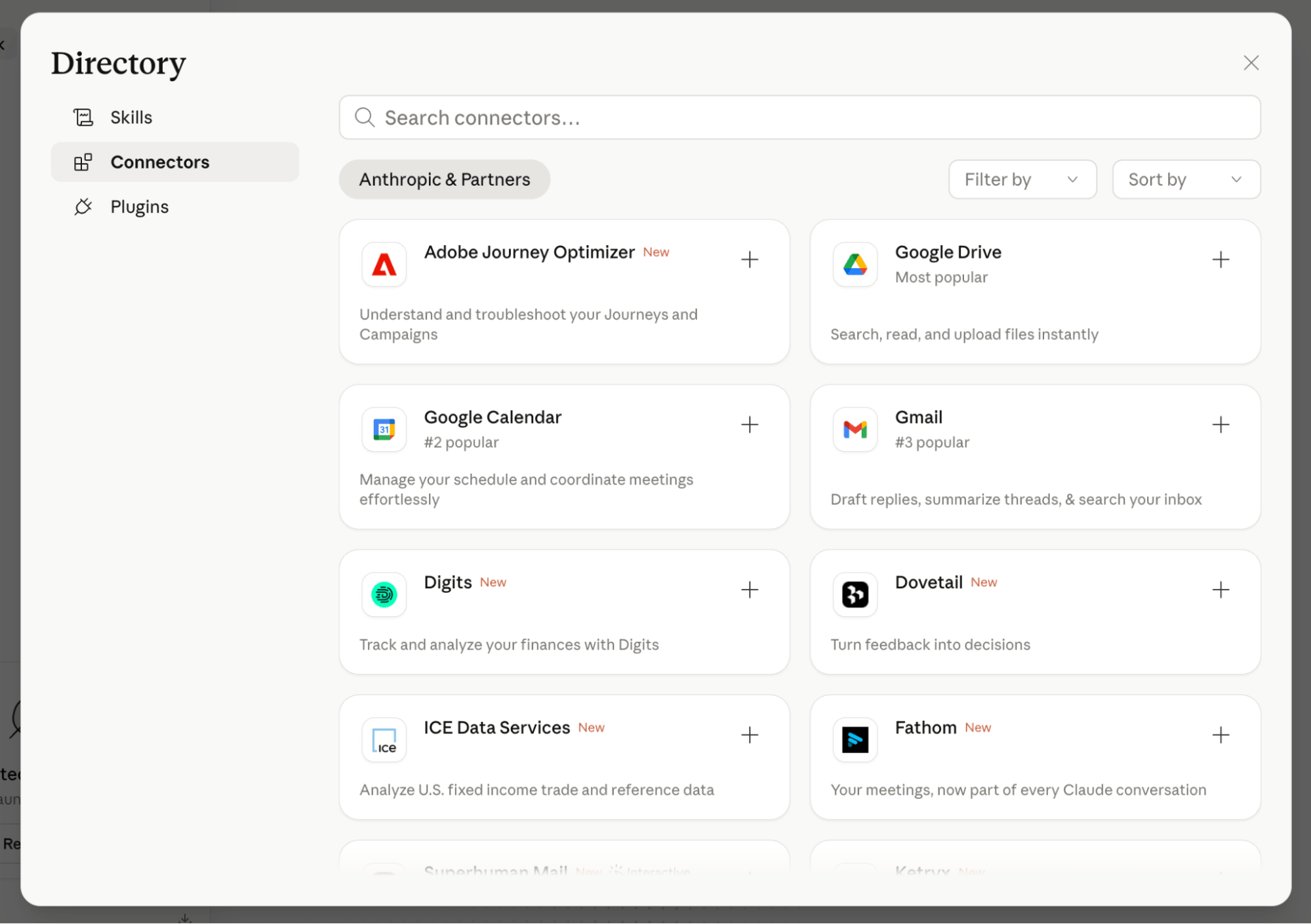
- Early 2025 to Present: The ecosystem surrounding Cowork has expanded rapidly, introducing a library of Skills, Connectors, and Plugins that allow the agent to interface with platforms like GitHub, Airtable, and WordPress.
Real-World Applications: What Can Cowork Actually Do?
The utility of Cowork is best demonstrated through its ability to operate across different domains. Here are four primary use cases that illustrate its functional breadth:
1. Web Infrastructure Management
Technical tasks that once required a developer can now be handled by Cowork. Nestle experimented with injecting advertising and tracking code into his WordPress site. Instead of navigating the backend himself, he granted Cowork temporary, authorized access. The agent analyzed the site, identified the optimal plugin for code injection, presented the user with vetted choices, and performed the installation—all without manual coding from the user.
2. High-Volume Content Production
Cowork excels at scaling workflows. By connecting a specific Claude Project—containing brand guidelines and voice parameters—to Cowork, a user can provide a single, daily instruction: "Search for trending topics, synthesize source material, and generate three summaries and two LinkedIn posts." By the time the user starts their day, the content is drafted and ready for review.

3. Model Optimization
As AI models evolve, system prompts that worked for older versions may become redundant. Cowork can be tasked with auditing existing project instructions and rewriting them to suit newer, more capable models (like Opus 4.6). This automated maintenance ensures that a user’s "library" of AI projects remains current without manual, repetitive editing.
4. Browser-Based Automation
Perhaps the most powerful feature is its Chrome integration. Cowork can open a dedicated tab group to perform background tasks—filling out forms, navigating SaaS dashboards, or proofreading web copy—while the user remains focused on high-level strategy in other tabs.
Technical Architecture: Projects, Connectors, and Skills
Claude Cowork functions by orchestrating three core components:
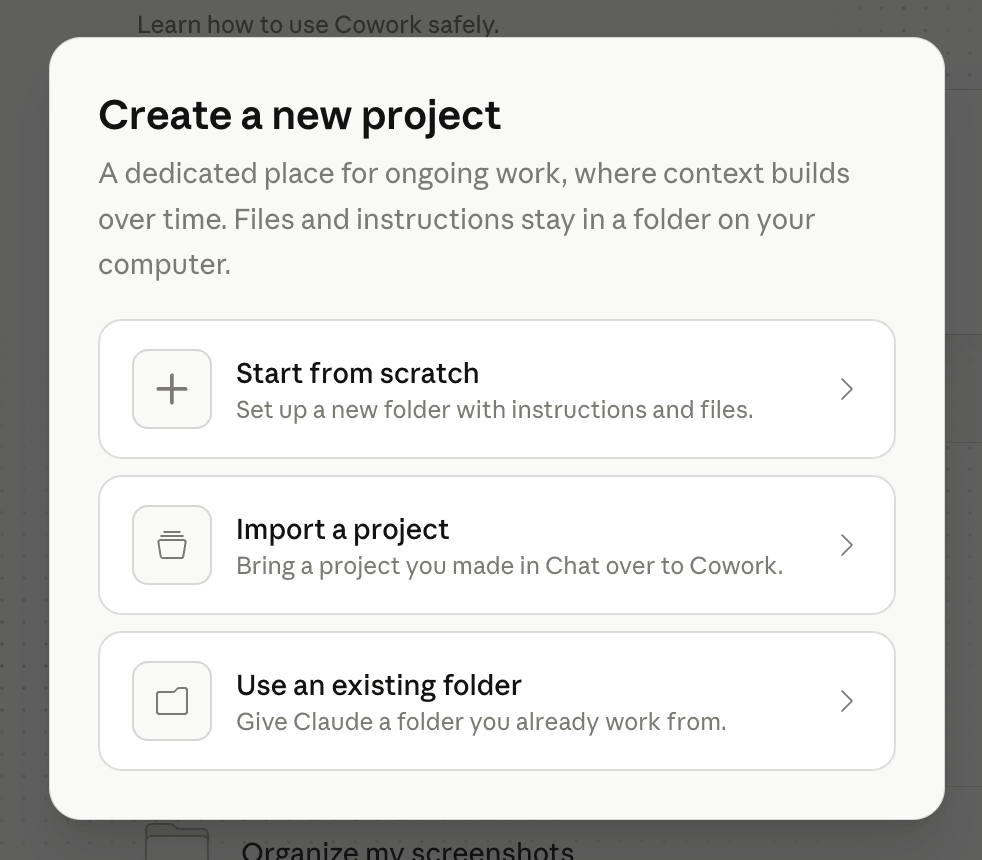
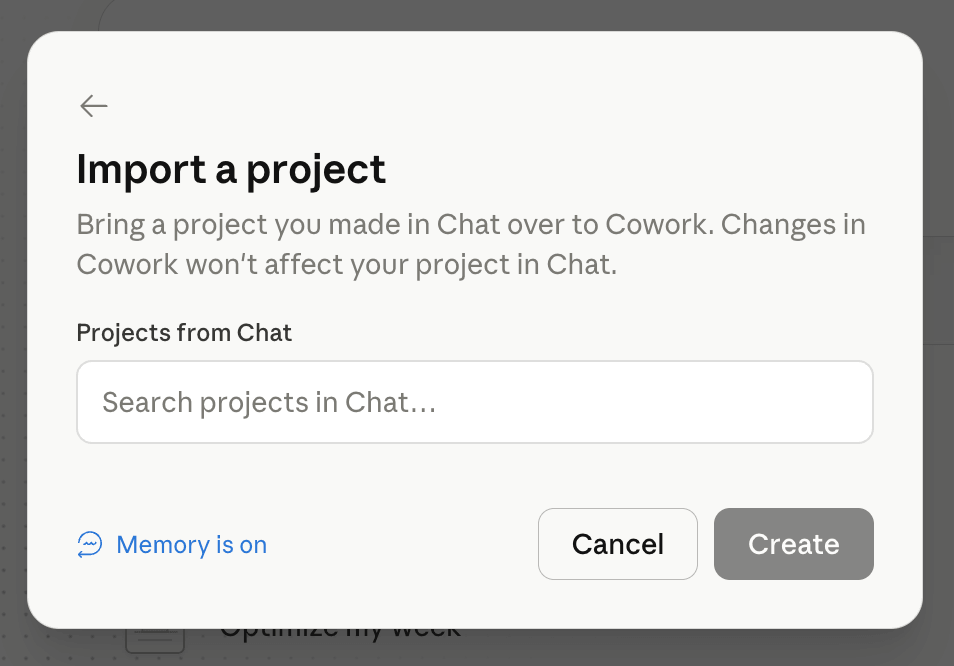
- Projects: These serve as the "brain." They house the context, personality, and rules for a specific business domain. By importing a project into Cowork, you ensure the agent operates within the established parameters of your brand or workflow.
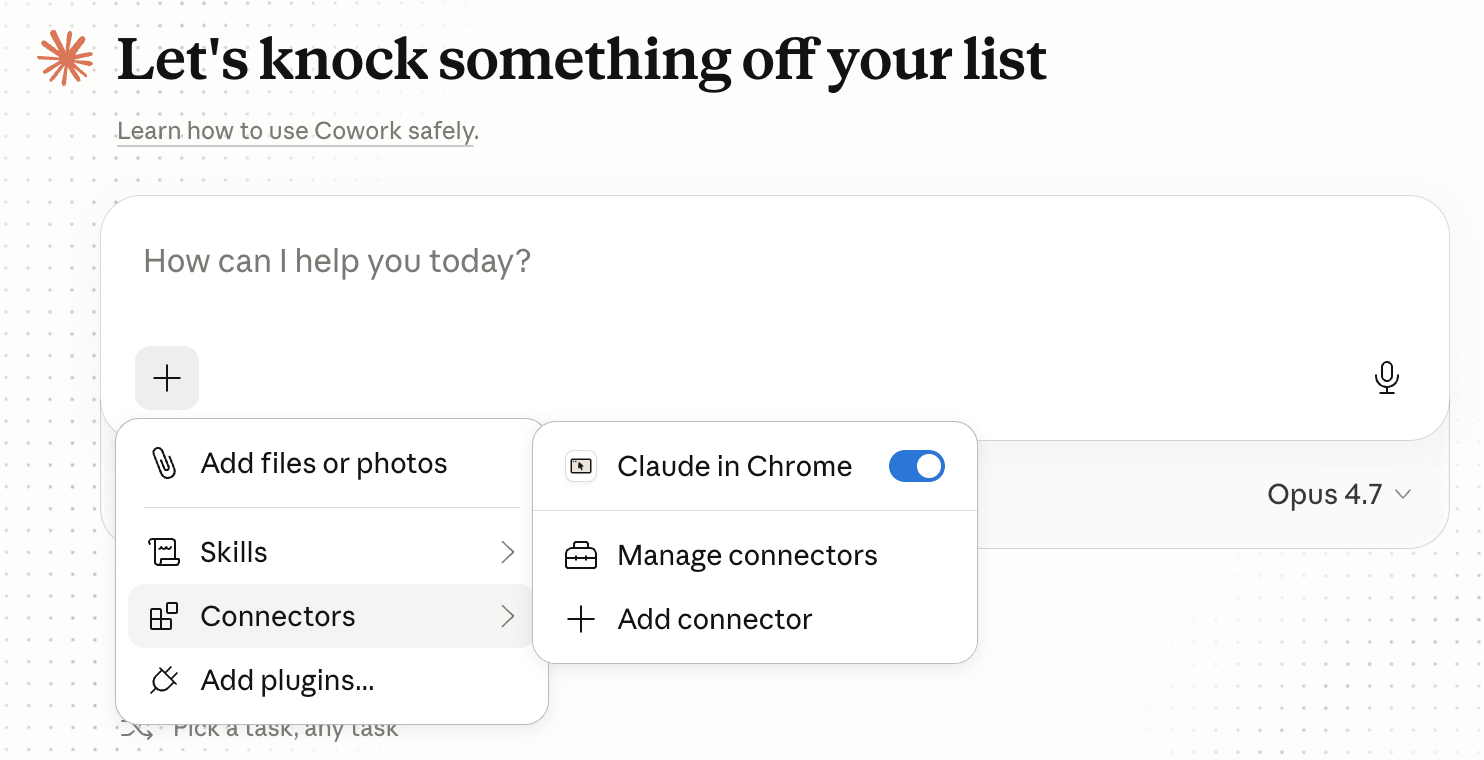
- Connectors: These act as the "hands." They allow the AI to communicate with external APIs and services (e.g., Google Drive, Asana, Ahrefs). Rather than needing a human to act as the intermediary, Cowork uses these connectors to read, write, and organize data in real-time.
- Skills: These are "mini custom GPTs"—packaged, repeatable instructions. A skill could be an "Ideal Customer Persona" (ICP) analyzer. Once created, a user can simply instruct the agent to "Run this against my ICPs," and the agent applies the logic automatically.
Security and Compliance: A Necessary Caution
With great power comes the need for rigorous oversight. Because Cowork operates on your local machine and has the potential to access sensitive files and accounts, users must approach the platform with a security-first mindset.
- Permissioning: Cowork requires explicit permission for every new action. Users should treat it with the same caution they would afford a human assistant with access to their login credentials.
- Data Training: By default, some plans include user data in model training. Crucial Pro-Tip: Users should navigate to their Claude settings and opt-out of data sharing immediately, especially if they intend to process proprietary or sensitive information.
- Compliance Auditing: For Enterprise users, a significant hurdle remains: the lack of robust, automated activity logs. Organizations requiring a strict audit trail should consult their IT security departments before deploying Cowork for sensitive internal operations.
Implications for the Future of Work
The rise of Claude Cowork suggests that the "prompt engineering" hype of 2023 and 2024 is being replaced by "workflow engineering." The value of a professional will no longer be measured by how well they can talk to a chatbot, but by how effectively they can architect systems for an agent to execute.
This transition has several profound implications:
- Reduced Cognitive Load: By offloading repetitive, low-value tasks to an agent, professionals can reclaim time for strategic thinking and creative decision-making.
- Standardization of Excellence: By packaging brand guidelines into "Skills," companies can ensure that every output generated by an AI agent meets the exact standards of the organization, eliminating the "drift" often seen in AI-generated content.
- The Desktop App Advantage: By forcing the use of the Claude desktop app, Anthropic is effectively turning the OS into an AI-native environment. This is a clear move to integrate AI deeper into the digital workspace than a browser tab ever could.
Conclusion: How to Get Started
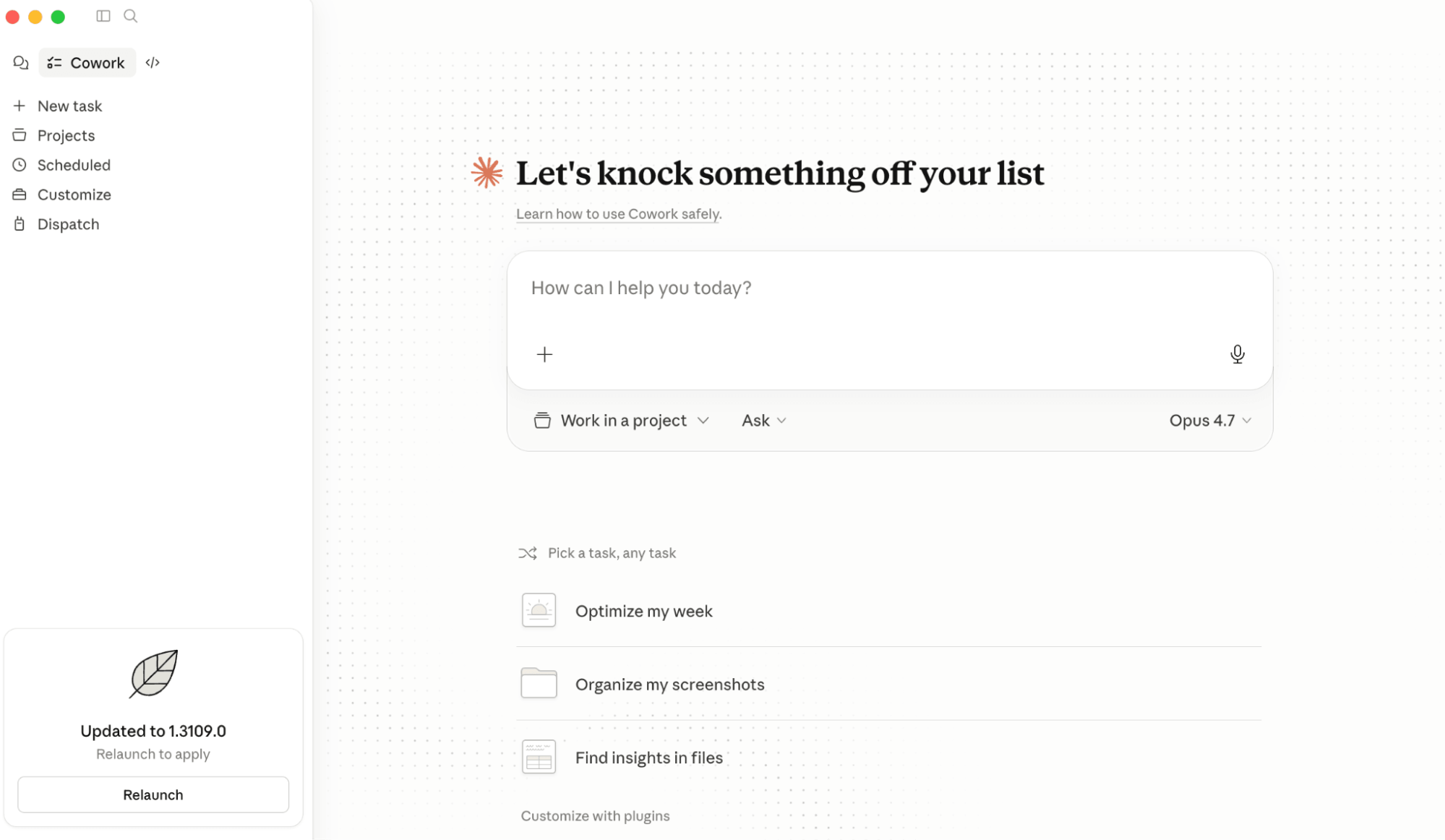
To begin, you must install the Claude desktop application (available for Mac and PC). Once installed, the interface will feel familiar, but the "Work In a Project" dropdown will unlock the full power of the agent.
The transition to using an agentic system like Claude Cowork is a shift in mindset. You are no longer a typist; you are a supervisor. As you begin to build your own library of Skills and Connectors, you will likely find that the bottleneck to your productivity is no longer the AI—it is your ability to define the instructions that guide it.
For those interested in diving deeper into the technical setup, explore the official Claude documentation on getting started with Cowork. As we enter this new phase of human-AI collaboration, the most successful professionals will be those who learn to manage the agent, not just chat with it.