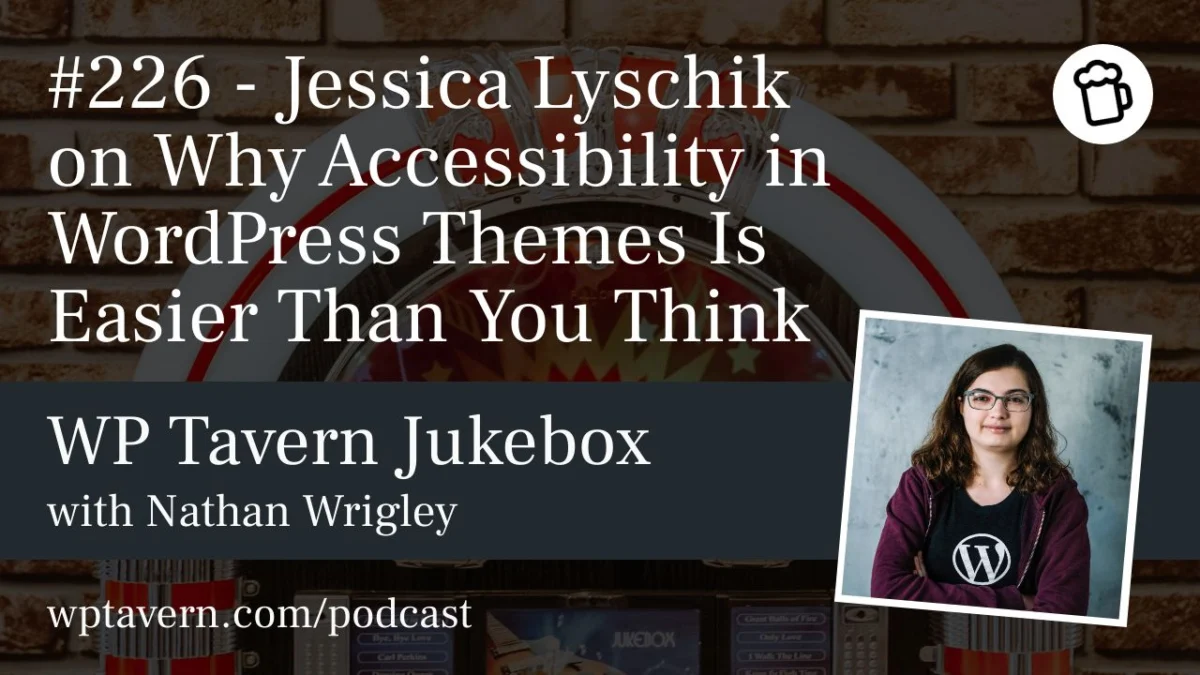
In the vast and evolving ecosystem of WordPress, few topics are as frequently discussed yet as consistently misunderstood as web accessibility. Often perceived as a daunting technical mountain that requires a PhD in compliance law to climb, accessibility is frequently relegated to the "to-do later" list by theme developers and site owners alike. However, at WordCamp Europe 2026, long-time WordPress contributor and developer Jessica Lyschik sought to dismantle these misconceptions, arguing that building inclusive, accessibility-ready websites is not only a moral imperative but a more straightforward process than many imagine.
The Human-Centric Journey to Accessibility
For many developers, the journey toward accessibility advocacy does not begin with a textbook or a set of legal requirements; it begins with a shift in perspective. Jessica Lyschik, who has been working within the WordPress ecosystem since 2015, describes her own path as a "gradual process."
"When I started learning about how to create a website, accessibility was absolutely not a thing," Lyschik explained during her interview at the Jukebox Podcast. "No one cared about it."
However, as the web matured and the community began to include more diverse voices—including developers and users who are blind or living with motor impairments—the reality of a "broken" web became impossible to ignore. Lyschik recounts stories of blind developers sharing the struggles of navigating poorly constructed sites, noting that these experiences were "eye-opening." This realization transformed her professional philosophy: she shifted from seeing accessibility as a burdensome checklist to recognizing it as a fundamental component of quality craftsmanship.
The Intersection of Morality and Technology
The debate surrounding accessibility often bifurcates into two distinct paths: the legal requirements and the moral obligation. With governments globally—particularly within the European Union via the European Accessibility Act—tightening regulations, companies are increasingly feeling the pressure to comply to avoid litigation.
Yet, Lyschik emphasizes that the most sustainable motivation is rooted in ethics. Comparing a non-accessible website to a post office with a physical step that prevents wheelchair access, she argues that the injustice is often invisible online because of the solitary nature of web browsing. "The invisibility is the key thing," she notes. By failing to provide accessible structures, developers are effectively locking users out of essential life functions, such as banking, government services, and commerce.
The Rise of AI Agents: A New Catalyst for Change
One of the most compelling arguments for accessibility in 2026 is the emergence of AI agents. These autonomous systems do not perceive websites in the way humans do; they do not "see" a layout, but rather interpret code.
Lyschik highlights a critical, often overlooked fact: an AI agent is, in many ways, functionally similar to a screen reader. If a website is built with proper semantic HTML, correct labeling, and logical structure, an AI agent can effectively navigate and interact with it.
"Google actually just last month announced that they will focus on this," Lyschik noted. "They will focus on the accessibility for the AI agent." This development shifts the narrative from "doing it for the user" to "doing it for the machine," providing a pragmatic, commercial incentive for developers to adopt clean, accessible coding practices. If a site is not accessible, the next generation of AI-driven commerce—such as an agent purchasing a product on a user’s behalf—simply cannot function.
Demystifying the "Accessibility Ready" Tag
In the WordPress.org theme repository, obtaining an "Accessibility Ready" tag is the gold standard for quality. However, many developers find the documentation intimidating. Lyschik’s presentation, Accessibility in Themes, Easier Than You Think, was designed to bridge this gap.
Currently, there are 18 specific requirements to achieve this status. For the uninitiated, these requirements can seem cryptic. Lyschik argues that the problem lies not in the difficulty of the tasks, but in the lack of clear technical instruction. "The requirements read like, ‘this must be achieved,’ but you’re not told how to achieve it," she said.
Low-Hanging Fruit for Immediate Improvement
For developers feeling overwhelmed, Lyschik identifies several "quick wins" that can be implemented in under 30 minutes:
- Semantic HTML: Utilizing tags like
<header>,<footer>, and<main>to provide a clear structure for browsers and assistive technology. - Alternative Text: Ensuring every image has descriptive alt text—a practice that remains one of the most effective ways to improve inclusivity.
- Link Clarity: Using CSS to ensure links are clearly underlined or distinguished, and avoiding "click here" text in favor of descriptive link labels.
- ARIA Labels: Providing context for icon-based buttons that lack visible text, ensuring screen readers can announce the purpose of the button.
The Block Theme Advantage
The transition to block-based themes in WordPress has provided a significant boost to accessibility, according to Lyschik. Unlike classic themes, where developers were often forced to build custom structures from scratch—frequently missing key components like "skip-to-content" links—modern block themes handle much of the heavy lifting automatically.
"In block themes, it’s super easy," Lyschik explains. "You just need to configure that correctly in the editor, or use the correct template part, and it’s basically done for you." For example, wrapping content in a Group block and assigning the main HTML tag automatically generates the necessary landmarks for assistive technology. This architectural shift means that developers can achieve high levels of accessibility simply by using the tools as intended, rather than fighting against them.
The Future of the Repository: A Gradual Shift
With over 14,700 themes currently in the WordPress repository, only about 270 carry the "Accessibility Ready" tag—roughly 1.5%. While some in the community have suggested that the repository should mandate accessibility, effectively barring non-compliant themes, Lyschik advocates for a more gradual, educational approach.
"I think it will be extremely hard to force that onto people," she noted. "We do not like to be forced to do things we do not understand." Instead, she believes that by improving documentation and demonstrating the long-term benefits—both in terms of SEO, AI compatibility, and moral standing—the number of accessible themes will naturally rise.
Interdisciplinary Awareness
Finally, Lyschik underscores that accessibility is an interdisciplinary challenge. It is not the sole responsibility of the developer. Content creators, SEO specialists, and designers must all play their part.
Content teams, for instance, must understand the importance of hierarchical heading structures (H1 to H6). SEO teams, while focused on search rankings, are essentially advocating for the same semantic clarity that accessibility demands. When every department within an agency or project team understands the basic tenets of accessibility, the burden on the developer is significantly reduced.
Conclusion
The overarching message from Jessica Lyschik is one of empowerment. Accessibility is not a niche requirement reserved for government projects; it is a fundamental aspect of the modern web. By shifting the perspective from "chores" to "best practices," and by leveraging the inherent capabilities of modern WordPress block themes, developers can create a digital environment that is truly inclusive.
As the web continues to be shaped by AI and as legal frameworks evolve, the developers who embrace these standards today will find themselves well-positioned for the future. "If you learn about accessibility today," Lyschik concludes, "you’re in a very good spot." The barrier to entry is lower than ever—it is simply a matter of taking the first step.