Is your entire AI operation built on a single platform? If you rely exclusively on ChatGPT, Claude, or Gemini for your critical business tasks, you are operating with a significant structural risk. When a platform suffers an outage, changes its pricing model, or experiences a dip in model performance, your business grinds to a halt.
In an era where AI is becoming the backbone of professional productivity, "platform lock-in" has become a silent liability. To thrive in a volatile market, you must transition from being a platform user to a platform architect. By building portable AI workflows, you ensure that your intellectual property—your prompts, your logic, and your context—remains under your control, regardless of the tool you happen to be using.
The Strategic Imperative: Why Portability Matters
The shift toward portable AI workflows is not merely a technical exercise; it is a fundamental business strategy. As AI integration deepens, marketers and business owners must account for four primary risks:
1. Operational Stability
AI platforms are not immune to downtime. If your entire workflow is siloed within one ecosystem, a server crash or a major API failure can paralyze your operations. True portability allows you to switch your workload to a secondary provider in minutes, ensuring business continuity.
2. Performance Variability
Model quality is dynamic. An update that makes a model smarter in one area may inadvertently make it "lazy" or inconsistent in another. Professionals often describe days where a model feels "off." A portable architecture allows you to experiment with different models—Claude for writing, OpenAI for data analysis, or Gemini for research—without having to rebuild your entire infrastructure.
3. Financial Leverage
Currently, AI pricing is competitive, but this is a temporary market state. As infrastructure costs normalize, providers may raise prices or change tier structures. If you are locked into a platform’s proprietary ecosystem, you have no leverage. Portability preserves your freedom to vote with your wallet.
4. Functional Optimization
No single AI is perfect at everything. By decoupling your workflows from a specific platform, you can utilize the "best of breed" models for specific tasks. When your instructions and context files are stored externally, you gain the ability to route tasks to the model best suited for the job at any given moment.
The Architecture of Independence: A Chronology of Implementation
Building a portable workflow does not require you to start from scratch. Most professionals already possess the necessary raw materials—they are simply trapped inside the "walled garden" of their primary AI provider. The transition to a portable system follows a clear, three-stage evolution.
Stage 1: Externalizing Context and Instructions
The first step in breaking free is to stop treating the AI chat box as your primary storage. Instead, move your project instructions, agent configurations, and "Gems" into a neutral, external environment.

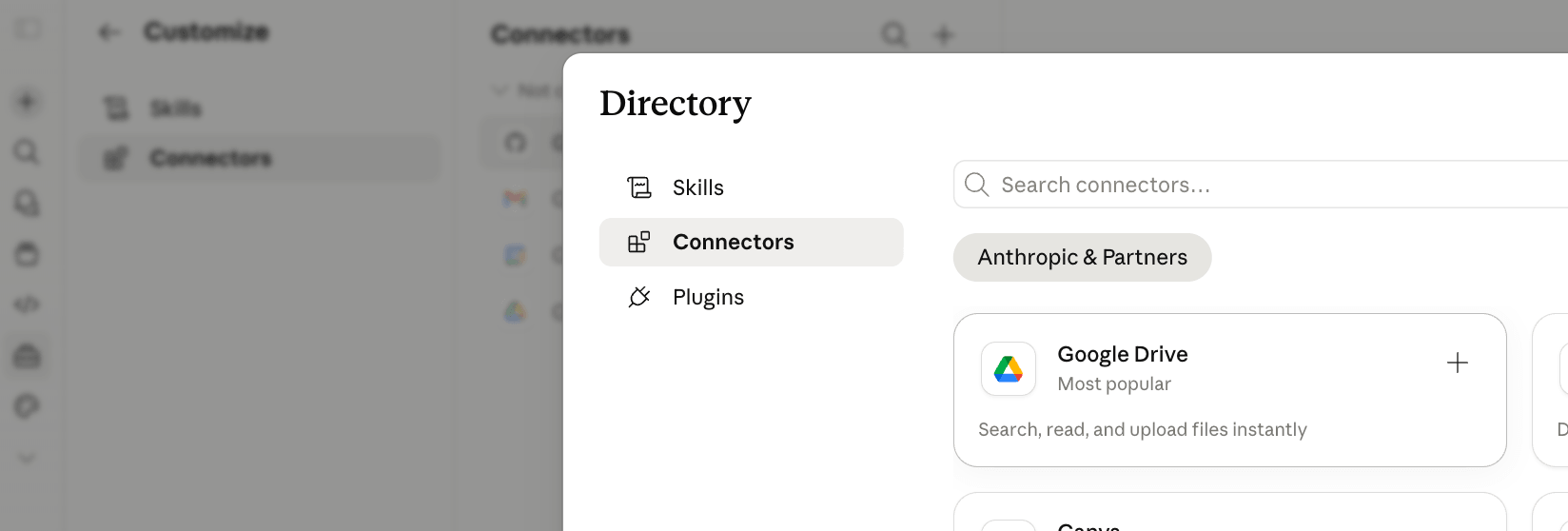
By utilizing cloud-based storage—such as Google Drive, Dropbox, or SharePoint—you create a "source of truth" that is independent of any specific AI tool. To bridge the gap, leverage Model Context Protocol (MCP) connectors. These act as universal APIs, allowing various AI models to "read" your external files without forcing you to manually re-upload data into every new session. This creates a centralized, update-once-sync-everywhere maintenance cycle.
Stage 2: Packaging Skills as Markdown
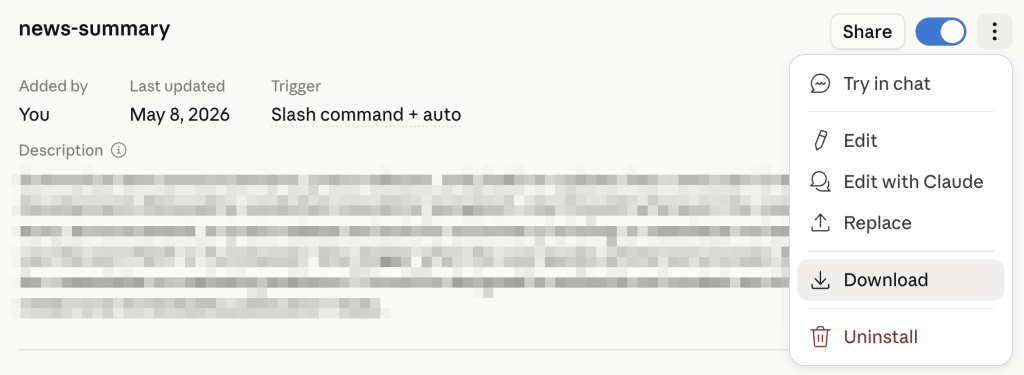
The second stage involves creating "Skills." A skill is essentially a portable, zipped package containing a .md (Markdown) file. This file contains the structured instructions, brand guidelines, and task-specific logic that govern how the AI should behave.
When you download a skill, you are essentially downloading a "brain" for that task. You can take a skill built in Claude and, with minimal friction, import it into ChatGPT or a local LLM runner. This mirrors the "downloading martial arts" concept from The Matrix: the AI doesn’t need to learn the task; it simply reads your skill file and immediately executes the workflow exactly as you intended.

Stage 3: The Integrated Agent (The Excel Paradigm)
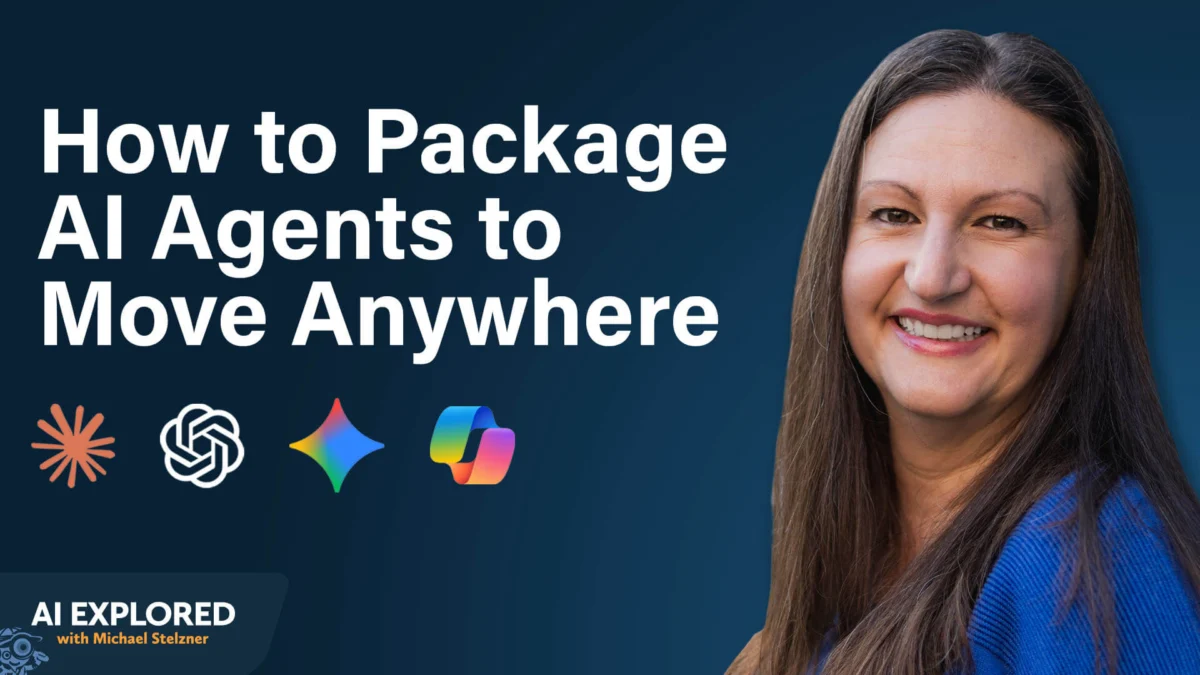
The ultimate expression of portability is the self-contained agent. Nicole Leffer, a pioneer in this methodology, demonstrates this by using Microsoft Excel as an AI "host." By using AI-enabled plugins, you can create a workbook that acts as an independent agent. You plan the logic outside of the application, embed the instructions within the workbook itself, and use the AI plugin to execute the tasks.
If the primary AI service goes down, you simply switch to a different plugin. The workbook—replete with its instructions, history logs, and prompt libraries—remains the same. The AI is merely a passenger; your workbook is the vehicle.
Supporting Data and Best Practices
To successfully manage these portable workflows, users must adhere to strict maintenance standards:
- The "Curated Context" Rule: There is a persistent misconception that AI performs better with "more" data. In reality, AI performs best with relevant data. Instead of connecting an AI to your entire corporate repository, curate a specific folder for each task. This increases response accuracy and reduces the likelihood of "hallucinations" caused by irrelevant data.
- The Security Warning: When dealing with portable skills, the source matters. A skill is essentially a program, not just a prompt. It can include scripts that connect to your CRM or internal databases. Never download skills from untrusted sources or public GitHub repositories unless you have the technical expertise to audit the underlying code for malicious intent.
- Validation Testing: Even when using a sophisticated skill creator, the output is not guaranteed to be perfect on the first try. Always run the skill against real-world tasks and refine the markdown instructions iteratively until the output matches your specific brand and operational requirements.
Official Responses and Industry Context
Industry leaders, including Anthropic, OpenAI, and Google, have increasingly moved toward supporting interoperability. The introduction of MCP and improved plugin ecosystems suggests that these tech giants recognize the need for more flexible, integrated AI environments.
However, they also benefit from lock-in. While they provide the tools for portability, they rarely provide the strategy. It remains the responsibility of the professional to organize their own infrastructure. As noted by experts like Nicole Leffer and Michael Stelzner, the goal is not to use every platform at once, but to ensure that you are never "trapped" by any of them.
Implications for the Future of Work
The movement toward portable AI workflows signifies a maturation of the AI industry. We are shifting away from the "novelty" phase—where users simply played with chatbots—into the "infrastructure" phase, where AI is treated as a foundational business asset.
The implications are clear:
- Standardization: Companies that adopt a "portable-first" mindset will be able to standardize workflows across their entire workforce, regardless of which software licenses individual departments hold.
- Resilience: Businesses that build with portability in mind will be the ones that survive the inevitable market consolidation and platform outages.
- Ownership: By controlling your own context and instruction sets, you maintain ownership of your operational "know-how." If a platform provider changes its terms of service or pivots its business model, your business remains insulated.
As you look at your current AI workflows, ask yourself: If this platform disappeared tomorrow, could I recreate my entire operation in an hour? If the answer is no, you are not just a user of the platform—you are a hostage to it. By adopting the strategies of external storage, skill packaging, and integrated workbook logic, you can reclaim your autonomy and build a future-proof AI operation.