In the rapidly evolving landscape of generative AI, the distinction between "chatting" with an LLM and "working" with an AI agent has become the new frontier for productivity. For many professionals, the initial novelty of AI chatbots has worn off, replaced by the frustration of constant micromanagement, context window limitations, and the tedious back-and-forth required to execute complex tasks. Enter Claude Cowork, Anthropic’s agentic desktop application launched in January 2025.
Cowork represents a paradigm shift: it moves away from the "bright, needy intern" model of AI, where every step requires a prompt, toward an "experienced employee" model—an autonomous agent capable of taking a brief, executing a multifaceted workflow, and reporting back only when the job is done or a decision is required.
The Core Philosophy: From Chatting to Supervising
The fundamental difference between standard Claude and Claude Cowork lies in the user’s role. In a standard chat interface, the user is an operator, providing instructions for every incremental movement. In the Cowork environment, the user acts as a manager or supervisor.
As AI strategist Dan Nestle notes, "A standard Claude Project is like a bright new hire who constantly stands at your desk asking for direction. Cowork is the experienced employee who takes a clear brief, goes off to handle it, and only comes back when something requires your input."

By leveraging Projects, Connectors, and Skills, Cowork coordinates agents that operate within the desktop environment, allowing users to automate end-to-end workflows that were previously manual.
Real-World Applications: The Power of Agentic Workflows
To understand the utility of Cowork, it is best to examine how it handles tasks that would typically require hours of human intervention across multiple browser tabs and software suites.
1. Automated Website Management
Technical debt often prevents marketers from making necessary updates to their web infrastructure. Dan Nestle demonstrated this by using Cowork to inject tracking code into a WordPress site. By granting Cowork access to his backend, the agent navigated the dashboard, identified the appropriate location for the code, researched and recommended the most reputable plugin for snippet injection, and executed the installation without compromising site stability.
2. Content Creation at Scale
Cowork excels at repetitive, high-volume tasks. By connecting a specific Claude Project—pre-loaded with brand voice, writing guidelines, and target topic parameters—to Cowork, users can set up a "hands-free" production engine. A single instruction, such as "Search for a relevant topic each day, bring back source material, and use the project guidelines to generate three summaries and two LinkedIn posts," allows the agent to handle the entire content lifecycle before the user even starts their workday.

3. Continuous Optimization of AI Prompts
As Anthropic releases more advanced models, older system prompts often become obsolete or inefficient. Rather than manually updating dozens of legacy projects, users can task Cowork with optimizing system instructions for newer models like Opus 4.6. The agent analyzes the existing prompt, rewrites it to leverage the enhanced reasoning capabilities of the new model, and delivers a polished version ready for deployment.
4. Chrome-Based Task Automation
Perhaps the most potent feature is Cowork’s ability to interface with the Chrome browser. When authorized, Cowork initiates its own tab group, allowing it to perform background tasks—such as data entry, form filling, platform navigation, and proofreading—while the user continues their work in a separate window. It provides a real-time, play-by-play narrative of its actions, ensuring transparency and safety throughout the process.
Security, Compliance, and Data Integrity
The move to agentic AI requires a heightened focus on security. Because Cowork operates on your local machine and has access to your accounts, it necessitates a "trust but verify" mindset.
Permissioning
Cowork will request permission every time it attempts to access a new site or application. Users should treat the agent as they would a human assistant with access to their login credentials: with caution and appropriate oversight. Unlike some other experimental agents that require dedicated hardware to run safely, Cowork is designed for primary machine usage, provided the user remains vigilant.
Training Data Opt-Out
By default, conversations in Claude Pro and Max plans are eligible for model training. Because Cowork interacts with sensitive, private files and internal business data, it is strongly recommended that users navigate to their Claude settings and opt out of data sharing before initiating any Cowork workflows.
The Enterprise Gap
For organizations on Team or Enterprise plans, the situation is slightly more complex. While these plans automatically protect data from model training, Cowork lacks a built-in, granular audit trail for compliance purposes. Businesses subject to strict regulatory requirements (e.g., SOC2, GDPR, or HIPAA) should consult their internal security and compliance teams before authorizing Cowork for sensitive data processing.
Getting Started: Implementation Guide
1. Installation
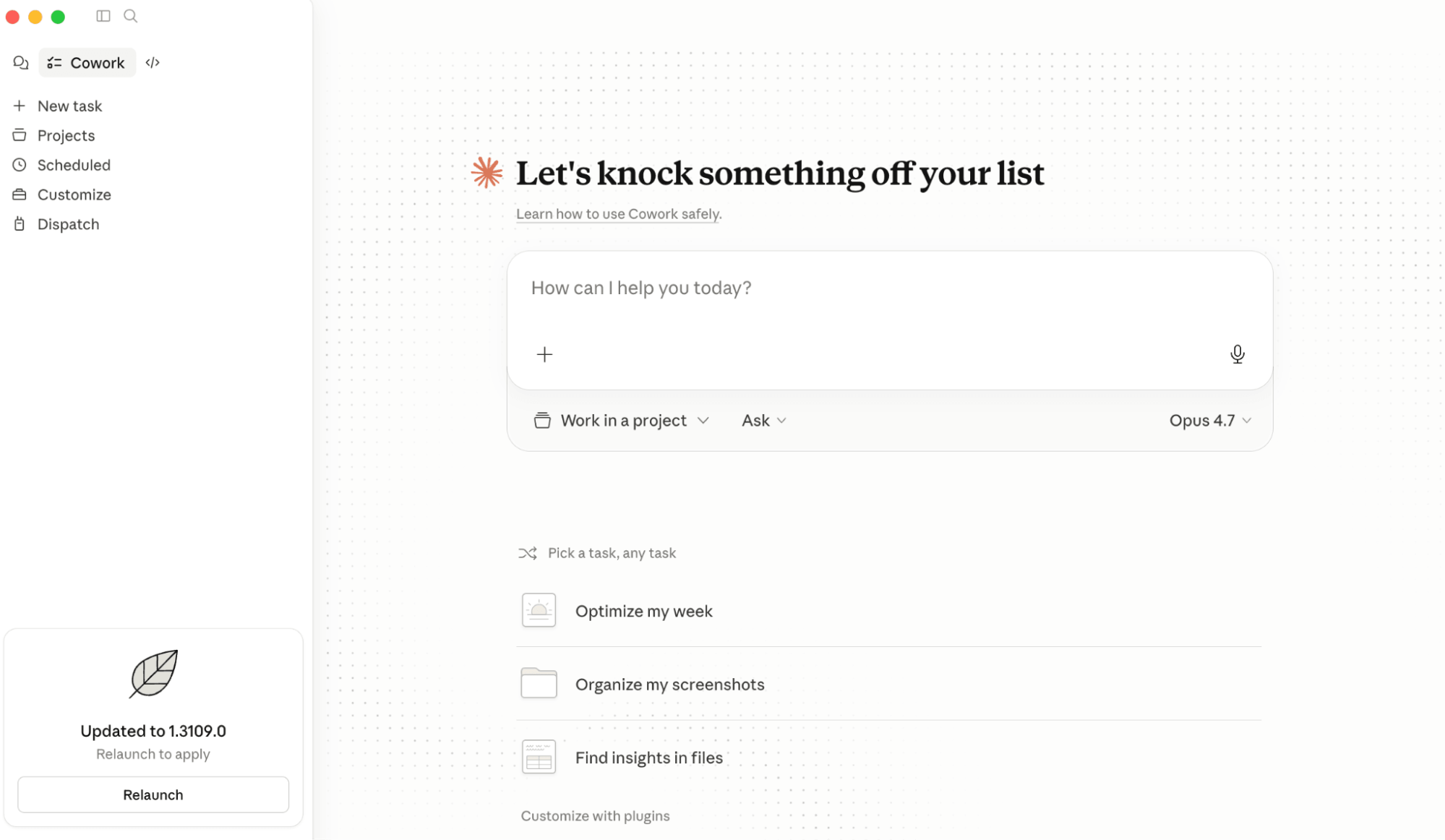
Cowork is exclusively available through the Claude desktop application for Mac and Windows. It does not function within the browser-based version of Claude. Once installed, the interface mirrors the standard Claude experience, maintaining a familiar look and feel.
2. Connecting Projects
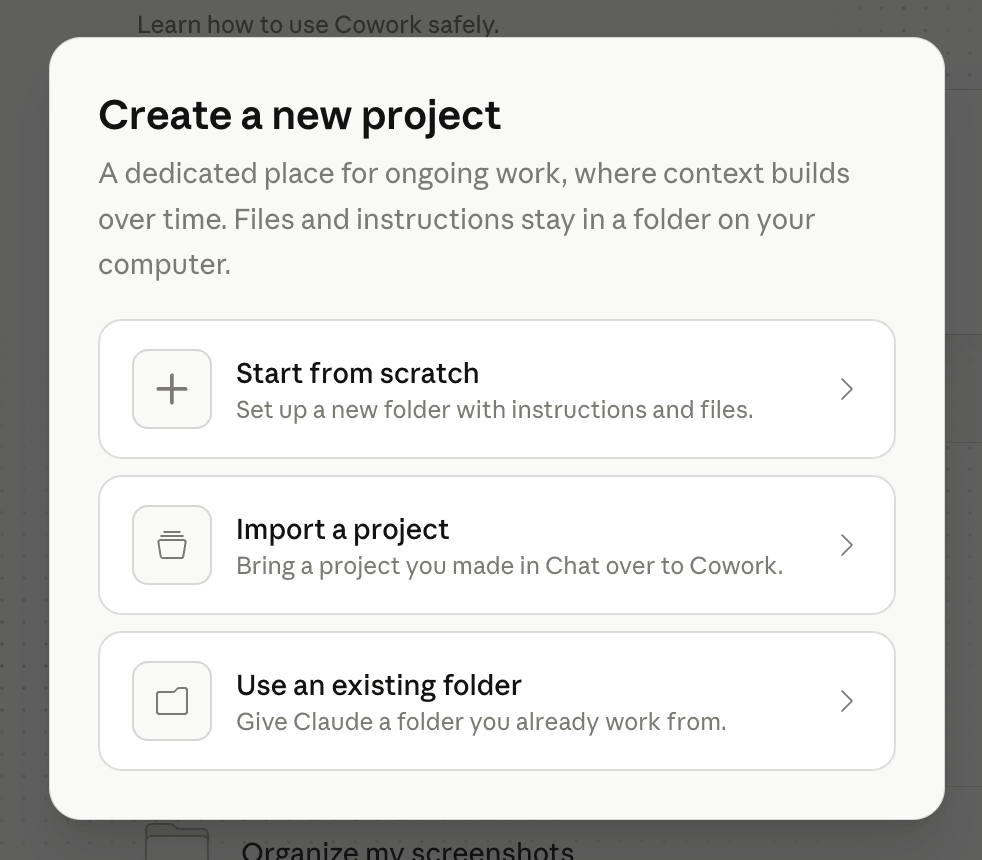
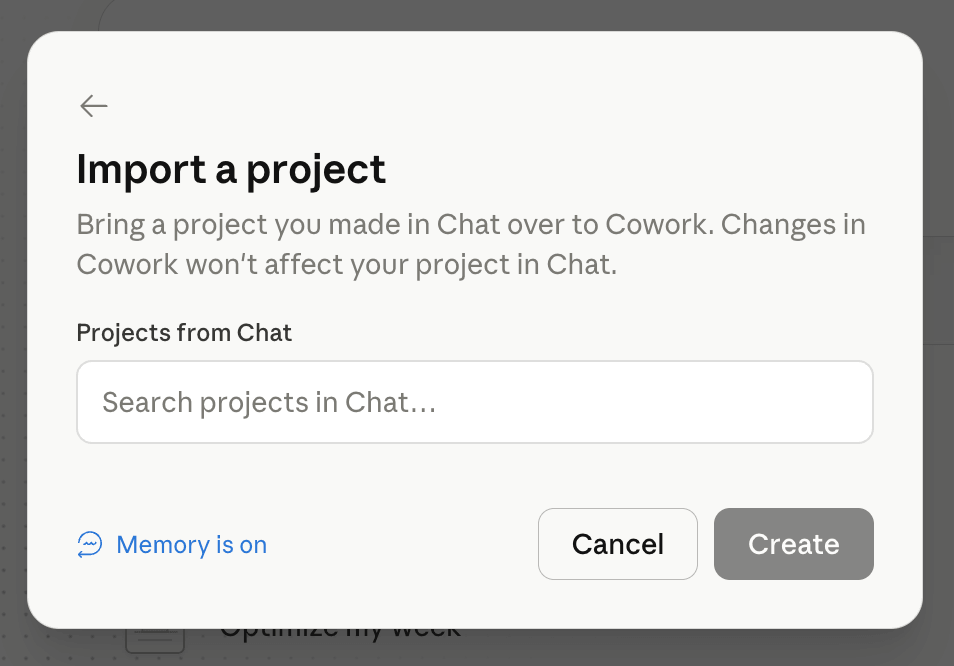
A Claude Project acts as the "brain" of your workflow. To connect one to Cowork, navigate to the "Work In a Project" dropdown at the bottom of the chat window, select "Create a New Project," and then "Import a Project." This imports all the instructions, personality, and data constraints of that project into the Cowork session.
3. Leveraging Connectors
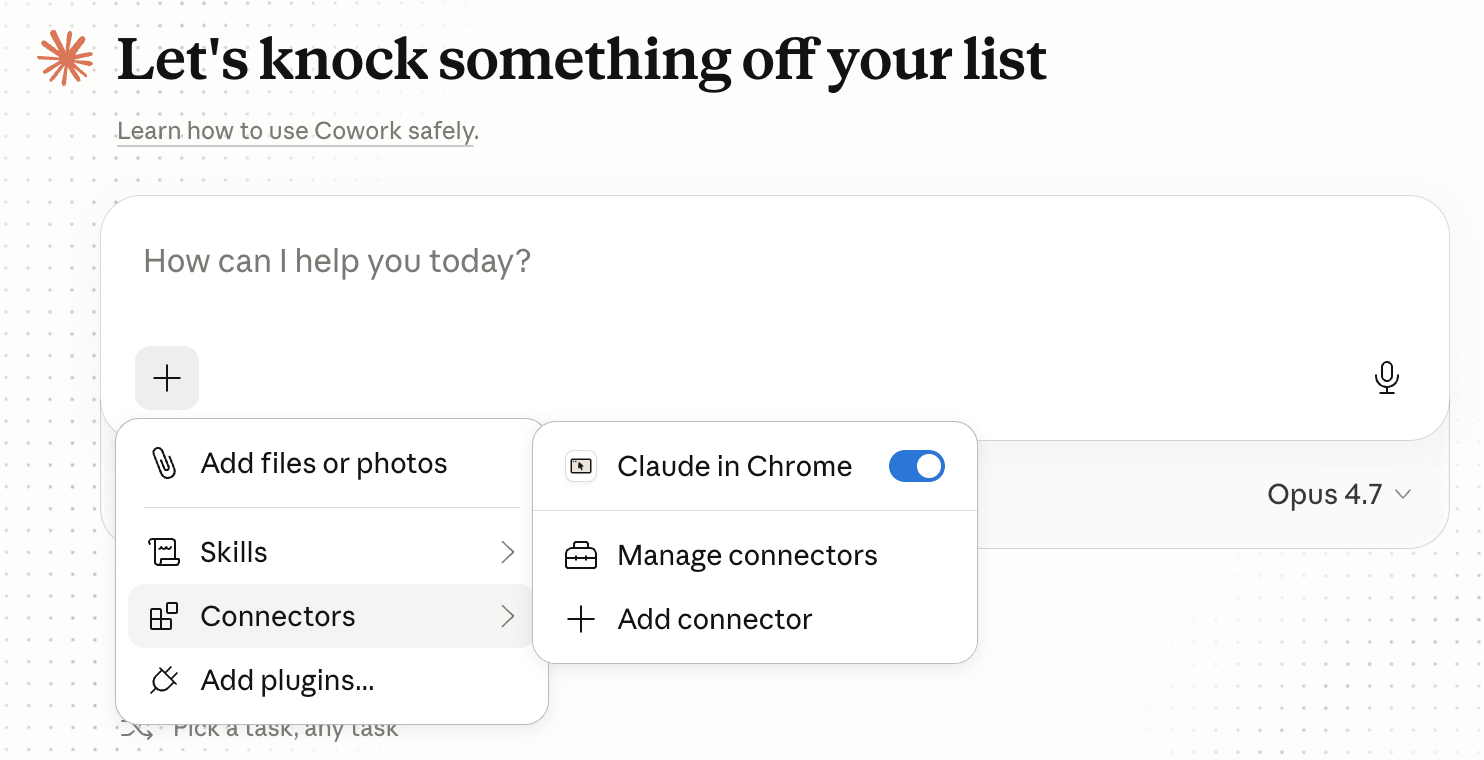
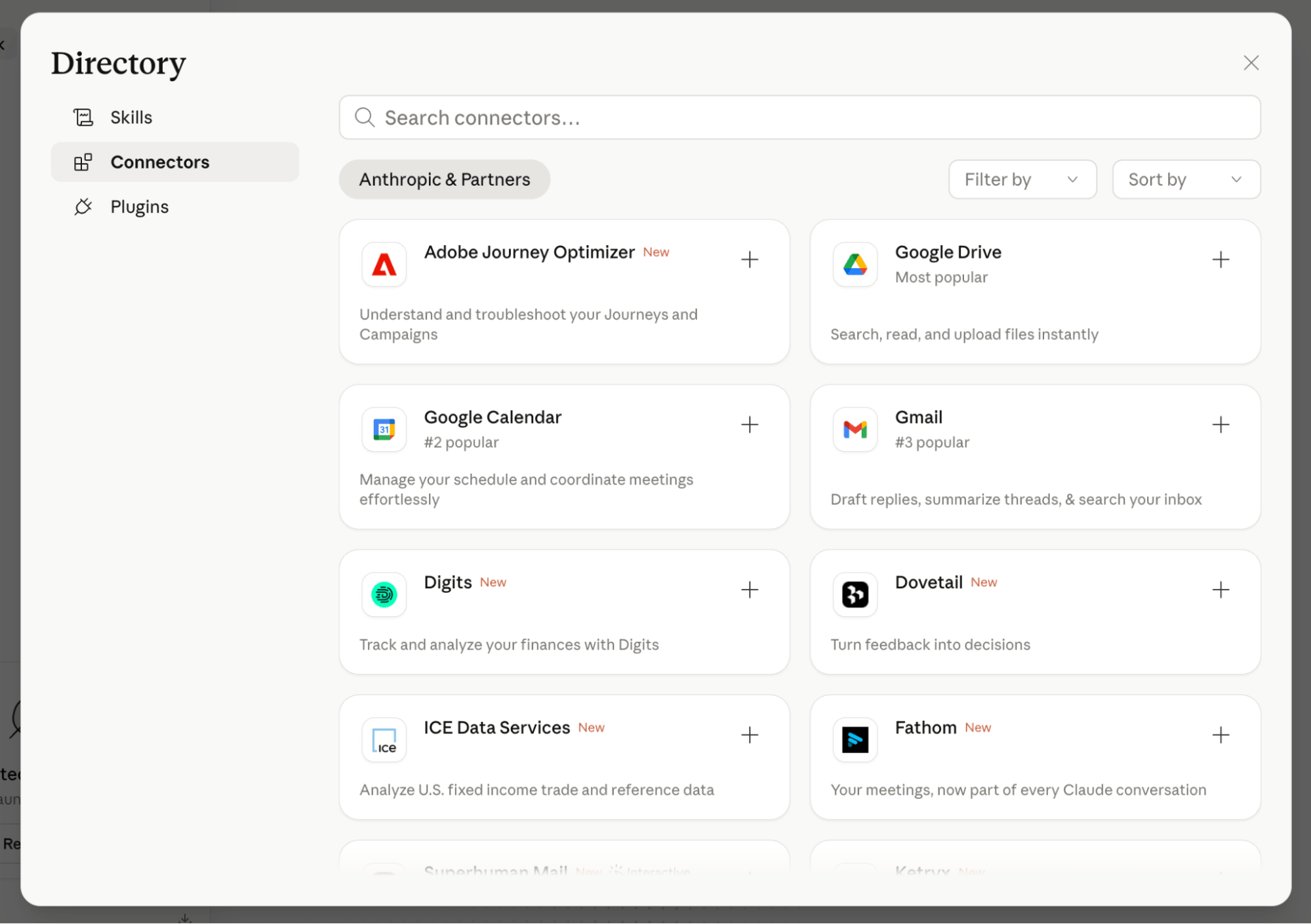
Connectors are the bridges between Claude and the rest of your digital ecosystem. By clicking the "+" icon in the chat window, you can authorize connections to platforms like Airtable, Asana, GitHub, Gmail, and Google Drive. This allows Cowork to make real-time decisions, such as saving a file to a specific Google Drive folder or updating a status in an Asana project, without human intervention.
4. Defining Skills
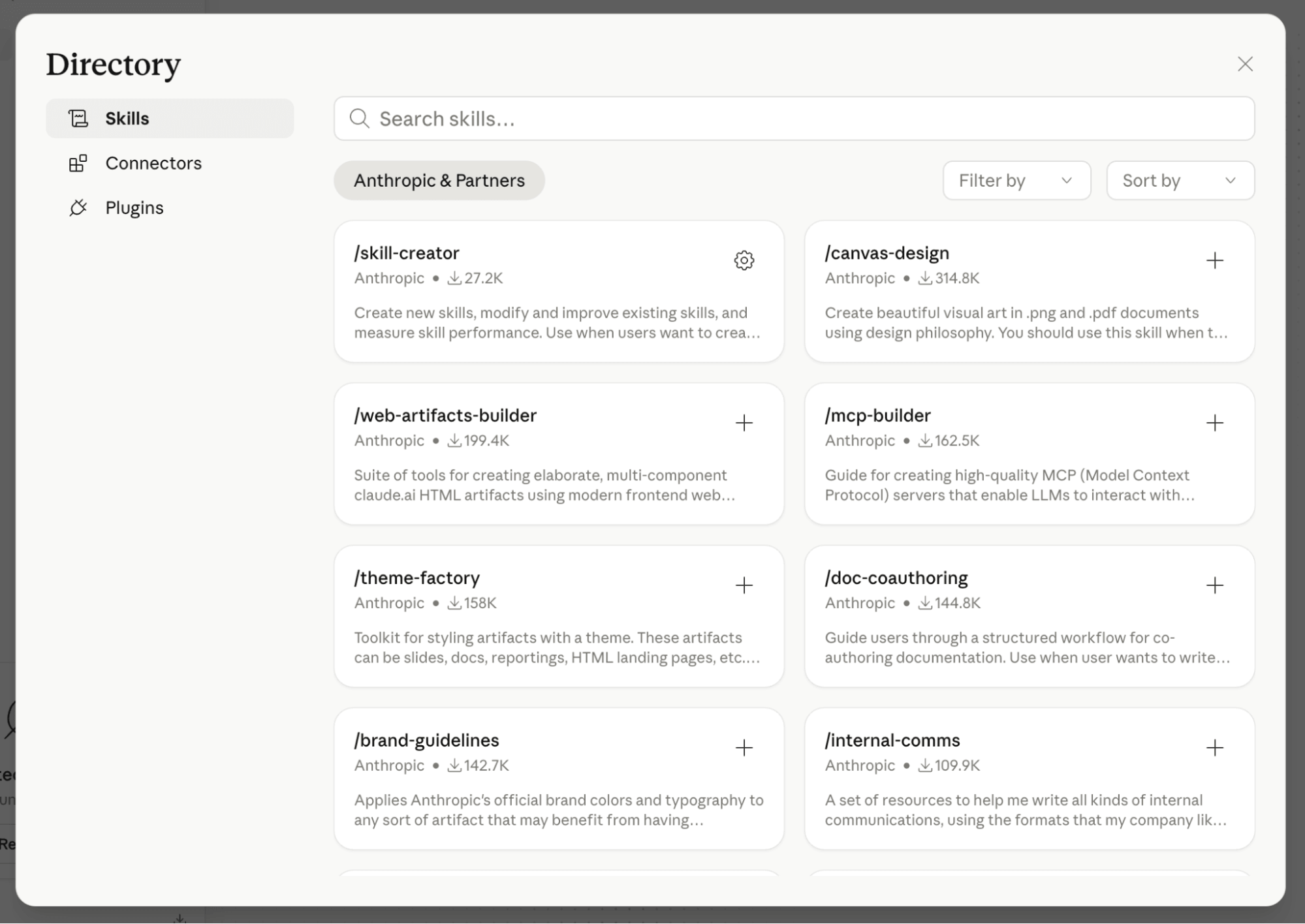
A "Skill" is essentially a packaged, reusable task. If you find yourself explaining the same process to an AI repeatedly, you should build it into a Skill. For example, if you have specific Ideal Customer Personas (ICPs), you can ask Claude to "Build a skill from this." Once saved, you can simply command, "Run this by my ICPs," and the agent will automatically evaluate your output against your pre-defined constraints.
5. Utilizing Plugins
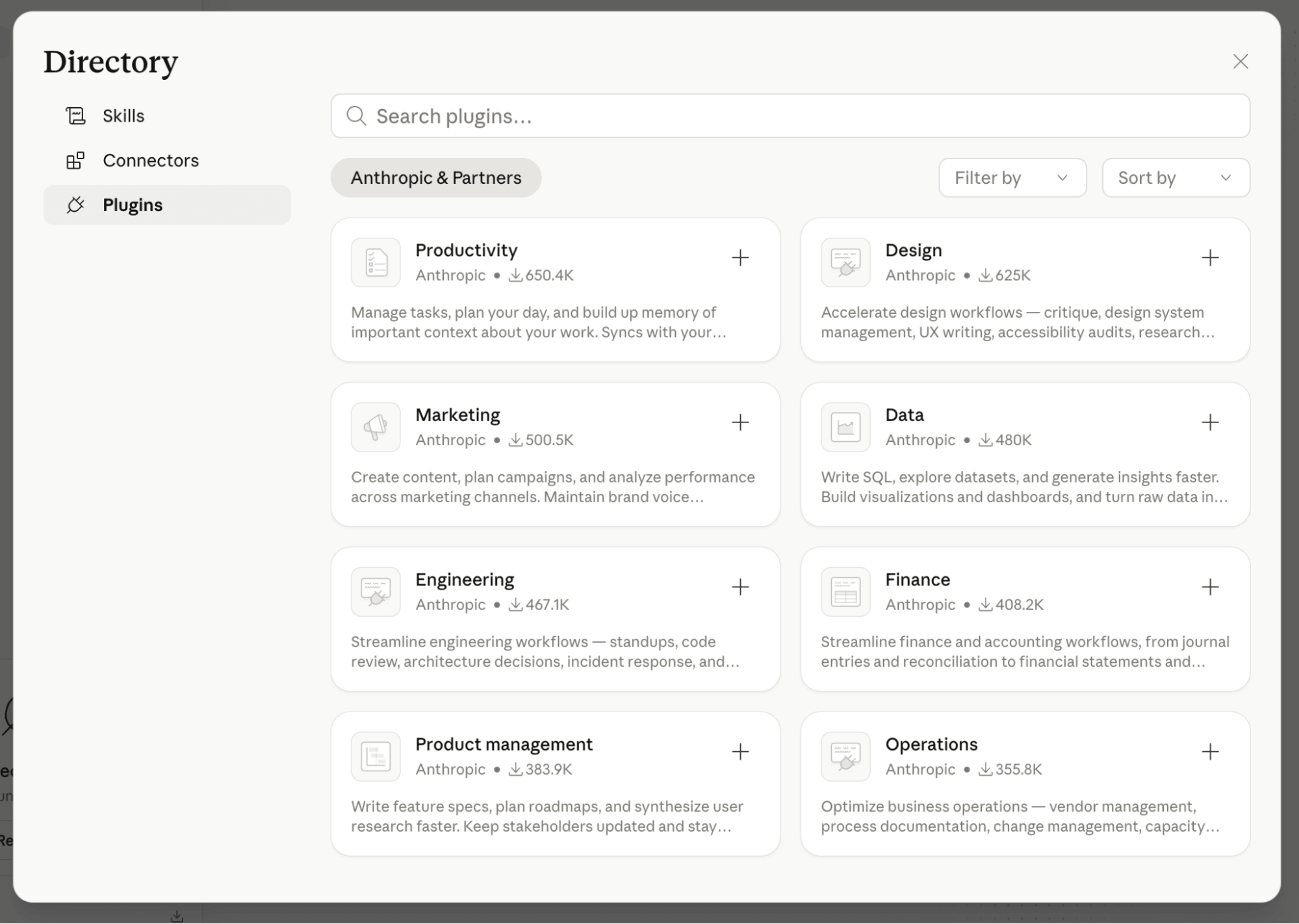
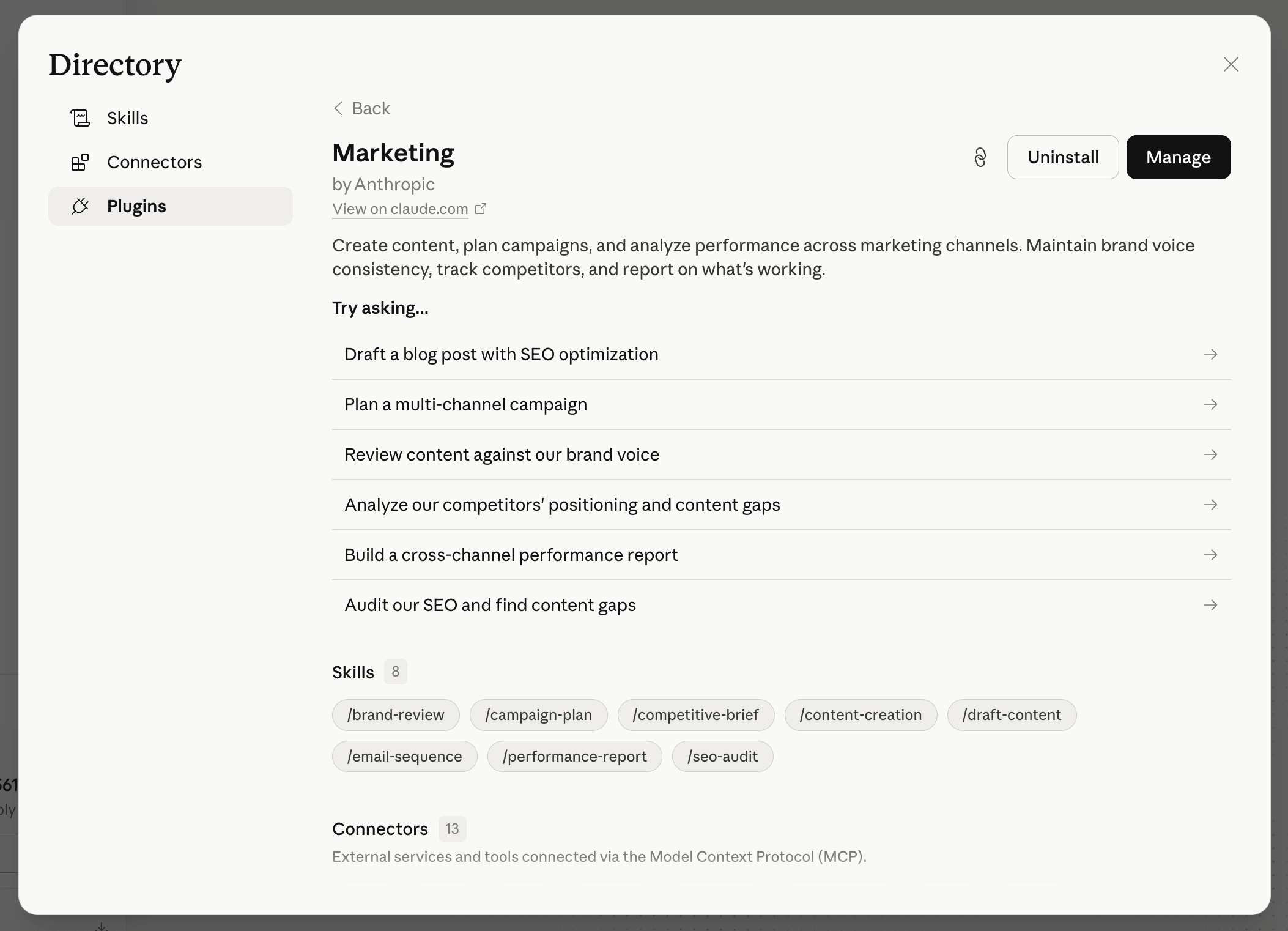
While a Skill handles a single task, a Plugin acts as a bundle of related capabilities. Plugins are categorized by domain—such as Marketing, Finance, or Engineering—and allow users to rapidly expand the functional capabilities of a Cowork session by adding specialized, theme-based workflows.
The Future of the "Agentic" Workplace
The introduction of Claude Cowork signifies a maturation of the AI market. We are moving away from a period of "AI curiosity" into a period of "AI integration."
The implications for the modern workforce are significant. By delegating low-level, high-frequency tasks to agents, professionals are freed to focus on high-level strategy, creative direction, and complex problem-solving. However, this shift requires a new skill set: the ability to structure, manage, and supervise autonomous workflows.
As users become more comfortable with the nuances of Projects, Connectors, and Skills, the boundary between "working on the computer" and "working with an AI" will continue to blur. For those willing to learn the ropes of agentic management, the payoff is a level of productivity that was previously unattainable for a single individual.
Whether you are an entrepreneur looking to scale content or a project manager seeking to automate administrative overhead, the key to success with Claude Cowork is not just learning how to prompt, but learning how to delegate.