In the rapidly evolving landscape of artificial intelligence, a common barrier has long persisted: the assumption that building sophisticated software automations requires a deep background in computer science. However, that paradigm is shifting. With the release of Anthropic’s Claude Code, the ability to architect, deploy, and manage complex AI-driven workflows has been democratized, moving from the domain of elite developers to anyone with a clear goal and a natural language prompt.
As AI educator Tyler Reed notes, some of the most prolific creators in the AI space have never written a traditional line of code. Instead, they have mastered the art of "agentic" interaction—using AI tools to act as a bridge between intent and execution.
Understanding the Power of Agentic AI
Claude Code is an agentic tool—meaning it does not just suggest text or answer questions; it takes action. It serves as an interactive bridge between a user’s natural language instructions and the computer’s file system, terminal, and various web-based APIs.
Historically, connecting two disparate services—such as a Google Calendar and a messaging app—would require hours of navigating cryptic API documentation, wrestling with OAuth credentials, and troubleshooting obscure syntax errors on developer forums. Claude Code removes this friction by handling the technical heavy lifting. You provide the intent; the model provides the infrastructure.
The Two Prerequisites for Success
Before diving into the terminal, users must satisfy two primary requirements:
- The Subscription: To achieve meaningful results, a paid Claude Pro subscription is required. This subscription covers the high-level reasoning and computational resources needed for Claude Code to perform complex tasks effectively.
- Comfort with the CLI: Claude Code operates within a Command Line Interface (CLI). For those accustomed to graphical user interfaces (GUIs), the terminal—a text-only window—may seem intimidating. However, it is fundamentally just a dialogue box for your operating system. It is not about writing code, but about communicating your requirements to the agent.
Crucially, safety is built-in. By default, Claude Code operates on a "human-in-the-loop" basis. Before the agent modifies a file, browses the web, or executes a command, it requests explicit permission. You remain the pilot; the AI is simply the engine.
Chronology of Setup: From Installation to Execution
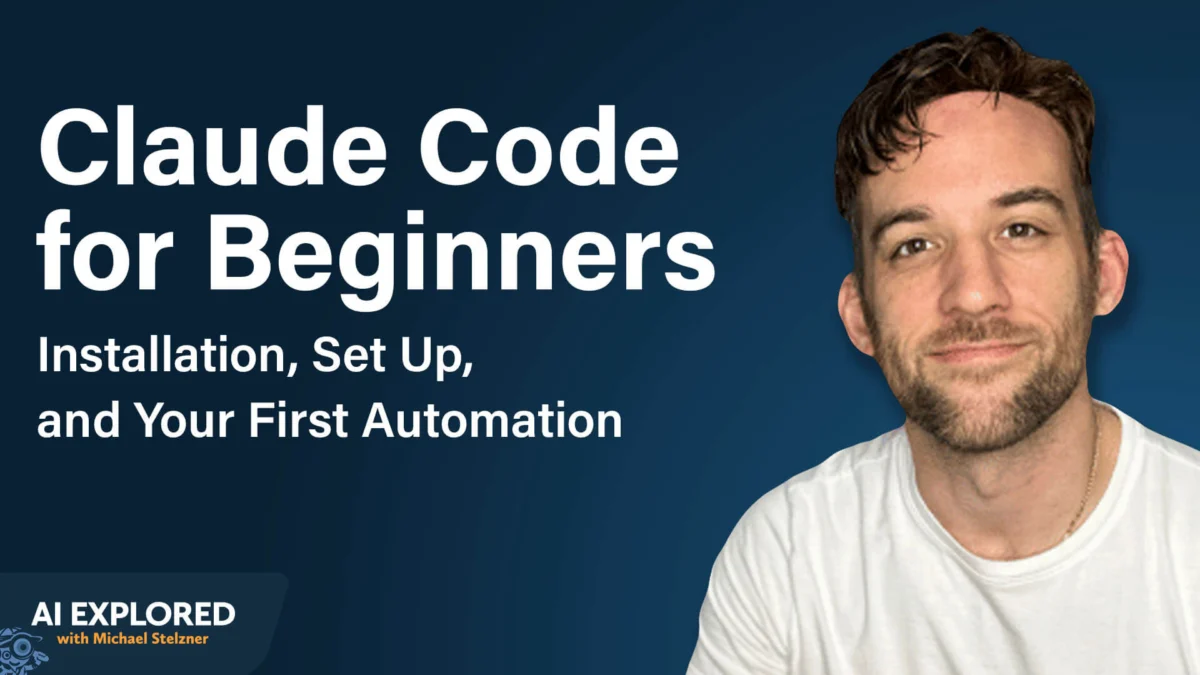
Setting up Claude Code is a streamlined process designed to get users from installation to their first automation within minutes.
Step 1: Initialization
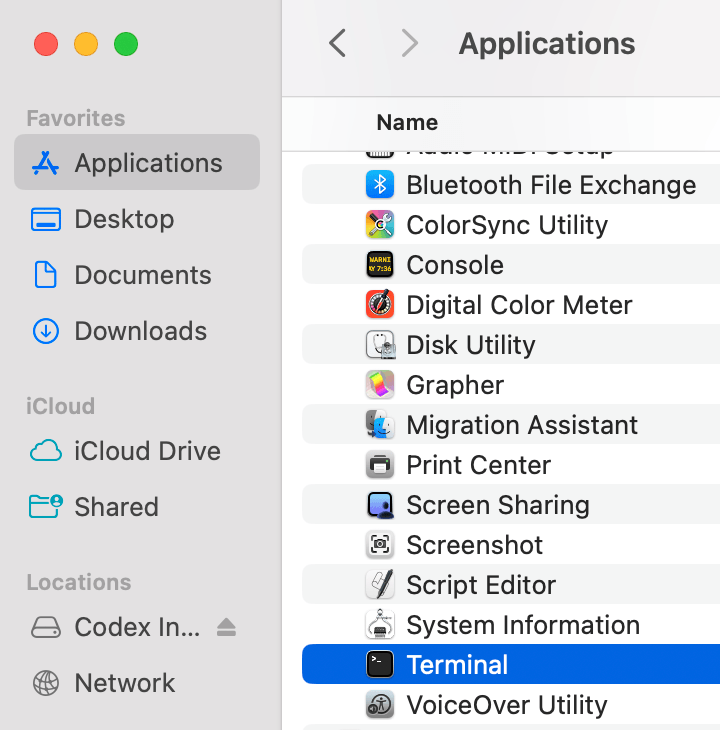
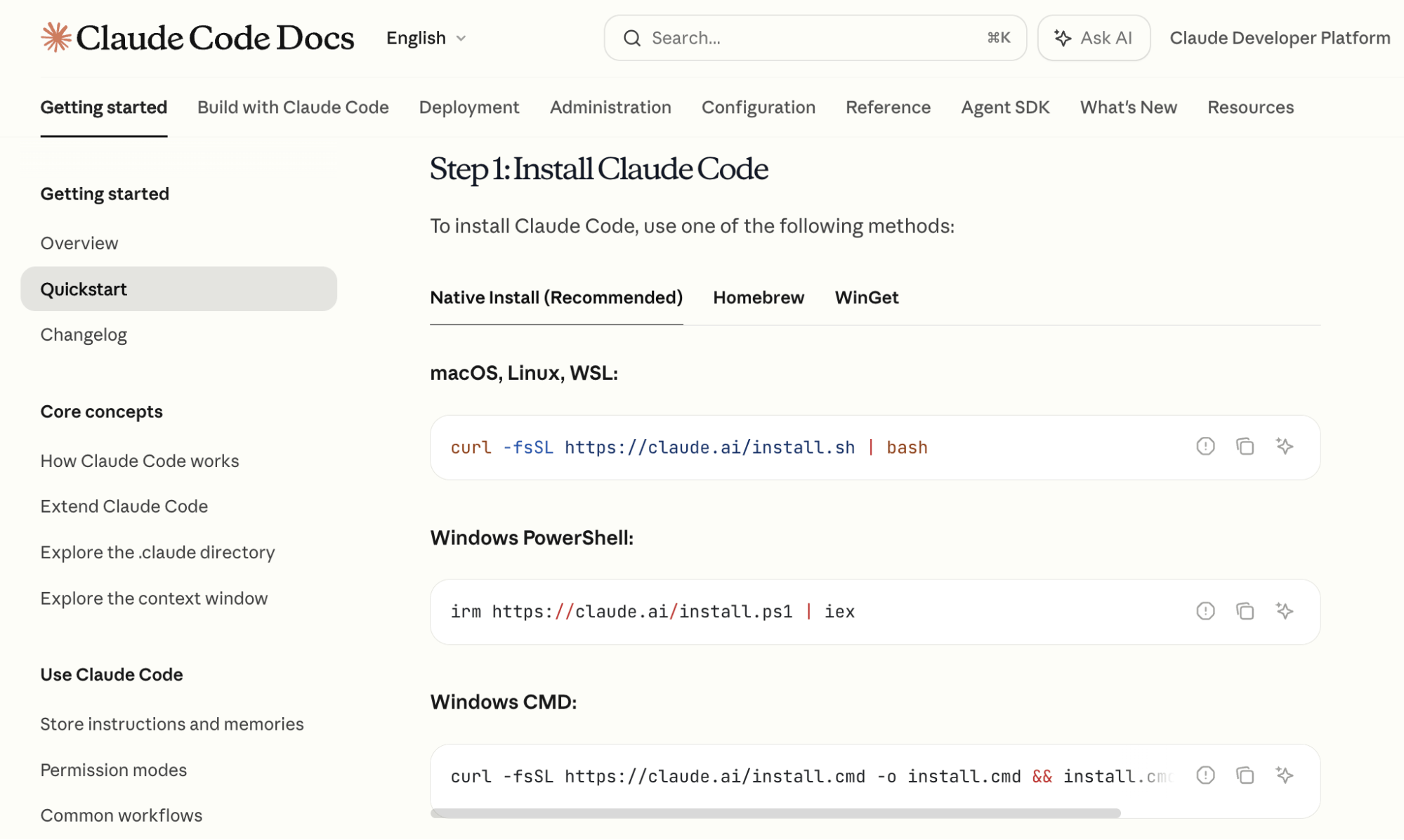
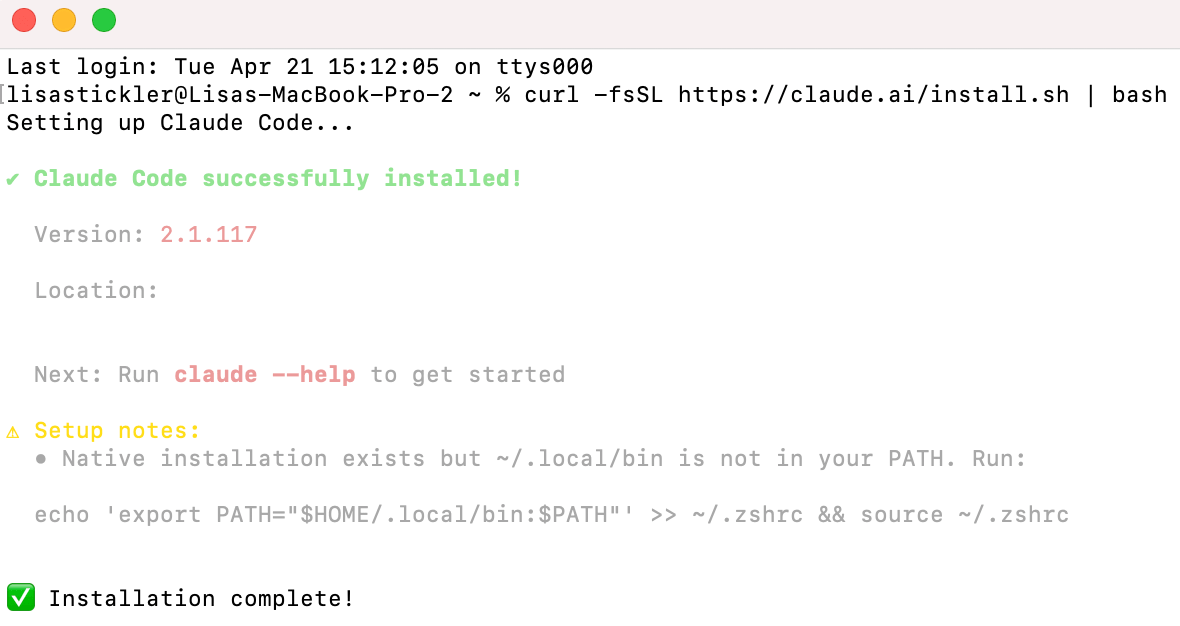
The process begins in your computer’s terminal (Terminal on macOS, or Command Prompt/PowerShell on Windows/Linux). By visiting the official Anthropic documentation, you can copy the standard installation command for your specific operating system. Once pasted and executed, the installation is handled automatically.
Step 2: Authentication
Once installed, typing the keyword claude in the terminal initializes the agent. The tool will then prompt you to authenticate via a browser window. By linking your active Claude Pro account, the terminal gains the necessary permissions to leverage the model’s capabilities.
Step 3: Navigating the Interface
Once inside the interface, you can manage the agent using slash commands. For example:
- /model: Allows you to toggle between different versions of Claude.
- /compact: Condenses the conversation history, which is vital for managing the "context window"—the "short-term memory" of the AI. As this window fills, using the compact command allows you to maintain the project’s continuity without losing progress.
Strategic Workflow: A Two-Model Approach
Efficiency in AI development often comes down to model selection. Tyler Reed advocates for a two-tier strategy when working on complex projects:
- The Architect Phase: Use Claude 3.5 Opus for the planning stage. Opus possesses superior reasoning capabilities and a massive context window, making it the ideal choice for mapping out project architecture, defining the logic flow, and structuring your documentation.
- The Implementation Phase: Once the plan is finalized, switch to Claude 3.5 Sonnet. Sonnet is optimized for speed, performance, and token efficiency, making it the perfect "workhorse" for writing the actual code and executing the tasks required by your project.
Advanced Capabilities: Custom Skills and Persistent Memory
As users become more proficient, two advanced features allow Claude Code to scale from a simple assistant into a sophisticated automation engine.

Custom Skills
A "Custom Skill" is essentially a macro for your AI agent. If you find yourself performing the same research task repeatedly—such as auditing competitor YouTube channels—you can instruct Claude Code to record that process. By describing the steps and asking the agent to save them as a command (e.g., /youtube-research), you create a reusable function. Claude Code saves these as markdown files, allowing you to trigger complex, multi-step workflows with a single slash command in the future.
Persistent Memory with CLAUDE.md
One of the most common pitfalls in AI interaction is the loss of context between sessions. To solve this, users should employ the /init command. This creates a CLAUDE.md file within your project directory. This file serves as a "project brief," containing a summary of what the project does, what has already been built, and what the next steps are. Every time you open a session in that folder, Claude Code reads this file, effectively "remembering" the context of your work.
Building Your First Project: The Daily Briefing Automation
To demonstrate the power of this tool, consider an automation that connects Google Calendar to a Telegram bot, providing you with a daily schedule summary.
Phase 1: Google Calendar Integration
Within the terminal, prompt Claude: "I want to have access to my Google Calendar. Tell me how to do this."
The agent will guide you through the process, which usually involves an OAuth flow—a secure way of granting the agent access to your calendar without you having to manually handle complex API keys. If the instructions become overly technical, remember to append "explain like I’m five" to your prompt. This forces the agent to break down the process into actionable, non-technical steps.
Phase 2: The Telegram Bot
Telegram is an ideal choice for this project due to its open bot API. Type /telegram in the terminal to initiate the configuration process. Claude Code will assist you in setting up the bot, which acts as your private interface for receiving notifications and sending commands.
Phase 3: The Execution
Once the connections are established, provide the final instruction: "Read my Google Calendar and send me a Telegram message every morning with a summary of the next day’s schedule."
Claude will write the underlying script to tie these two services together. As long as the terminal window remains open on your computer, the automation will run in the background. Furthermore, the connection is bidirectional: you can message your Telegram bot to ask for updates, add tasks, or modify your schedule while on the move.
Implications: The New Era of the Non-Technical Creator
The rise of tools like Claude Code signals a fundamental shift in the digital economy. We are moving toward an era where "coding" is less about syntax and more about systems design.
For entrepreneurs, marketers, and independent creators, this means the barrier to building custom business software has collapsed. Previously, a professional-grade automation required a software developer; now, it requires a clear thinker who can articulate their workflow to an AI agent.
Why This Matters for Business
- Reduced Overhead: Businesses can now build bespoke internal tools without the high costs of custom software development.
- Agility: Because these automations are built through natural language, they can be updated or pivoted in real-time as business needs change.
- Independence: The reliance on "no-code" platforms, which often come with high subscription fees and limited flexibility, is reduced. You own the code that Claude generates, and it lives on your machine.
Final Thoughts
Claude Code is not a replacement for human intellect; it is a force multiplier. By offloading the technical "how" to an agentic AI, users are free to focus on the "what" and the "why." As Tyler Reed’s work demonstrates, we are entering a phase where the ability to conceptualize a solution is far more valuable than the ability to type the syntax required to build it.
Whether you are looking to automate a simple calendar notification or build a complex research engine for your marketing agency, the tools are now in your hands. The only remaining prerequisite is the curiosity to start the terminal and ask your first question.