By Cyber Security & Intelligence Desk
Published September 2026
Main Facts: The Anatomy of a Modern Digital Heist
In the evolving landscape of digital espionage, the traditional password is no longer the ultimate fortress. A sophisticated, persistent phishing campaign leveraging legitimate cloud infrastructure has exposed the personal accounts of high-profile individuals, diplomats, academics, and defense sector personnel across the United States and Europe.
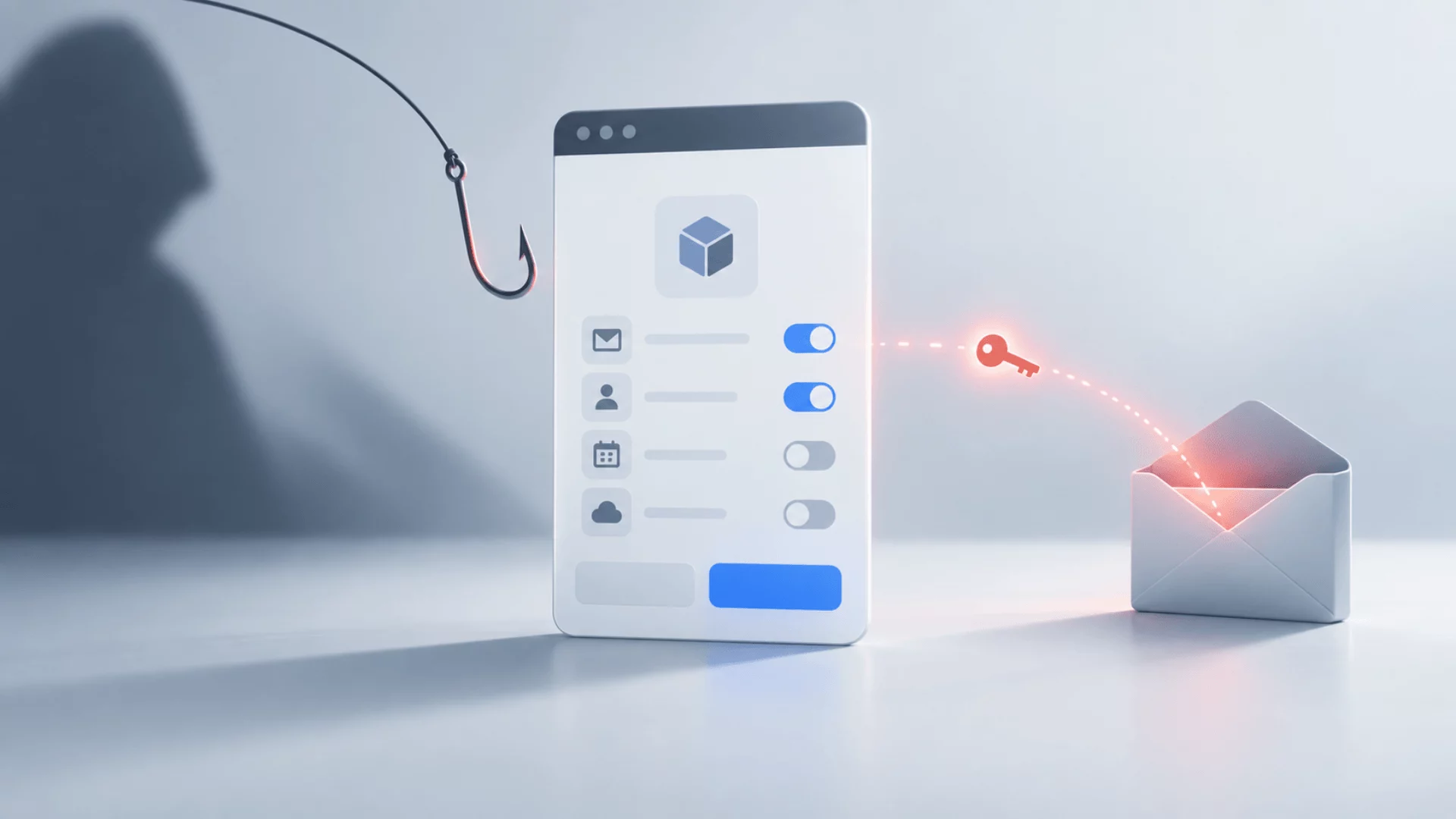
At the center of this cyber threat is OAuth consent phishing—a method where attackers bypass conventional credential-harvesting techniques entirely. Instead of stealing a password, malicious actors trick targets into granting persistent, automated access to their email accounts via legitimate authorization screens belonging to major technology giants like Google and Microsoft.
The mechanics of the attack are deceptively simple yet technically profound:
- The Initial Hook: Attackers reach out to targets via encrypted messaging applications, personal email accounts, or commercial messaging platforms. They impersonate trusted entities—government officials, event organizers, journalists, or academic peers.
- The Social Engineering Lure: Targets are sent links masquerading as file-sharing services, conference registration forms (such as spoofed global forums), or draft documents requiring expert review.
- The Trap: Clicking the link directs the victim to a legitimate Google or Microsoft sign-in prompt. Upon entering their credentials and clicking "Allow," the user unwittingly authorizes a third-party cloud application controlled by the threat actor.
- The Persistence: Once granted, the malicious application can read, send, and manage emails indefinitely. Crucially, changing the victim’s account password does nothing to revoke this access. The authorization token remains valid until manually terminated through deep application security settings.
Despite the gravity of the threat, public awareness has been fragmented. In late August and early September 2026, two major reports—one from Google’s Threat Intelligence Group (GTIG) and another from the FBI’s Internet Crime Complaint Center (IC3)—shed light on these campaigns, revealing parallel investigations that mirror each other in targets and tactics, yet curiously operate in total isolation.
Chronology of a Parallel Disclosure
The timeline of these disclosures highlights a growing disconnect between private sector threat intelligence and federal law enforcement warnings, even when tracking the exact same digital footprints.
- June 2025: Google’s Threat Intelligence Group first flags early iterations of the campaign, noting threat actors utilizing app-specific password phishing while impersonating the U.S. State Department.
- July – October 2025: Microsoft implements significant security overhauls for enterprise tenants. Microsoft 365 default settings begin requiring strict administrator approval before third-party apps can access corporate files, sites, Exchange, and Teams content. However, personal consumer accounts remain unprotected by these corporate safeguards.
- Late 2025: According to the FBI, attackers aggressively scale up their campaigns, targeting personal accounts of prominent individuals, their families, and close acquaintances using authentic-looking permission screens.
- June 2026: Threat actors—specifically clusters identified by Google—upgrade their tactics, heavily integrating advanced OAuth consent phishing alongside legacy device-code and app-password phishing techniques.
- August 20, 2026: Google’s Threat Intelligence Group publishes a comprehensive report titled "Going with the Flow(s)" (focusing on distinct clusters targeting individuals of interest to Russia). GTIG names specific clusters (UNC6293, UNC7005, and UNC5976), details infrastructure domains, and outlines targeted industries. Notably, Google’s report does not cite the FBI.
- September 1, 2026: The FBI’s Internet Crime Complaint Center (IC3) publishes a Public Service Announcement (PSA: Alert I-090126-PSA) detailing OAuth consent phishing trends. The FBI’s advisory details victim workflows and remediation steps but provides zero attribution, no victim counts, no indicators of compromise (IOCs), and crucially, fails to cite Google’s extensive research published less than two weeks prior.
Supporting Data: Dissecting the Threat Clusters
While the FBI’s advisory generalizes the methodology, Google’s threat intelligence provides a granular breakdown of the specific actors driving these operations. GTIG has mapped out distinct clusters with varying degrees of confidence regarding state sponsorship.
1. The ICE RELIC Subclusters (UNC6293 and UNC7005)
Google assesses with moderate confidence that UNC6293 and UNC7005 operate as initial-access subclusters for ICE RELIC—a prominent threat group historically tracked industry-wide as APT29 (commonly associated with Russian state intelligence operations).
- UNC7005 Tactics: This subcluster engineered sophisticated registration portals specifically designed to spoof high-profile geopolitical gatherings, such as the GLOBSEC forum. Targets visiting the fake portal were prompted to authenticate, handing over OAuth tokens directly to attacker-managed infrastructure.
- UNC6293 Tactics: Initially known for harvesting app-specific passwords while masquerading as diplomatic entities, this group pivoted toward full-scale OAuth consent phishing by mid-2026.
2. The Independent Russian Cluster (UNC5976)
Operating alongside the APT29-linked subclusters, UNC5976 deployed tailored file-sharing lures.
- Infrastructure: The group purchased domains themed around cloud storage and document collaboration. They embedded authentic "Continue with Google" buttons on fake sharing interfaces.
- The Redirect Chain: Victims were routed through a legitimate Google OAuth login flow before being instantly redirected to an attacker-controlled cloud project configured to harvest authorization tokens.
While GTIG successfully disabled several of these malicious cloud projects, researchers observed UNC5976 rapidly shifting its infrastructure to alternative cloud and hosting providers to maintain campaign continuity.
Official Responses and the Security Gap
The disparity in how enterprise environments versus consumer ecosystems handle OAuth consent underscores a profound structural vulnerability in modern identity and access management.
The Enterprise Shield vs. The Consumer Blind Spot
In the latter half of 2025, Microsoft took aggressive steps to lock down enterprise tenants. Under updated Microsoft 365 policies, default tenant settings now mandate strict administrator approval before any third-party application can access organizational data, mailboxes, or team chats.
However, personal accounts (such as Outlook.com or standard consumer Google accounts) possess no administrative layer. When a high-profile individual is targeted on their personal email—often the preferred channel precisely because corporate networks and security monitoring tools cannot see or scan encrypted messaging apps—they stand entirely alone. There is no IT department to block unverified app permissions.
Google’s Defenses: The Advanced Protection Program
For high-risk users utilizing Google services, the primary defense mechanism is the Advanced Protection Program (APP).
- APP strictly blocks applications requesting high-risk Gmail and Drive scopes unless they belong to trusted ecosystems (Google’s native apps, Apple’s native iOS clients, or Thunderbird).
- It disables the creation of legacy app passwords entirely.
- The Trade-off: APP is entirely opt-in, requires robust hardware security keys or passkeys, and effectively breaks compatibility with most mainstream third-party mail clients, making it unappealing or inaccessible to many casual or moderately tech-savvy users.
For everyday users outside the Advanced Protection Program, Google relies on "unverified app" warning screens. Yet, as GTIG’s own research demonstrates, sophisticated threat actors bypass this friction by initiating a legitimate Google OAuth login before silently redirecting the user to an unverified, testing-mode cloud project—frequently obscuring the warning signs from an unsuspecting target.
Implications: Why This is Ultimately a "Mailbox" Story
The rise of OAuth consent phishing represents a fundamental shift in how digital espionage is conducted. It strips away the traditional indicators of compromise that security professionals have relied upon for decades:
- Absence of Network Visibility: Because the initial outreach occurs via encrypted personal messaging apps (Signal, WhatsApp, Telegram, or commercial platforms), corporate IT and security operations centers (SOCs) have zero visibility into the threat vector.
- The "Trusted Provider" Paradox: The phishing link does not lead to a sketchy credential-harvesting site hosted on a misspelled domain; it leads to an authentic Google or Microsoft login portal. The permission screen is genuinely generated by the tech giant. The resulting authorization token is issued by the legitimate provider. To automated security heuristics, the activity looks entirely benign.
- The Persistence Illusion: Victims operate under the false assumption that changing their account password secures their data. Because OAuth tokens operate independently of account passwords, an attacker can maintain silent, continuous exfiltration of a victim’s mailbox months after a password reset.
As threat actors continue to refine these techniques, the burden of security shifts uncomfortably onto the individual user. Decisions made entirely by technology providers—such as how prominently unverified app warnings are displayed, what scopes applications are permitted to request, and whether consumer default settings will eventually mirror enterprise-grade restrictions—will dictate the success or failure of future espionage campaigns.
What to Do If You Suspect Compromise
If you believe you have fallen victim to an OAuth consent phishing attack, standard incident response procedures must be modified:
- Step 1: Revoke Access Immediately. Do not rely solely on changing your password. Navigate directly to your account’s application security settings (Google Account Security -> Third-Party Access / Microsoft Account -> Manage App Access) and manually revoke permissions for any unfamiliar, unverified, or suspicious applications.
- Step 2: Update Credentials. Once application tokens have been invalidated, immediately update your account password and ensure multi-factor authentication (MFA) is strictly enforced using phishing-resistant hardware keys where possible.
- Step 3: Preserve Evidence & Report. Take comprehensive screenshots of the unauthorized application permissions, note any unusual mailbox forwarding rules or sent messages, and report the incident directly to the FBI’s Internet Crime Complaint Center (IC3.gov).