For over two decades, WordPress has served as the digital foundation for nearly half of the internet. Its user interface is celebrated for its accessibility, allowing everyone from casual bloggers to enterprise developers to manage complex content with minimal friction. However, beneath the polished surface of the block editor and the intuitive settings menus lies a sprawling, complex database. While most users interact with this database through high-level settings screens, a long-standing, "hidden" feature allows power users to bypass the interface entirely: options.php.
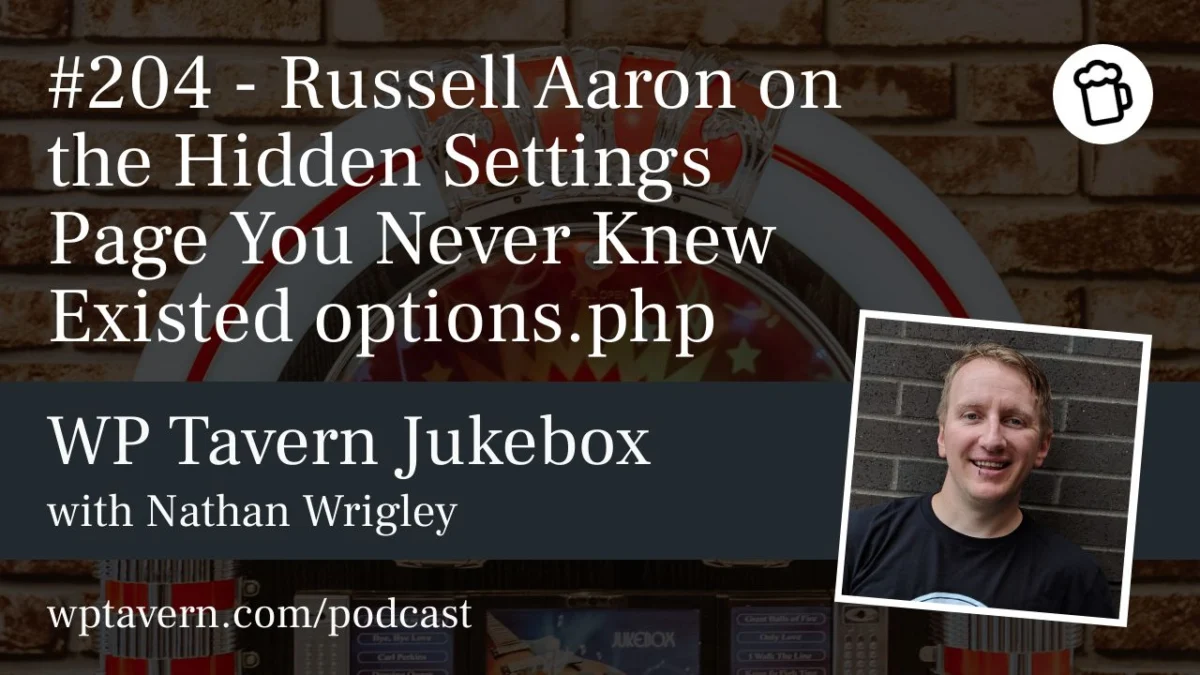
In a recent episode of the WP Tavern Jukebox Podcast, host Nathan Wrigley sat down with Russell Aaron, a veteran WordPress developer and long-time community organizer, to pull back the curtain on this lesser-known administrative corner. For many, including seasoned developers, options.php represents a digital "no-man’s-land"—a place where the entirety of a site’s configuration is laid bare, editable, and potentially perilous.
The Anatomy of options.php
To access this hidden area, an administrator simply needs to navigate to yourdomain.com/wp-admin/options.php while logged into their WordPress site. Upon arrival, the user is greeted not by the familiar, carefully curated menus of the WordPress dashboard, but by a raw, unadorned list of key-value pairs.
This page essentially acts as a direct, browser-based interface for the wp_options table in the WordPress database. Every setting—from the site’s URL and administrator email to obscure configuration flags for plugins and themes—is presented in a simple, two-column layout. The left column displays the option key, and the right column houses the corresponding value.
"It basically spits out your entire options table onto one page," Aaron explained during the podcast. "It’s one of those legacy features that’s just always been there, but it gets ignored all the time."
A Brief Chronology of a Legacy Feature
While there is no formal documentation pinpointing the exact day options.php was introduced, community consensus and anecdotal evidence suggest it has been part of the WordPress core since the very early days—likely dating back to version 2.0 or earlier.
In the nascent stages of WordPress, the platform’s philosophy was heavily focused on transparency and user control. As the software evolved into a professional-grade CMS, the developers built increasingly sophisticated "settings" pages to shield users from the underlying database complexity. However, the original options.php page was never deprecated. It remained as a vestigial tool, likely intended for internal debugging or quick database manipulation in an era when user-friendly database management tools were not as ubiquitous as they are today.
Supporting Data and Use Cases
Despite its intimidating nature, options.php serves a specific, albeit narrow, purpose for developers. Aaron, who has been working with WordPress since 2004, identifies it as an essential tool for plugin lifecycle management.
"I’ve been rebuilding some of my plugins," Aaron noted. "When you deactivate a plugin, there should be an uninstall.php file that removes its data from the database. That’s where I go to check: is my plugin doing its job?"
For a developer, verifying that a plugin has properly "cleaned up" after itself is critical for site performance. By navigating to options.php and searching for specific plugin-related keys, a developer can quickly confirm if their cleanup scripts are functioning as intended without the need to open external tools like phpMyAdmin or execute SQL queries.
Furthermore, because the page renders the options in a standard web format, it offers a distinct advantage over raw database managers. "If you go into phpMyAdmin, you’re often dealing with tiny, squished tables," Aaron observed. "At least with options.php, there’s padding and structure. It’s more user-friendly than a raw database interface."
The Hazards of Direct Manipulation
The primary reason this page remains "hidden" is the catastrophic potential for error. The warning at the top of the page—"This page allows direct access to your site settings, you can break things here. Please be cautious"—is not a mere suggestion; it is a reality.
There is no validation layer here. If a user accidentally modifies a critical value, such as siteurl or home, they can effectively lock themselves out of the site instantly. Because there is no "undo" button and no "tooltip" to explain what a specific key does, the risk of "borking" a site is incredibly high for the uninitiated.
"I’ve gone in there and thought, ‘Oh, I’ll just change this value,’" Aaron admitted. "And it’s one of those things where, whoops, you forgot a comma or a period, and it blows up the site. It’s the same thing as editing your database directly. If you make a mistake, the consequences are immediate."
Implications for Security and Governance
The existence of options.php raises inevitable questions about security. Could this page be a target for malicious actors?
Currently, access to options.php is restricted to users with the manage_options capability—essentially, the Administrator level. By the time a user has the credentials to access this page, they already possess the power to install malicious plugins, change user roles, or delete content. Consequently, security experts generally view the page as a "low-risk" entry point for hackers, provided the site’s administrator accounts are secure.
However, the lack of discoverability does not equate to a lack of utility. The page serves as a reminder that WordPress is a powerful, highly customizable framework that retains its "hacker-friendly" roots. While modern WordPress development emphasizes the use of APIs and sanitized inputs, the existence of options.php provides a window into the raw, unadulterated state of the platform.
Should It Stay or Should It Go?
The debate over whether to keep or remove such legacy features is a recurring theme in the WordPress community. On one hand, maintaining legacy code increases the "weight" of the core software and introduces potential points of failure. On the other, many developers rely on these "hidden" tools for rapid prototyping and debugging.
As Nathan Wrigley and Russell Aaron discussed, the page is not widely spoken about, which is perhaps its greatest safeguard. It is not linked in any administrative menu, and it is rarely mentioned in official documentation. It exists as a piece of "institutional knowledge" passed between developers.
"If you know, you know," Aaron concluded. "It’s one of those things where, if you show up to a WordCamp and ask, ‘Have you ever been to options.php?’ people are often surprised."
Conclusion: A Double-Edged Sword
For the average WordPress user, the existence of options.php is a curiosity—an interesting bit of trivia that highlights the depth of the software they use daily. For the developer, it is a powerful, if dangerous, diagnostic tool.
The lesson for the community is clear: while WordPress continues to evolve toward a more user-friendly, block-based future, the "engine room" remains accessible for those brave enough to look. Whether this page will persist for another decade is anyone’s guess, but for now, it stands as a testament to the platform’s history.
For those curious to see what lies beneath their own site’s hood, the path is clear: navigate to options.php, but tread with extreme caution. As both the podcast host and his guest emphasized, "Mind the gap, and don’t touch the keyboard unless you know exactly what you’re doing."