In the modern digital advertising ecosystem, capturing and holding consumer attention is more challenging than ever. While standard YouTube video ads excel at driving immediate impressions or broad reach, they often lack the narrative depth required to guide a potential customer through a complex buyer’s journey. Enter Google Ads video sequence campaigns—a powerful yet underutilized tool designed to deliver multiple video clips in a predetermined, chronological order to individual viewers.
By telling a serialized story, brands can move audiences from initial brand awareness to deep consideration and, ultimately, conversion. This comprehensive guide explores the core mechanics of Google Ads video sequences, how to build them from scratch, strategic frameworks for structuring your narratives, and how to measure success effectively.
Main Facts: What Are Google Ads Video Sequence Campaigns?
Google Ads video sequence campaigns allow marketers to display a series of targeted video ads to individual users in a strictly controlled, sequential order. Unlike standard multi-video campaigns—where ad delivery might be randomized or based purely on general targeting parameters—sequence campaigns ensure that Viewer A sees Video 1 before Video 2, and Video 2 before Video 3.
While other YouTube campaign types are more frequently leveraged for high-volume, top-of-funnel reach, sequence campaigns uniquely combine powerful awareness metrics with the art of narrative progression.
Key structural facts about video sequence campaigns include:
- Template Options: Google provides six distinct sequence-campaign templates, each tailored to a unique marketing objective (such as introducing a product, reinforcing a message, or driving a specific conversion action).
- Bidding Limitations: Advertisers running video sequences are restricted to Target CPM (cost-per-thousand impressions) bidding.
- Frequency Capping: To prevent ad fatigue and ensure a clean user experience, advertisers must implement frequency capping, limiting how often a single user can see the entire sequence (typically set to once every 7 or 30 days).
- Ad Group Architecture: Each step in a sequence corresponds to an individual ad group. A four-step sequence, therefore, requires four distinct ad groups, each housing its own video creative, headline, call-to-action (CTA), and step-transition rule.
Chronology: Step-by-Step Campaign Setup in Google Ads
Building a video sequence campaign requires navigating past default automated settings that Google often pushes for general reach and views. Follow this chronological process to set up your campaign correctly from the ground up:

Step 1: Campaign Initialization
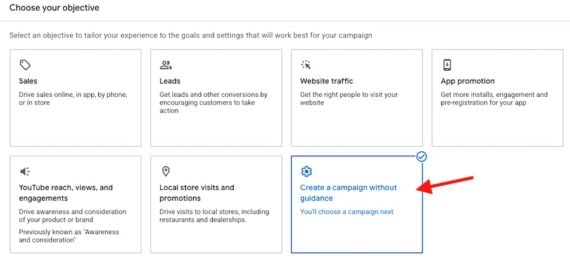
When logging into your Google Ads dashboard, do not select automated goals that lean on pre-set guidance.
- Click to “Create a campaign without guidance.”
- From the list of campaign types, select “Video.”
- Crucial Note: If you select the generic “YouTube reach, views, and engagements” option, the ad sequence subtype will be hidden. You must choose the campaign without guidance to unlock full structural control.
Step 2: Choosing the Ad Sequence Subtype
Once the video campaign type is selected, choose the “Ad sequence” campaign subtype. From here, you will configure your foundational campaign settings, including geographic targeting, language parameters, network placement preferences, and your required Target CPM bidding strategy. You will also set your strict frequency capping limits at this stage.
Step 3: Structuring Sequence Steps and Ad Groups
Because each step in your sequence is an independent ad group, you must build them out systematically:
- Step 1: Acts as the entry point. This video requires no prior condition to trigger.
- Steps 2 and Beyond: Require the configuration of step transitions. Advertisers can choose from three trigger criteria:
- Impression: The subsequent video triggers simply because the user was served the previous video.
- View: The subsequent video triggers only if the user watched a qualifying portion of the previous video.
- Skip: The subsequent video triggers if the user actively chose to skip the previous video, allowing for dynamic message pivoting (e.g., “Since you skipped our long-form demo, here is a quick 6-second summary.”).
Step 4: Asset Optimization via Google Asset Studio
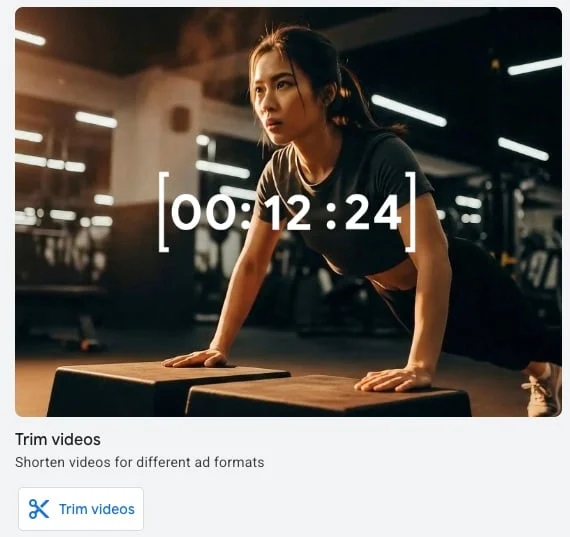
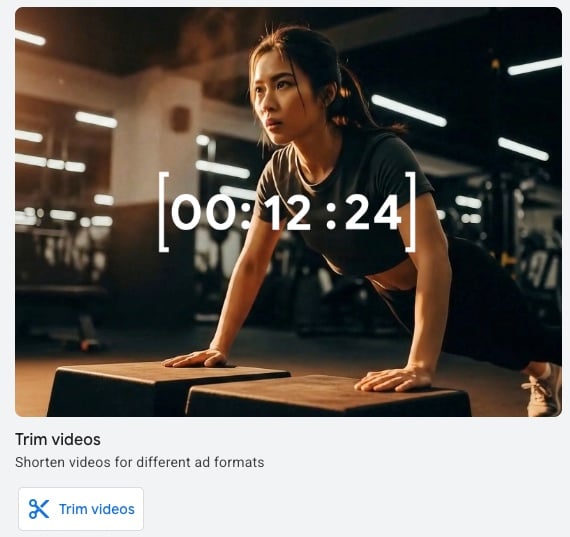
To streamline the production of multi-length videos required for a sequence, marketers can leverage Google’s Asset Studio. Utilizing the “Trim videos” feature, creators can take a single master asset—such as a long-form product demonstration—and easily slice it into shorter, digestible increments tailored to different steps in the sequence. While Asset Studio also offers AI-generated video tools, experienced media buyers recommend using AI assets sparingly, if at all, in sequential storytelling to maintain a human and authentic brand voice.
Supporting Data: Practical Application and Narrative Frameworks
To visualize how a video sequence operates in practice, consider the strategy of Yarbo, a high-end manufacturer of robotic lawn mowers. Yarbo’s marketing team might want to deploy an “Introduce and Reinforce” sequence using a single master product demo video.
Example 1: The "Introduce and Reinforce" Strategy
Yarbo trims their core demo video into two distinct parts:
- Video 1 (The Hook):
- Headline: "Save Time."
- Call to Action (CTA): "Learn more" (linking directly to the brand’s homepage).
- Purpose: To introduce the core value proposition to cold audiences, driving initial brand discovery and baseline site exploration.
- Video 2 (The Closer):
- Headline: "Labor Day Sale."
- Call to Action (CTA): "Buy now" (linking to the primary product purchase page).
- Purpose: To retarget or progress users who experienced Video 1 with a conversion-oriented, urgent sales message.
Marketers can continuously A/B test different headlines, video lengths, and landing page destinations across these steps to optimize conversion rates.
Example 2: The "Engage and Differentiate" Strategy
Alternatively, Yarbo could leverage the same master demo footage to build a four-part, 15-second sequence designed to highlight unique product differentiators:
- Clip 1: All-season modular capabilities (Mowing, Snow Blowing, Yard Cleaning).
- Clip 2: App-controlled navigation and boundary-free operation.
- Clip 3: Safety features and obstacle detection.
- Clip 4: Limited-time seasonal financing offers.
By pacing these unique selling propositions across four sequential touchpoints, Yarbo avoids overwhelming the viewer in a single ad, building a comprehensive product narrative over time.
Official Responses and Industry Perspectives
Digital marketing experts and platform engineers emphasize that video sequences bridge the gap between traditional television storytelling and hyper-targeted digital media buying.
Industry veterans note that while performance marketers are often obsessed with direct-response metrics like Cost Per Acquisition (CPA), top-of-funnel branding requires a shift in mindset. According to platform specialists, ad sequences help solve the "banner blindness" and ad fatigue common on digital video platforms. By evolving the creative message every time a user interacts with your brand, you keep the user experience fresh and intellectually stimulating.
Furthermore, Google’s ongoing development of creative suites like Asset Studio underscores an official push toward democratizing video editing. Platforms recognize that producing three or four distinct video assets from scratch is cost-prohibitive for many mid-market brands. By providing native trimming and optimization tools directly within the Google Ads interface, Google aims to lower the barrier to entry for complex sequential campaigns.
Implications: Measuring Success and Interpreting Results
The ultimate objective of a video ad sequence campaign is to generate high-value demand, brand resonance, and deep consumer engagement. Because these campaigns operate primarily on Target CPM bidding, standard direct-response metrics tell only part of the story.
To accurately evaluate performance, advertisers must look beyond simple clicks and conversions to analyze narrative retention. Key performance indicators (KPIs) provided by Google include:
- Video Sequence Completion Rates: Tracking how many users progress from Step 1 all the way to the final step of the sequence. A sharp drop-off between Step 1 and Step 2 indicates that the initial hook is failing to hold attention.
- View-Through Rates (VTR) Per Step: Analyzing engagement at each individual ad group level to determine which specific narrative beats resonate most strongly with the audience.
- Earned Actions: Measuring organic interactions that occur after a user views an ad in the sequence, such as channel subscriptions, subsequent organic searches, or shares.
A Diagnostic Benchmark for Marketers
As a rule of thumb, advertisers should closely monitor drop-off rates between sequential steps. For example, if a video requires a view transition, but only 10% of viewers watch 100% of the asset, the creative element requires immediate optimization. Sequential storytelling only works if the audience actually stays for the preceding chapter; if the drop-off is catastrophic, shortening the video length or sharpening the initial hook via Asset Studio is essential.
By embracing the structural control of Google Ads video sequence campaigns, sophisticated marketers can transform standard YouTube ad spend into an immersive, serialized brand experience that turns casual scrollers into loyal customers.