
In the fast-paced ecosystem of modern technology, the digital industry suffers from a persistent myopia. Product managers, developers, and designers overwhelmingly prioritize how a feature is built, often at the complete expense of why it is being created and whom it ultimately serves. This oversight frequently results in platforms that fail a critical metric of human-centric design: the delivery of an "equivalent experience."
An equivalent experience is not merely one that passes automated accessibility audits or checks compliance boxes. Rather, it is an interface deliberately conceived, structured, and executed to be seamlessly utilized by the widest possible range of human beings, regardless of their physical abilities, cognitive processing styles, or the hardware they use to connect to the internet.
To achieve true equivalency, creators must first understand the diverse ways individuals interact with technology and confront the invisible barriers embedded in standard development workflows. Accessibility advocate and speaker Eric Bailey explores this philosophy, emphasizing that understanding the lived experiences of disabled individuals is the essential baseline for modern digital creation.
The Current State of Digital Exclusion: Biases by Default
Despite a multi-device reality populated by smartphones, augmented reality headsets, voice assistants, and Internet of Things (IoT) sensors, the baseline assumptions of most web development teams remain startlingly narrow. When designing products, the default mental model for many creators often assumes a user who possesses high-speed broadband, a high-end desktop computer or latest-generation smartphone, standard visual acuity, and unhindered motor control.
This narrow baseline is a direct reflection of unconscious biases inherent in corporate tech cultures. When designers or developers test interfaces exclusively on their own high-end hardware, under perfect lighting, with their own physical capabilities, they inevitably project their personal experiences onto a global audience.
At its core, an equivalent experience is about preserving intent—the fundamental motivation behind creating a website, application, or digital service in the first place. Preserving intent means ensuring that the meaning behind every user interaction, visual element, and line of code remains clear and actionable for every user, regardless of whether they access the platform via a screen reader, a specialized browser extension, or a mobile device in bright sunlight.
What Inequivalency Looks Like: The Non-Responsive Trap
To understand equivalent experiences, it is often helpful to examine their absence. A classic example of a broken equivalent experience is a public-facing web application that lacks proper mobile responsiveness.
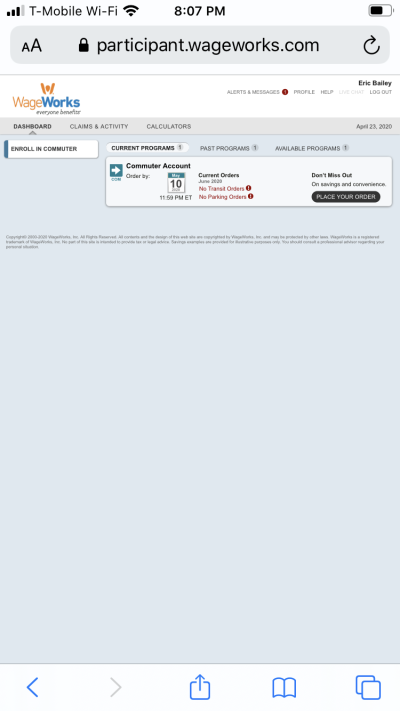
Consider platforms that force smartphone users to endlessly pinch, pan, and zoom just to read basic text or complete a transaction. The burden is unfairly placed on the user whose only "offense" is accessing the service on a mobile device rather than a desktop setup. The designers and developers likely viewed the dashboard on large, high-resolution monitors where everything looked pristine, completely failing to account for real-world usage contexts.
This design failure is closely linked to another prevalent barrier: restricted screen zooming. Many digital products, particularly native mobile apps, actively block users from increasing font sizes beyond fixed system limits. When developers disable native text-scaling capabilities, they send an unambiguous message to prospective users: unless your vision matches the developer’s, your business is unwanted.
Accessible vs. Equivalent: Understanding the Friction
A common pitfall in tech is assuming that an "accessible" experience is automatically an "equivalent" one. Unfortunately, technical compliance does not always equate to human usability.
This dynamic can be compared to an overly elaborate Rube Goldberg machine used to perform a simple task, like passing a pepper shaker across a dinner table. While the mechanical contraption technically achieves the goal, it does so through an exhausting, convoluted sequence of weights, pulleys, and ramps.
In the digital sphere, many accessible websites function like Rube Goldberg machines. Because foundational accessibility is frequently neglected, assistive technologies must rely on complex suites of workarounds to bypass barriers. Consequently, an action that takes an able-bodied user a single click may require a disabled user to execute a grueling sequence of keyboard commands, context switches, and feature activations.
Chilling Effects and Cognitive Load
This disproportionate expenditure of time and physical effort carries severe consequences. For individuals with motor control conditions such as arthritis, navigating a poorly optimized, technically "accessible" site can exacerbate physical pain and fatigue.
Cognitive accessibility is another major frontier. Interfaces that dump excessive cognitive load onto users through cluttered layouts, inconsistent navigation, or unpredictable interactions can lead to catastrophic failures—not just frustration. While poor design in e-commerce results in abandoned shopping carts, poor interface design in safety-critical sectors, such as maritime navigation or aviation, has historically led to fatal accidents.
Furthermore, the psychological toll of fighting broken interfaces is profound. Users frequently internalize systemic design failures as personal inadequacies. As accessibility expert Karl Groves famously noted: "‘Nobody has complained before’ is a silly excuse for not caring about accessibility. You’re right, they didn’t complain. They left."

Real-World Case Studies: The Voices of Assistive Tech Users
To ground these concepts in reality, practitioners frequently turn to the lived experiences of individuals who rely on assistive technologies daily. Their testimonies reveal how subtle design oversights fracture the promise of the open web.
1. Consistency and Sensory Overload
Digital designer Damien Senger relies on browser extensions like Midnight Lizard and ad-blockers to normalize contrast levels and strip away erratic animations that trigger attention deficits or sensory exhaustion. Without these tools, inconsistent layouts, harsh color contrasts, and moving advertisements make standard web browsing deeply uncomfortable or outright inaccessible.
Kenny Hitt, a screen reader user since the mid-1980s, echoes these frustrations, pointing out that unregulated, auto-updating advertisements on news and e-commerce sites frequently break screen reader functionality entirely. When platforms fail to regulate dynamic content, users are forced to shoulder the burden of consumer self-defense.
2. Lost Opportunity in E-Commerce and Public Services
Brian Moore, a consumer audio enthusiast, frequently abandons online purchases because checkout workflows on sites like Fluance contain barriers that resist basic navigation. Despite reaching out to customer support, his feedback is frequently met with silence or resistance.
Beyond retail, the digitization of essential public services has created severe societal friction. Justin Yarbrough encountered an employment assessment portal for a state economic security department where the "Start Assessment" button was built as a non-interactive, clickable div element, rendering it useless to assistive software. Similarly, Jim Kiely’s brother abandoned paying municipal water bills online because the city’s portal was completely incompatible with screen readers and high-contrast modes.

3. Autonomy vs. Forced Reliance
Soren Hamby, a product marketing manager who uses a mix of screen magnification and screen reading tools, highlights the indignity of broken grocery delivery applications. When shopping carts read out quantities rather than item names, users are stripped of their independence, forced to recruit sighted friends or family members to complete private domestic tasks.
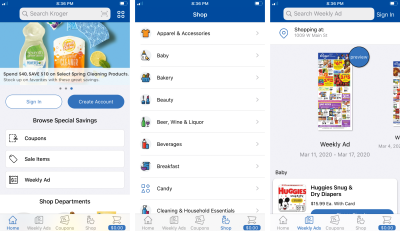
Kenny Hitt experienced similar setbacks when a major grocery chain, Kroger, launched an app redesign that broke screen reader accessibility. True equivalency demands autonomy; forcing a user to surrender their independence to complete a basic transaction represents a fundamental failure of product design.
The Legal Landscape: Accessibility as a Civil Right
For organizations that remain indifferent to user frustration, the legal landscape offers an unambiguous wake-up call. Digital accessibility is no longer viewed merely as a best practice; it is increasingly codified as a matter of civil rights.
- The Winn-Dixie Trial: In a landmark legal battle, a federal court ruled against supermarket chain Winn-Dixie because its website was inaccessible to blind shoppers using screen readers, violating the Americans with Disabilities Act (ADA) due to its integration with physical retail locations.
- The Domino’s Pizza Supreme Court Ruling: The U.S. Supreme Court allowed a lawsuit against Domino’s to proceed, establishing legal precedent that private companies can be held liable under federal civil rights laws when their digital storefronts exclude users of assistive technology.
Similar strict regulations exist across the European Union and parts of Asia. Crucially, legal experts routinely note that the financial cost of proactively building accessible, equivalent experiences is exponentially lower than the legal fees associated with defending a non-compliant platform in court.
The Business Case: Tapping into the "Hidden Market"
Beyond legal compliance and moral responsibility, failing to deliver equivalent experiences carries a staggering financial cost. Two major studies underscore the immense purchasing power of disabled consumers:
- The Click Away Pound Survey: Research exploring the online shopping habits of people with disabilities revealed that millions of consumers regularly abandon retail sites due to accessibility barriers, resulting in billions of pounds in lost annual revenue.
- The American Institutes for Research: A comprehensive study titled The Purchasing Power of Working-Age Adults With Disabilities estimated that working-age disabled adults command roughly $490 billion in disposable income.
When companies ignore digital accessibility, they are not just alienating a marginalized group; they are actively turning away a massive, economically potent market segment. Treating accessibility through the narrow lens of risk aversion misses the broader truth: inclusive design is a primary driver of commercial innovation.
Chronology of the Digital Accessibility Movement
- 1990: The Americans with Disabilities Act (ADA) is signed into law in the United States, establishing foundational civil rights protections for individuals with disabilities, though initially framed primarily around physical spaces.
- 1999: The World Wide Web Consortium (W3C) releases the Web Content Accessibility Guidelines (WCAG) 1.0, setting the first international technical benchmarks for web accessibility.
- 2008: WCAG 2.0 is published, shifting the framework toward perceivable, operable, understandable, and robust design principles.
- 2017: A federal court rules against Winn-Dixie, marking the first time a U.S. trial court finds a company liable under the ADA for an inaccessible website.
- 2019: The U.S. Supreme Court declines to hear an appeal in the Domino’s Pizza case, cementing the legal precedent that commercial websites and apps must be accessible to screen reader users.
- Present Day: The tech industry increasingly recognizes that technical compliance (WCAG) must evolve into holistic "equivalent experiences," capturing billions in market potential while honoring user autonomy and civil rights.
Implications and Next Steps for Industry Professionals
Delivering equivalent experiences requires a fundamental cultural shift within product teams. Organizations must stop treating accessibility reports as low-priority bugs to be downplayed or dismissed. Instead, feedback from assistive technology users must be integrated into product roadmaps with the same urgency as critical security vulnerabilities.
To maintain equivalency, engineering and design teams should adopt straightforward protocols when managing user feedback:
- Acknowledge and Validate: Respond promptly to accessibility bug reports with genuine engagement rather than defensive dismissals.
- Route to Decision-Makers: Ensure feedback reaches developers and designers who possess the technical capability to implement fixes, rather than trapping reports in marketing or customer service dead-ends.
- Commit to Transparent Remediation: Clearly communicate timelines for fixing accessibility barriers, establishing institutional trust with communities that have historically been overlooked.
Ultimately, accessibility is not a checklist to be completed or a puzzle to be solved once and forgotten. It is a continuous worldview that demands the constant questioning of personal biases and technical assumptions. By prioritizing equivalent experiences, web professionals fulfill both an ethical duty and a massive economic opportunity, ensuring that the digital landscape remains open, adaptable, and welcoming to all humanity.