In the rapidly evolving landscape of artificial intelligence, a common misconception has long persisted: that the power to build custom software, automate complex workflows, and integrate disparate applications is reserved exclusively for those with years of experience in computer science. Today, that barrier is dissolving.
Anthropic’s latest innovation, Claude Code, is an agentic AI tool designed to bridge the gap between creative intent and technical execution. By enabling users to build, automate, and connect applications through natural language, Claude Code is shifting the paradigm of development from "learning to code" to "learning to communicate with agents."
The Core Concept: Why Coding Backgrounds No Longer Matter
For years, building even a modest automation—such as syncing a Gmail inbox with a digital calendar—required a high level of technical fluency. It involved deciphering dense API documentation, managing secret keys, securing credentials, and spending countless hours debugging on platforms like Stack Overflow.
Tyler Reed, an AI educator and consultant, argues that we have entered a new era where coding experience is no longer a prerequisite for success. "Some of the most prolific AI automation creators on YouTube today have never written a line of code in their lives," Reed notes.
Claude Code acts as an agentic partner. It does not simply suggest code; it takes responsibility for the entire development lifecycle. It researches the necessary technical requirements, writes the syntax, establishes connections between external applications, and executes the tasks requested by the user. By utilizing natural language—whether through typing or voice—the user dictates the goal, and Claude Code navigates the technical path to achieve it.
Getting Started: A Step-by-Step Installation Guide
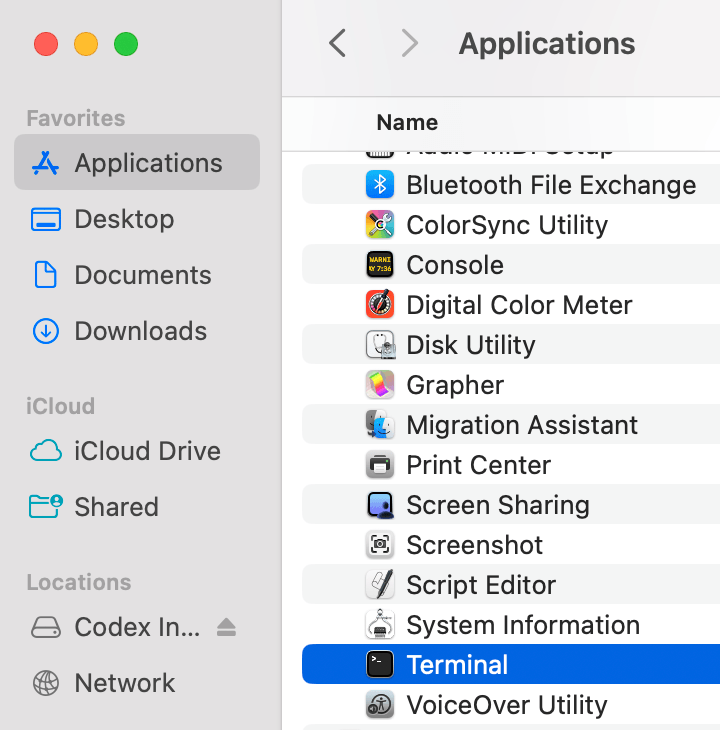
Transitioning to Claude Code requires a shift in how you interact with your machine. Because it operates as a Command Line Interface (CLI) tool, users interact with it through their computer’s terminal—a text-based environment that serves as the command center for the operating system.
Prerequisites for Success
Before beginning the installation, there are two fundamental requirements:
- A Paid Claude Subscription: To leverage the full power of the agent, a paid Claude Pro subscription is recommended. This subscription allows the agent to handle more complex reasoning and multi-step tasks efficiently.
- Terminal Familiarity: While the interface is text-only, it is not inherently complex. It is simply a way to issue direct instructions to the machine.
The Installation Process
- Access the Terminal: On macOS, use the "Terminal" application; Windows and Linux users can utilize their respective command prompts or PowerShell.
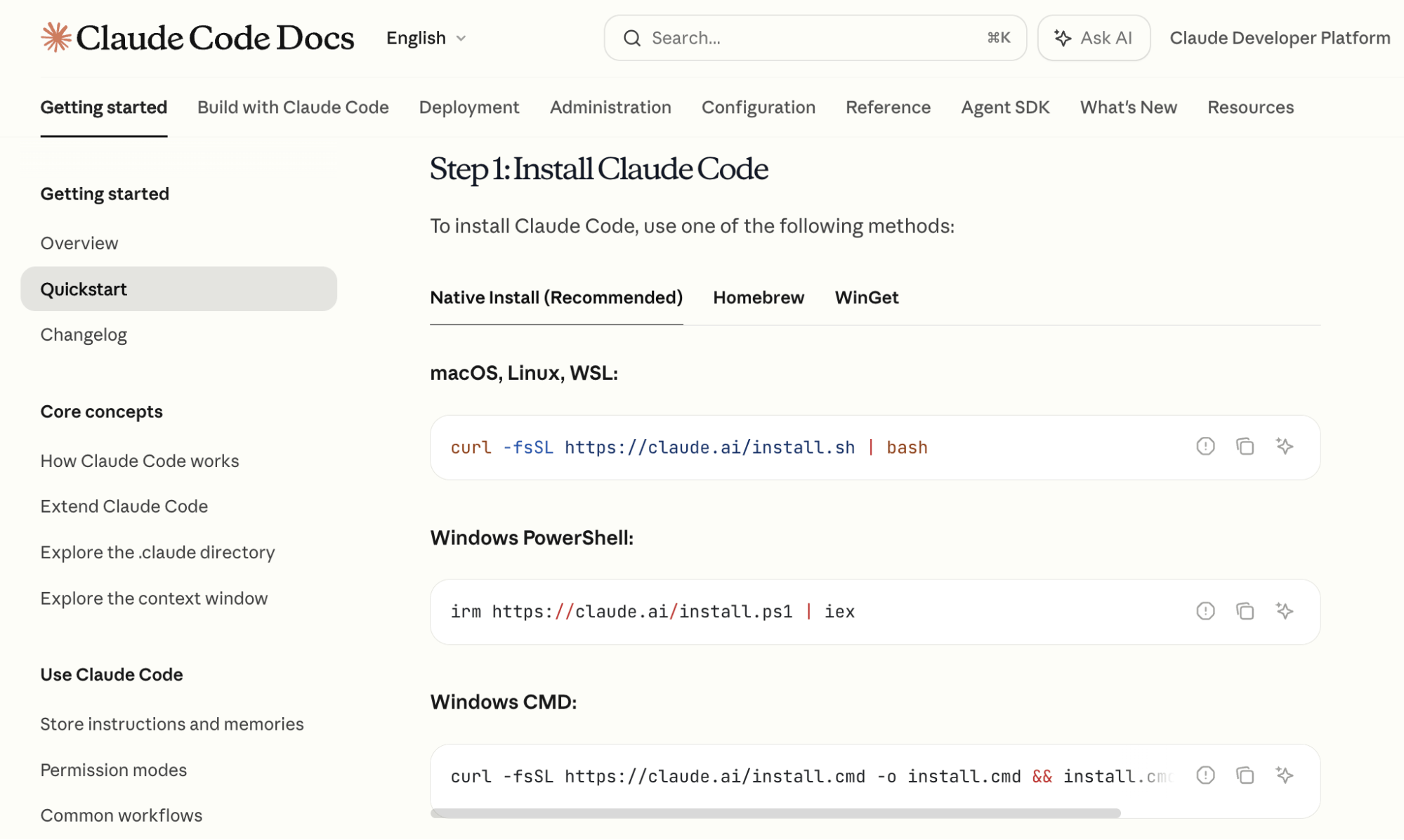
- Official Documentation: Visit Anthropic’s official documentation to access the specific installation commands.
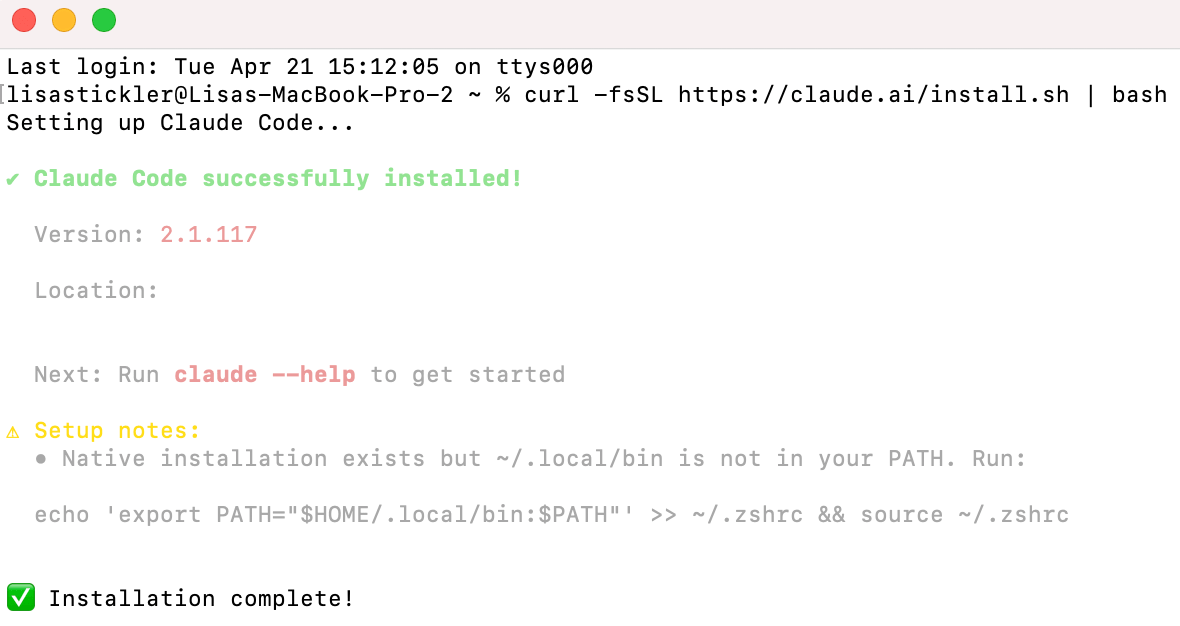
- Execution: Copy the command provided for your operating system and paste it into your terminal window. Once the installation process concludes, type
claudeto initialize the environment. - Authentication: The tool will trigger a browser-based login. Authenticate using the email address linked to your Claude account, and the system will be ready for use.
Safety Note: Claude Code operates with a "human-in-the-loop" philosophy. By default, it will request explicit permission before taking any action that modifies your system, such as browsing the web, creating files, or editing folders.
Advanced Workflow: Mastering the Terminal
Once installed, productivity within Claude Code is driven by "slash commands"—shortcuts that allow you to toggle settings and manage workflows efficiently.
Strategic Model Selection
Tyler Reed suggests a two-phase approach to model usage within the terminal:
- The Planning Phase: Start with Opus. Known for its superior reasoning capabilities and expansive context window, it is the ideal tool for mapping out the architecture of an application or outlining project documentation.
- The Implementation Phase: Once the roadmap is established, switch to the latest version of Sonnet. This model is highly optimized for coding, balancing high performance with token efficiency, making it the perfect workhorse for generating functional code.
Managing Context
As projects grow, the terminal will track your "context window"—essentially the AI’s short-term memory of the current session. When the window nears capacity, you can use the command /compact to generate a summary of the conversation. This allows you to continue working on a long-term project without losing the thread of development or needing to restart the session.
Scaling Productivity: Custom Skills and Persistence
To move from basic tasks to professional-grade automation, users should master two critical features: Custom Skills and Project Markdown files.

Building Custom Skills
A "Custom Skill" is essentially a saved package of instructions for recurring tasks. For example, if you frequently research competitor performance on YouTube, you can instruct Claude Code to perform a multi-step search, aggregate video data, and download audio for analysis.
By asking Claude Code to "save this as a slash command," you turn a complex, multi-step process into a single, repeatable instruction. The next time you need that task performed, you simply type the command, and the agent executes the logic automatically.
Persistent Memory via CLAUDE.md
To ensure the AI remembers the context of your project across multiple sessions, use the /init command. This creates a CLAUDE.md file in your project folder. This file acts as a project "log," detailing what has been built, the current project goals, and progress notes. Every time you open a new session in that folder, Claude Code reads this file first, ensuring it remains "up to speed" on your specific requirements.
Practical Application: Building a Daily Briefing Automation
To see the power of Claude Code in action, consider building a tool that pulls your Google Calendar data and delivers a briefing to your phone via Telegram.
Step 1: Google Integration
Inside the terminal, prompt the AI: "I want to have access to my Google Calendar. Tell me how to do this." If the technical instructions regarding OAuth or API credentials seem overwhelming, simply add the phrase "Explain like I’m five." Claude Code will break down the process into granular, manageable steps.
Step 2: The Telegram Bridge
Telegram is an ideal choice for this automation because of its robust bot API. By typing /telegram in your terminal, the agent will guide you through the process of creating a bot. This bot effectively acts as your personal notification channel.
Step 3: Closing the Loop
Once both connections are established, provide a final command: "Read my Google Calendar and send me a Telegram message every morning with a summary of the next day’s schedule."
Claude Code will generate the necessary script, establish the connection, and confirm the automation is active. As long as your terminal remains open, you have effectively turned your computer into a personal assistant that manages your time and delivers it to you via mobile.
The Implications of Agentic AI
The emergence of tools like Claude Code marks a significant shift in the digital economy. We are moving away from a world where "building" required a specialized degree toward one where "building" requires only a clear vision and the ability to articulate that vision to an agent.
This democratization of software development has massive implications for marketers, entrepreneurs, and creators. It allows for the rapid testing of ideas, the automation of tedious administrative tasks, and the creation of custom software solutions that would have previously cost thousands of dollars to outsource.
As Anthropic and other AI leaders continue to refine these agentic tools, the "black screen" of the terminal is no longer a symbol of technical complexity—it is a gateway to unprecedented personal and professional productivity. By embracing this technology today, users are not just keeping up with the trend; they are building the infrastructure of their own future efficiency.