In the vast ecosystem of WordPress, where millions of websites are built, managed, and maintained, there exists a profound divide between the user-facing dashboard and the raw, unvarnished reality of the database. Most administrators navigate their sites using the familiar, intuitive GUI—clicking through "Settings," "Plugins," and "Appearance." However, beneath this polished interface lies a legacy feature that most users—even those with a decade of experience—have never encountered: options.php.
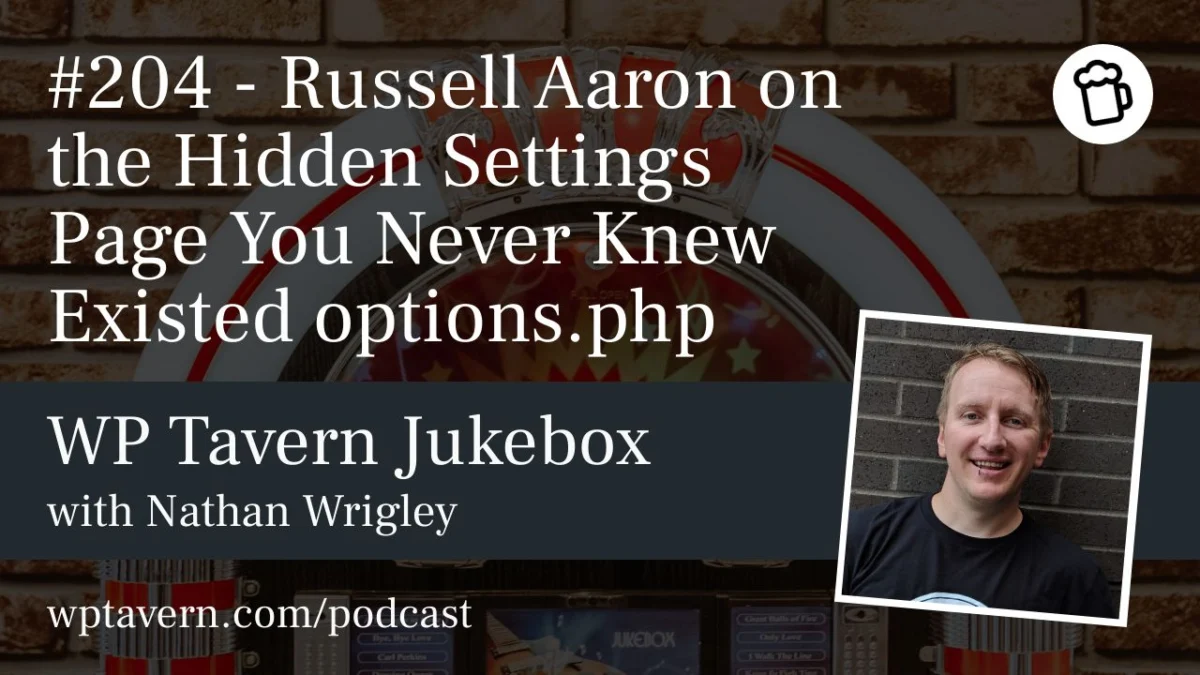
On a recent episode of the WP Tavern Jukebox Podcast, developer and longtime WordPress advocate Russell Aaron pulled back the curtain on this mysterious, hidden settings page. It is a portal that exposes the entirety of a site’s wp_options table in a single, editable format. While it offers a powerful tool for developers and advanced power users, it remains one of the most hazardous corners of the WordPress administration area.
Main Facts: What is options.php?
The options.php file is not a standard part of the WordPress navigation menu. It is an unlinked, "hidden" page within the WordPress core. By appending /wp-admin/options.php to your site’s URL, an administrator can view every single setting stored in the database’s wp_options table.
For the uninitiated, the wp_options table is the heart of a WordPress installation. It stores critical configuration data, including site URLs, administrator email addresses, theme settings, plugin configurations, and default post types. While WordPress typically provides specific interfaces (like the "General Settings" page) to modify a handful of these values, options.php provides a comprehensive, raw list of every key-value pair in the database.
As podcast host Nathan Wrigley noted during his own first-time exploration of the page, the interface is startlingly sparse. It presents a simple two-column layout: the "Option Name" (the key) on the left, and the "Option Value" on the right. There are no tooltips, no contextual help, and no documentation explaining what a specific key does or how changing its value might ripple through the site’s functionality.
Chronology: A Legacy Feature Rooted in History
The origins of options.php date back to the early years of the WordPress platform. While the exact version of its introduction remains a subject of debate among long-term contributors, it is widely believed to have existed since the inception of the current database structure, likely appearing in the early 2.x versions.
In the early days of the web, Content Management Systems (CMS) were often more transparent, requiring users to interact with raw data more frequently. As WordPress evolved to become more user-friendly and accessible to non-technical users, developers prioritized hiding the complexity of the database. Yet, options.php was never removed.
Russell Aaron, who has been using WordPress since 2004, suggests that this page was likely a fundamental utility for early developers to debug or quickly modify site settings before dedicated database management tools (like phpMyAdmin) became standard in web hosting control panels. It has survived as a "legacy ghost"—a functional artifact that serves as a testament to the platform’s commitment to backward compatibility.
Supporting Data: Utility vs. Hazard
To understand the value of options.php, one must consider the needs of plugin developers. When creating a plugin, developers often store settings in the wp_options table. During the development cycle, they need to verify that their plugin is correctly creating, reading, and, perhaps most importantly, removing those settings upon uninstallation.
The Developer’s Perspective
For a developer like Aaron, options.php serves as a quick-access dashboard. Instead of launching a heavy SQL client or navigating through the clunky, often overwhelming interface of phpMyAdmin, a developer can simply refresh the options.php page in their browser to see the immediate effects of their code.
- Plugin Debugging: It allows developers to check if an
uninstall.phpscript is effectively cleaning up the database, preventing "database bloat" caused by orphaned plugin settings. - Rapid Verification: It provides a visual confirmation of configuration changes without the need to query the database manually.
The "Bork Factor"
However, the same accessibility that makes it useful for developers makes it a liability for the uninitiated. The page comes with a stark, though often overlooked, warning: "This page allows direct access to your site settings, you can break things here. Please be cautious."
The danger lies in the lack of guardrails. Because there is no validation logic on this page, an administrator can enter invalid data—such as a malformed URL or an incorrect string—and save it. Because these values are often used by the core engine to bootstrap the site, an error here can result in a "White Screen of Death," a redirect loop, or an immediate lockout from the admin panel.
Official Responses and Security Implications
Despite the risks, there is no evidence that options.php has been a significant vector for security breaches. The page is protected by standard WordPress authentication; it is only accessible to users with the manage_options capability, which is typically reserved for site administrators.
Security Through Obscurity?
Critics might argue that leaving such a powerful tool accessible is a security risk. However, because the page is not linked anywhere in the dashboard, it benefits from "security by obscurity." Most malicious actors attempting to exploit a site look for known plugin vulnerabilities or weak passwords, not for the existence of an obscure core settings file.
Nonetheless, experts like Aaron suggest that if a site were to suffer from a cross-site scripting (XSS) attack or a compromised administrative account, options.php would provide an attacker with a "god-mode" view of the site’s configuration. An attacker could potentially change the admin email to their own, redirect site traffic, or deactivate security plugins in one fell swoop.
Should it be Removed?
There is little appetite within the WordPress community to remove the file. WordPress prides itself on maintaining legacy support for as long as possible. Furthermore, as Aaron points out, it is essentially just a "giant form." It is a piece of code that, while powerful, does not inherently pose a threat unless an administrator chooses to misuse it.
Implications: The "Infinite Permutations" of WordPress
The existence of options.php highlights a broader truth about WordPress: it is an infinitely customizable platform that manages to be both a simple blogging tool and a complex application framework. The fact that an administrator can, at any moment, access the raw data that governs their site’s behavior is both a design flaw and a powerful feature.
Lessons for the Modern Administrator
For the average user, the discovery of options.php serves as a reminder of the importance of backups. Before even considering an exploration of such deep-level settings, a robust, tested backup system is non-negotiable.
For the developer, it serves as a "hidden utility" that saves time and streamlines the feedback loop. The page remains a fascinating study in the history of web development—a relic of a time when the gap between the user and the server was much smaller.
As the WordPress community continues to move toward more user-centric, block-based editing experiences, the "inner workings" of the platform are becoming increasingly abstracted. Yet, as long as options.php persists, the "engine room" remains open to anyone with the curiosity to look behind the curtain.
Final Cautionary Note
If you decide to navigate to /wp-admin/options.php, proceed with extreme caution. The page contains hundreds of rows of critical data. As Russell Aaron warned during the podcast: "Don’t touch the keyboard." Observe, learn, and if you must make changes, do so only on a local staging environment where a "borked" site is a learning opportunity rather than a business catastrophe.