In the rapidly evolving landscape of artificial intelligence, businesses are racing to integrate generative tools into their core operations. However, a silent risk has emerged: platform lock-in. When marketers and developers build elaborate workflows, custom prompts, and proprietary agent configurations exclusively within a single ecosystem—be it ChatGPT, Claude, or Gemini—they create a dangerous dependency.
If your entire AI infrastructure is tethered to one provider, what happens when that platform experiences an outage, implements a restrictive update, or shifts its pricing model? To maintain operational resilience, savvy professionals are pivoting toward a "platform-agnostic" approach. By decoupling your AI logic from the host application, you ensure that your business continuity is never at the mercy of a single tech giant’s roadmap.
The Strategic Imperative for Portable AI Workflows
Why Portability Matters
For many, the convenience of a "walled garden" is tempting. Building a custom GPT or a specialized Claude Project feels efficient in the short term. However, this creates "vendor lock-in," a classic trap in the software world.
- Operational Stability: AI platforms are not immune to downtime. If your content production or data analysis workflow relies entirely on a single API or interface, an outage effectively halts your business.
- Performance Volatility: AI models are "black boxes." Updates to underlying parameters can lead to "model drift," where a workflow that worked perfectly yesterday begins producing sub-par results today. Portability allows you to switch to a different model instantly to maintain output quality.
- Financial Leverage: Current AI pricing is competitive, but it is unlikely to stay that way indefinitely. Being "portable" gives you the power to migrate to more cost-effective providers without the sunk cost of rebuilding your entire setup.
- Functional Versatility: Different models possess unique strengths. One might excel at coding, while another dominates in creative copywriting. A portable workflow allows you to leverage the "best of breed" for specific tasks without losing your contextual memory.
Chronology: Transitioning to an Agnostic Architecture
The journey toward a portable AI ecosystem typically follows a three-phase evolution:
Phase 1: Externalizing the Knowledge Base
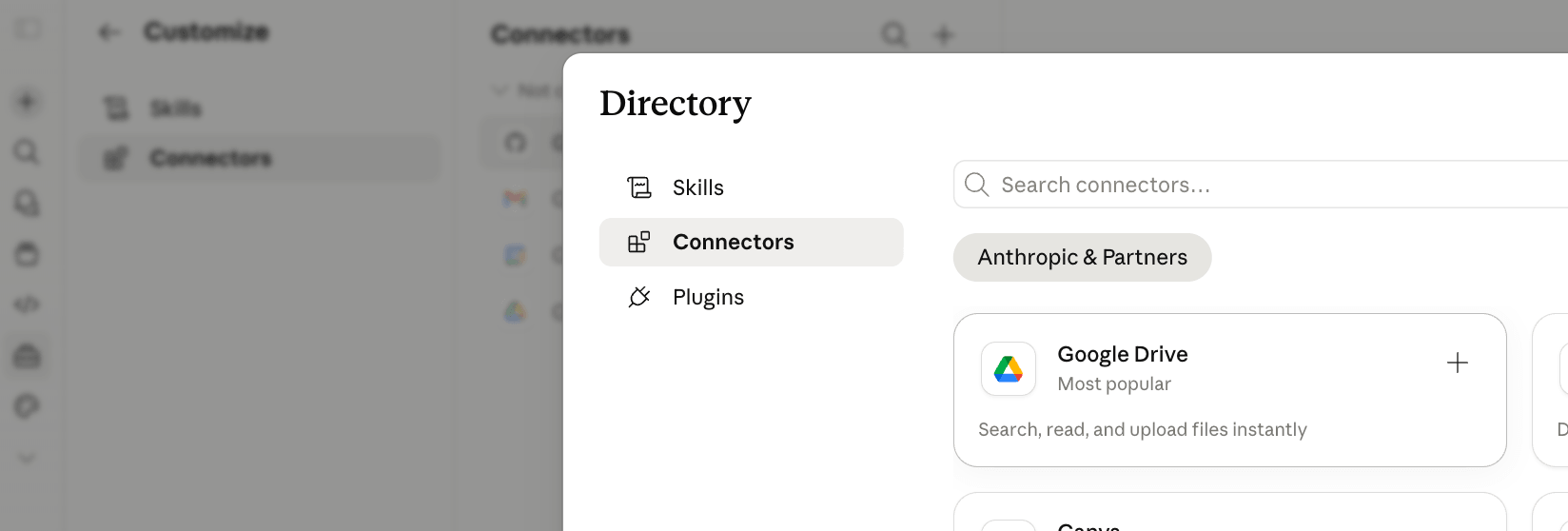
The first step is moving your "brain" out of the cloud-based prompt box. Users often make the mistake of feeding an AI their entire document library, hoping the model will "find" what it needs. This is inefficient. Instead, begin curating targeted, task-specific context files—stored in neutral locations like Google Drive, Dropbox, or local storage—and use Model Context Protocol (MCP) connectors. MCPs function as standardized "plugs" that allow different AI platforms to communicate with your external data silos uniformly.
Phase 2: Skill-Based Modularization
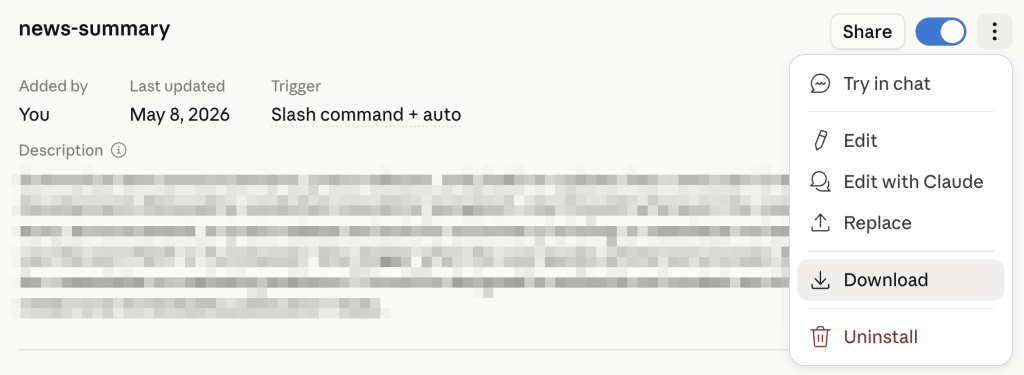
Once your data is external, you must address your instructions. A "skill" is a structured .md (Markdown) file that serves as a blueprint for an AI agent. By encapsulating your brand guidelines, formatting preferences, and workflow logic into a standardized markdown file, you create a portable asset that can be uploaded into virtually any modern AI agent environment.
Phase 3: The "Self-Briefing" Workbook Integration
The most advanced stage involves embedding your logic into the working files themselves. By using tools like Excel with AI-powered plugins, you can create a "living document" that carries its own instructions, history logs, and operational parameters. When you open the file in a new platform, the AI reads the history and instruction tabs, effectively "bootstrapping" itself into the project context without human intervention.
Supporting Data and Technical Implementation
The Anatomy of a Portable Skill
A "skill" is more than a prompt. It is a encapsulated logic set. According to AI strategist Nicole Leffer, a robust skill includes:
- The SKILL.md file: The core instructional document.
- Supporting Assets: Logos, style guides, and reference documents.
- Code Scripts: Optional custom logic for more complex tasks.
When these are bundled, you effectively "download" a capability into the AI, similar to Neo learning martial arts in The Matrix.

The Excel-Agent Architecture
The most compelling use case for portability is the "Self-Briefing Excel Workbook." The implementation process is as follows:
- Planning: Use an LLM to design the spreadsheet architecture (tabs, columns, formulas) before opening the app.
- Briefing Generation: Command the AI to output a comprehensive markdown briefing file, including all necessary system prompts.
- Deployment: Load the briefing into your AI-enabled Excel plugin. The agent builds the structure based on the briefing.
- Persistent Memory: By designating specific tabs for "History," "Agent Instructions," and "System Logs," you ensure that any model that accesses the file can immediately understand the project status.
Official Security Perspectives: The "Strangers" Warning
While the benefits of portability are significant, they introduce a new security vector. Because a "skill" is essentially a set of instructions that an AI follows, it can be weaponized.
Industry experts warn against:

- Public Skill Libraries: Downloading "pre-made" skills from GitHub or unverified forums.
- Malicious Logic: A cleverly crafted skill can instruct an AI to scrape internal CRM data, extract sensitive customer information, and transmit it to an external server.
- Trust Hierarchy: Only trust skills generated within your own organization or provided by verified, first-party enterprise platforms (Anthropic, OpenAI, or Google).
For teams, enterprise-wide deployment of internal skills is the gold standard for balancing security with efficiency, ensuring that employees use standardized, vetted instructions rather than risky external hacks.
Implications: A New Era of Workflow Ownership
The shift toward portable AI workflows signals a maturation in how businesses view generative tools. We are moving away from the "AI as a destination" mindset and toward "AI as a utility."
The Competitive Advantage
Companies that embrace portability will be the ones that survive the next wave of platform disruption. When your workflow is portable:
- Your team remains agile: You can switch between Claude, ChatGPT, and local models like Llama without skipping a beat.
- Your intellectual property is protected: Your logic and instructions remain in your hands, not locked behind a proprietary interface.
- You scale faster: Once a skill is perfected, it can be shared across the entire organization, ensuring that everyone operates at the same high standard.
Final Takeaway
Building portably does not require a total overhaul of your current operations. It begins with the decision to stop "saving" your work inside the chat history of a single platform. Start by organizing your instructions into markdown files, keeping your context data in neutral cloud storage, and treating your workflows as assets that you own, rather than as features of a third-party application.
In the AI era, your value lies not just in the models you use, but in the systems you build to govern them. By prioritizing portability today, you are future-proofing your business against the inevitable shifts of tomorrow. As AI becomes the engine of your enterprise, ensure that you are the one in the driver’s seat, not the passenger of a single platform’s unpredictable trajectory.