In the sprawling, complex ecosystem of WordPress, there are pathways that most users never tread. For the vast majority of the platform’s 40% share of the internet, the experience is defined by the clean, intuitive interface of the WP Admin dashboard. It is a world of drag-and-drop blocks, sidebar menus, and user-friendly plugin settings. However, beneath the polished exterior lies a legacy feature that functions as a “backdoor” to the very heart of a WordPress installation: the options.php page.
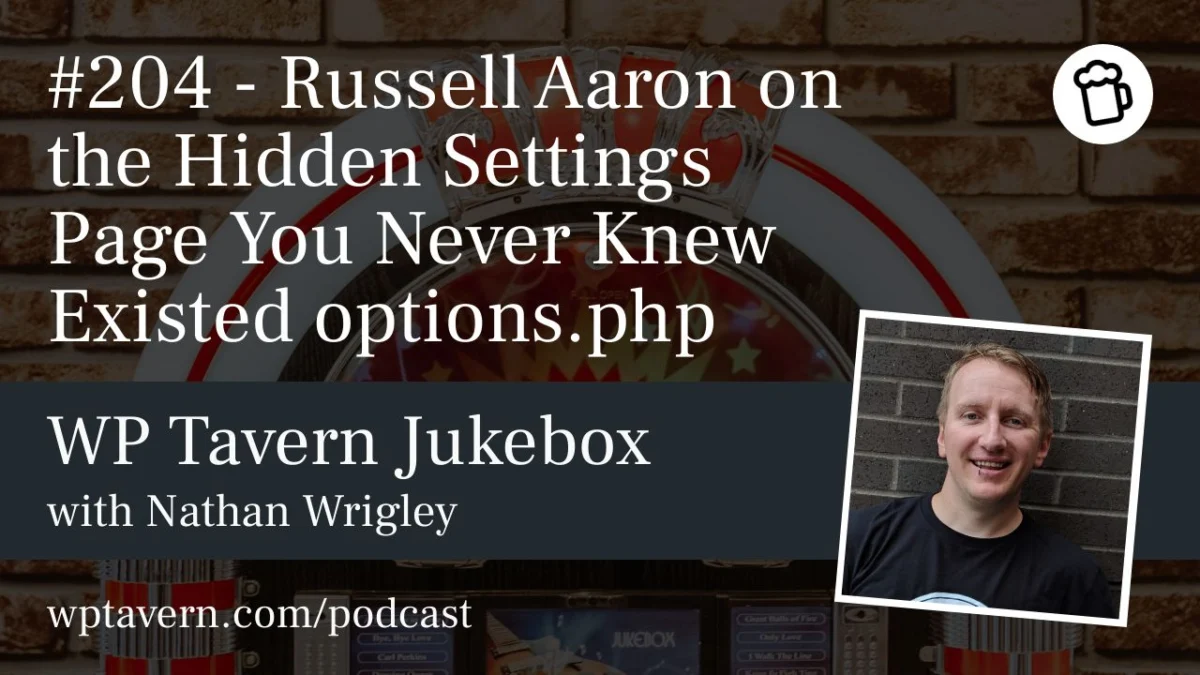
Recently, on an episode of the WP Tavern Jukebox podcast, host Nathan Wrigley sat down with longtime WordPress developer and support expert Russell Aaron to pull back the curtain on this obscure, powerful, and potentially hazardous corner of the software. For many, including seasoned veterans with over a decade of experience, this page remains a complete mystery.
Main Facts: What is options.php?
The options.php page is not a feature meant for the casual user, nor is it linked anywhere within the standard WordPress navigation. To access it, an administrator must manually append /wp-admin/options.php to their site’s URL. Once navigated to this hidden address, the user is presented with a long, unformatted, and daunting list of their site’s entire wp_options database table.
At its core, the options.php page is a raw interface for the settings that govern almost every aspect of a WordPress site. From the site URL and admin email to internal plugin configuration strings and hidden system flags, this page renders the site’s database in an editable HTML form.
“It essentially spits out your entire options table onto one page,” explains Russell Aaron. “Depending on how big your options table is, you can have a very small page or, you know, I’m still scrolling. I can doom-scroll on my options page and just keep going.”
The page carries a stark, no-nonsense warning at the top: “This page allows direct access to your site settings. You can break things here. Please be cautious.” Unlike the polished settings menus found elsewhere in the dashboard, there are no tooltips, no instructional text, and no safeguards. It is a raw list of key-value pairs where a single erroneous keystroke can, in many instances, result in a broken website.
A Chronology of a Legacy Feature
While modern WordPress is heavily focused on user experience (UX) and the block-based editing environment, options.php is a relic of an earlier era. When asked about its origins, Aaron suggests that the feature likely dates back to the very early iterations of the platform, potentially appearing as far back as version 2.0.
In the mid-2000s, when WordPress was transitioning from a simple blogging tool to a full-fledged Content Management System (CMS), developers needed a way to manage settings without constantly diving into raw SQL queries. At the time, the “five-minute install” was the gold standard for accessibility. As the platform matured, the core team began building specialized settings pages for specific tasks, but options.php remained—a legacy tool that served as a catch-all for developers who needed a quick, visual way to interact with the database.
Throughout the years, as WordPress grew, the list of options expanded exponentially. Today, the page reflects the history of the site itself, containing remnants of plugins long uninstalled and configurations from theme versions that have been discarded. It is a living, breathing archive of a site’s technical evolution.
Supporting Data: The Utility of the Hidden Page
Despite the inherent risks, power users and developers like Aaron argue that the page serves a functional purpose that justifies its existence. The primary advantage is speed and convenience. For a developer working on a local environment, the alternative to options.php is opening a separate database management tool like phpMyAdmin or a command-line interface, which often requires navigating through complex tables, pagination, and SQL syntax.
“I don’t want to have a SQL program running on my computer,” says Aaron. “What I like is that I’ve been rebuilding some of my plugins… I use that options page to check: is my plugin doing its job? If I uninstalled and deactivated my plugin and it’s fully gone, but I still see the option name, I know my uninstall PHP file didn’t do its job.”
For developers, this page acts as a "sanity check." It allows them to quickly verify that their plugin is correctly writing data to the database, or conversely, that it is successfully cleaning up after itself upon deactivation. In an environment where developers are managing multiple sites and configurations, the ability to view these settings without switching applications is a significant productivity booster.
Official Responses and Security Considerations
Perhaps the most surprising aspect of options.php is its continued existence in the face of modern security standards. Many web platforms prioritize hiding backend logic, yet WordPress has kept this page accessible for nearly two decades.
The security of the page relies entirely on the WordPress permission system. Access is restricted to users with the manage_options capability—essentially, site administrators. Because an administrator already has the authority to install plugins, modify code, or delete site content, the argument is that this page does not introduce a new, unique attack vector that isn’t already present for an authorized user.
However, Aaron notes that the discoverability of the page is its own form of security. “It’s not very spoken about. It’s kind of one of those things where if you know, then you know,” he explains. While it is not a "secret" in the cryptographic sense, the fact that it is undocumented means that inexperienced users are unlikely to stumble upon it, effectively preventing accidental site-breaking for the average user.
When asked if the page should be removed, Aaron remains pragmatic. “I’ve never really heard of this page being the cause for whatever malware or whatever Core file is being overwritten… it seems to be okay.”
Implications: The Risks of "Fiddling"
The risks, however, are very real. The page lacks any form of validation. In a standard WordPress settings menu, if you enter an invalid value, the software will often prevent you from saving or will trigger an error message. On options.php, there is no validation layer. If you modify a critical URL or an essential plugin flag with incorrect syntax, the database update will proceed immediately.
This leads to the "Borked Site" phenomenon. Aaron confesses that even as a professional developer, he has accidentally disabled sites by attempting to modify plugin activation statuses via the page. "I’ve gone in there and I’ve thought, ‘Oh, I’ll just change this value’… and it’s one of those things where, whoops, probably forgot a comma or forgot a period somewhere."
The implications for the wider WordPress community are clear:
- Educational: It highlights that there is a vast, undocumented "underbelly" to the software that even long-time users may not understand.
- Maintenance: It underscores the importance of having proper database backups before attempting any direct modifications.
- Development: It serves as a reminder that "clean" uninstalls for plugins are vital, as the options table can easily become a cluttered graveyard of legacy settings.
Conclusion: A Tool for the Curious
The options.php page is a fascinating artifact of the WordPress ecosystem. It represents the platform’s early philosophy—one that empowered users to tinker, explore, and understand the mechanics behind the curtain. While it is not a tool for the faint of heart, it provides a unique window into the technical architecture of the world’s most popular CMS.
For those who feel the urge to explore, the warning remains: proceed with extreme caution. The page is a powerful utility, not a playground. But for the curious developer or the power user looking to understand the "how" and "why" of their site’s configuration, it remains one of the most interesting secrets in the WordPress dashboard.
As Aaron succinctly puts it, the page is the "largest form in WordPress." It is a testament to the fact that, regardless of how much the interface evolves, the underlying database remains the true foundation of every site—a foundation that, for those who know where to look, is always just one URL away.