For years, the promise of artificial intelligence has been hampered by a significant barrier: technical complexity. While ChatGPT and Claude have revolutionized how we write and brainstorm, they remain passive tools—browser tabs that sit idle until you provide a prompt. But what if your AI could work autonomously in the background, managing your email, analyzing your health data, or running your social media accounts while you sleep?
Enter OpenClaw, an open-source platform that is fundamentally changing the relationship between humans and machines. Often described as the "iPhone moment" for AI—a term coined by NVIDIA CEO Jensen Huang to describe the point where complex technology becomes accessible to the masses—OpenClaw is democratizing the power of autonomous AI agents.
This article provides an in-depth exploration of what OpenClaw is, how it operates, and a step-by-step blueprint for deploying your own AI workforce, regardless of your coding background.
What Is OpenClaw and Why Does It Matter?
At its core, OpenClaw is an open-source framework designed to build, deploy, and manage AI agents. Unlike standard large language models (LLMs) that function as chatbots, OpenClaw acts as an "operating system" for intelligence.
The platform’s value proposition is simple yet profound: outsourcing the "drudgery" of modern work. By delegating repetitive, time-consuming tasks to an agent, business owners and marketers can reclaim their most valuable asset—time. Whether it is sorting through hundreds of daily emails, conducting competitive research, or automating complex content workflows, OpenClaw operates with a level of autonomy that was previously reserved for software engineers.
Key Differentiators
OpenClaw stands apart from industry giants like ChatGPT or Gemini due to three critical "unlocks":
- Seamless Communication: Instead of forcing you into a dedicated browser tab, OpenClaw integrates with the messaging apps you already use, such as Telegram, Slack, or WhatsApp. You interact with your agent as if you were messaging a colleague.
- Autonomous Execution: OpenClaw can take control of your computer’s environment. It can open browsers, navigate websites, click buttons, and execute complex workflows as if a human were physically sitting at the keyboard.
- Persistent Memory: Standard AI chats are "stateless"—they forget everything once you start a new session. OpenClaw maintains a long-term memory, storing your preferences, past goals, and business constraints in local files. It remembers what you told it weeks ago, allowing it to provide context-aware assistance over the long term.
Real-World Applications: From Marketing to Personal Health
The utility of OpenClaw is best illustrated through its practical implementation. Mike Russell, a creator and entrepreneur, has successfully integrated OpenClaw into his professional and personal life.
The Social Media Automation Engine
Mike manages a fully automated X (formerly Twitter) account for his Creator Magic brand. His agent performs a sophisticated set of tasks:
- Content Repurposing: It scrapes his latest YouTube videos, trims them into clips, and formats them into engaging threads.
- Trend Analysis: It monitors news and industry trends in real-time.
- Recursive Optimization: By leveraging frameworks like Andrej Karpathy’s "Auto Research," the agent constantly tests different writing styles and post formats, tracking performance metrics to optimize future output.
The Personal Biology Agent
OpenClaw’s ability to interface with external data is exemplified by Mike’s health dashboard. By connecting his agent to his Garmin smartwatch data, he created a five-year retrospective of his fitness patterns. The agent identified correlations between lifestyle choices and health outcomes, cross-referencing this with his 23andMe DNA data and blood test history to provide personalized nutrition and wellness recommendations.

The Path to Deployment: A Step-by-Step Setup Guide
While the concept of "agentic AI" might sound daunting, the actual setup is remarkably accessible.
1. Choose Your Environment
Security is paramount. Because OpenClaw has the capability to modify files and interact with the web, it is strongly advised that you do not install it on your primary work machine.
- Virtual Private Servers (VPS): The industry standard for hosting an always-on agent. Providers like DigitalOcean, Hetzner, or Linode offer "droplets" (cloud computers) for as little as $5/month. This ensures your agent is always running, even when your personal computer is powered down.
- Local Hardware: If you prefer physical ownership, a Raspberry Pi, a spare Mac Mini, or an older laptop will suffice. Note that these machines often lack the processing power to run AI models locally, so you will need to link them to a cloud-based AI provider.
2. The Installation Process
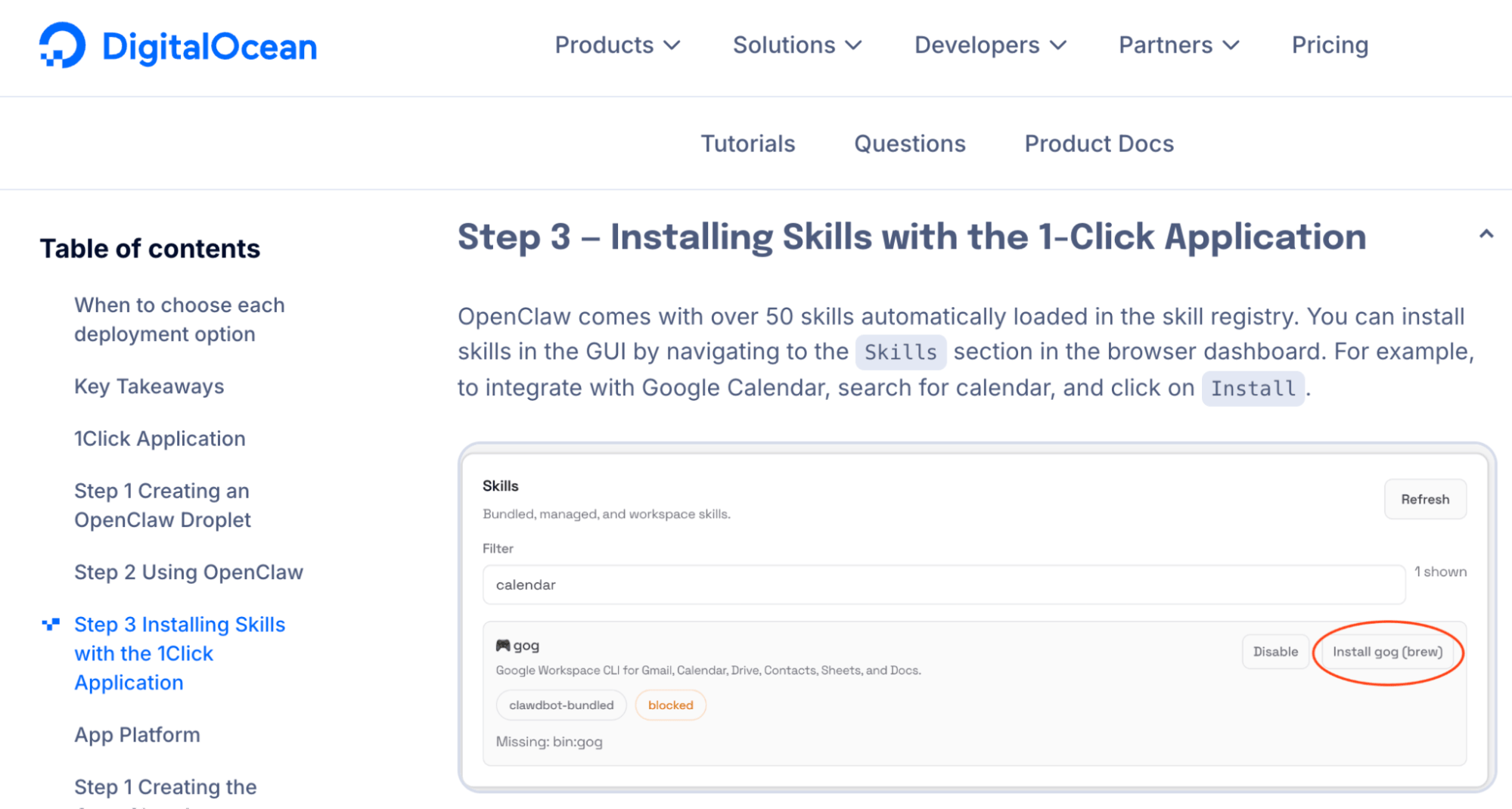
Modern deployment has been streamlined through one-click installers provided by platforms like DigitalOcean. If you prefer a manual approach, a single-line command in your terminal is often all that is required to trigger the installation.
- Pro Tip: Always verify your source. The official platform is found at openclaw.ai. Ensure you are using the legitimate repository to avoid security vulnerabilities.
3. Selecting an AI "Brain"
OpenClaw is merely the container; you must provide the intelligence.
- Anthropic (Claude): Widely considered the gold standard for high-stakes, complex logic. Claude Sonnet is an excellent "everyday" model, while Claude Opus is recommended for complex orchestration.
- OpenAI (ChatGPT): Highly reliable and explicitly permits the use of their subscription plans for agentic workflows.
- Google Gemini: Compatible, though some users report occasional friction with executing complex tool calls.
Compliance Note: If using Anthropic, ensure you use the API access rather than your standard personal subscription to remain in compliance with their terms of service and avoid potential account bans.
4. Configuring Communication
Choose a channel that fits your workflow. Mike Russell recommends Telegram because it allows for the creation of isolated "bots" via the Bot Father tool. This keeps your personal messages separate from your agent’s output and prevents the AI from accidentally replying to friends or family.
Operational Best Practices
The Initialization Prompt
Once installed, your first interaction should be an "onboarding" prompt. Explicitly tell the agent who you are, what your business does, and direct it to perform its own research on your public footprint (website, LinkedIn, etc.). Correct any inaccuracies immediately to ensure the agent’s base knowledge is accurate.
Mastering "Memory" and "Skills"
OpenClaw uses markdown files for its memory. If the agent continues to make a mistake, you can manually edit these files or use a secondary agent (like Claude Code) to correct the configuration.
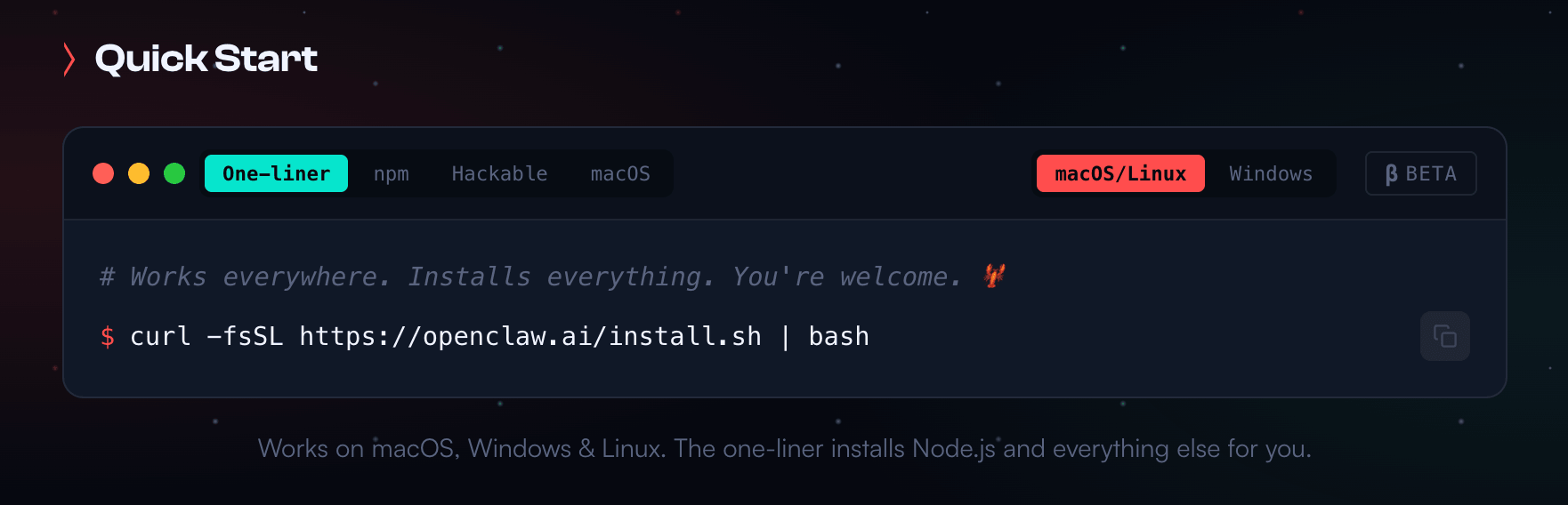
When you build a useful task—such as your "Gmail Triage" bot—you can save it as a "Skill." By instructing the agent to "commit this to memory," you ensure that the rules for that task persist across all future sessions.
Security Protocols
While the fear of "rogue AI" is common, it is largely a myth in this context. A well-configured OpenClaw instance is highly secure. Ensure you:
- Enable a Firewall: Restrict network access to only what is necessary for your agent to function.
- Principle of Least Privilege: Don’t give your agent access to bank accounts or sensitive credentials unless absolutely necessary.
- Regular Updates: Keep your OpenClaw instance updated to benefit from the latest security patches.
Implications for the Future of Work
The rise of OpenClaw signals a shift from "AI-assisted" to "AI-led" workflows. As these agents become more capable, the role of the human shifts from operator to architect. Instead of writing the content or managing the email inbox, the human now defines the strategy and monitors the agent’s performance.
This technology is not just for software developers; it is for the entrepreneur who is overwhelmed by administrative tasks and the marketer who needs to scale operations without increasing headcount. By lowering the barrier to entry for building autonomous agents, OpenClaw is effectively handing the power of a digital assistant to anyone with an internet connection and the willingness to learn.

As we move forward, the question for business owners is no longer if they should use AI, but how many agents they can integrate into their daily operations to maximize productivity. The "iPhone moment" has arrived; the only remaining question is how you will use it to build your future.