
In the post-pandemic landscape, the QR (Quick Response) code has transcended its origins as a niche industrial tool to become a ubiquitous bridge between the physical and digital realms. From restaurant menus and transit boarding passes to virtual business cards and sophisticated marketing campaigns, these pixelated squares are now foundational to modern customer engagement.

However, the ease with which a business can generate a QR code often masks the complexity of implementing one effectively. As Stanislav Khrustalev, a veteran of customer experience (CX) strategy, points out, "QR codes are just one of dozens of technologies that can improve the customer’s journey. When deployed without consideration for the user’s context, they can become a point of friction rather than a facilitator of convenience."

This guide examines the strategic implementation of QR codes, providing a blueprint for businesses looking to leverage this technology to enhance, rather than hinder, the customer experience.

1. The Strategic Deployment of QR Codes
The decision to use a QR code should be driven by a clear value proposition. Before placing a code on a physical surface, businesses must ask: Does this solve a problem, or is it merely digital clutter?

The "Ease of Use" Mandate
The primary purpose of a QR code is to save the customer time. It eliminates the need for users to manually type long, complex URLs into a mobile browser. For instance, a logistics company, Gruzovichkof, advertises its mobile app on its delivery fleet but fails to provide a direct link. Conversely, the retailer Technopark uses QR codes on its delivery vehicles to provide an immediate "one-scan" path to the App Store or Google Play. This is the difference between an advertisement that merely informs and one that converts.

Visibility and Environmental Context
Visibility is the most common failure point. A code placed outside of a natural sightline—or worse, in a location where the user cannot comfortably stand to scan it—is a dead asset.
Interestingly, there are exceptions where "illogical" placement serves a specific demographic. IKEA, for instance, has placed QR codes near the bottom of feedback terminals. While this might seem counterintuitive for the average shopper, it provides a crucial, accessible interface for individuals using wheelchairs. Businesses must consider their entire customer base when determining placement, ensuring that the technology is inclusive.
Minimizing Visual Noise
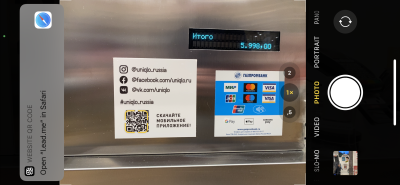
The "free space" surrounding a QR code is just as important as the code itself. When a QR code is crowded by competing design elements, the user’s focus dissipates. To maintain high scan rates, treat the QR code as a distinct functional unit, providing enough "breathing room" to ensure that smartphone cameras can easily isolate and decode the pattern.

2. Examining the Code: Design and Intent
A QR code is an invitation to interact. If that invitation lacks context, the user is unlikely to accept it.
The Power of Call to Action (CTA)
Never display a naked QR code. A customer needs to know what to expect before they commit the effort to pull out their phone and open a scanner. A clear, concise CTA—such as "Scan to download our app" or "Scan for 10% off your next order"—drastically increases engagement.

Communicating Value
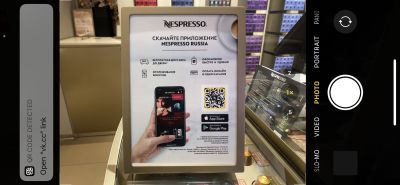
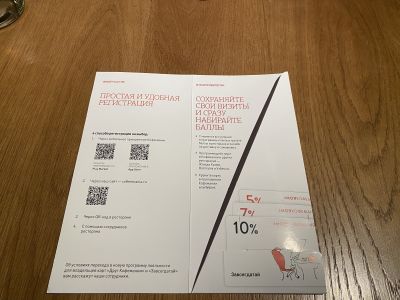
Beyond the CTA, the user needs to understand why they should scan. Nespresso, for example, pairs its in-boutique QR codes with simple, visual infographics that highlight the specific benefits of downloading their app. By managing expectations, you remove the "fear of the unknown" that often prevents users from interacting with unfamiliar digital touchpoints.

Branding and Visual Integration
Modern generators allow for extensive customization, including the integration of company logos and brand color palettes. However, aesthetics must not override functionality. A branded code that is too complex or lacks sufficient contrast with its background will fail to scan. Always prioritize the "dark on light" contrast principle, as some legacy devices struggle with inverted or low-contrast patterns.

3. The Technical Nuances of Scanning
Technical failure is the fastest way to sour a customer relationship. If a user tries to scan a code and receives an error or is forced into an endless loop of downloads, they will likely abandon the process entirely.
Environmental Factors and Surface Integrity
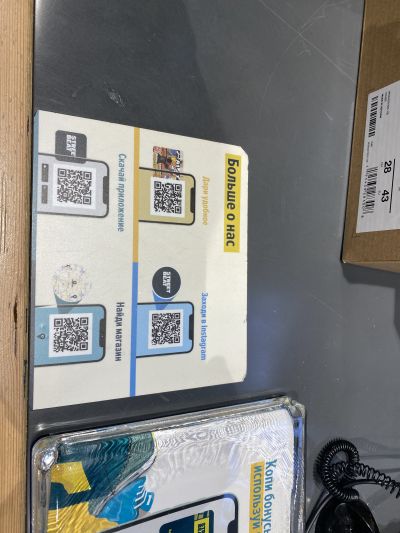
Physical media is subject to wear and tear. A sticker on a high-traffic checkout counter, like those used by Street Beat, will eventually peel, fade, or become scuffed. Once the surface integrity is compromised, the code becomes a blight on the store’s visual identity and a source of frustration for customers.

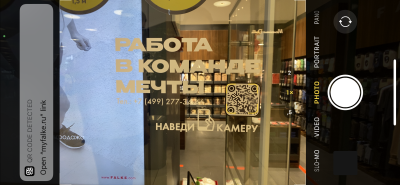
Similarly, consider the environment. Outdoor billboards or window-mounted codes are subject to lighting conditions and dirt. A code that looks great in a design mockup but is covered in street grime or obscured by window glare is useless. Etam Paris and Nespresso have both faced challenges with glass-mounted codes that become unscannable due to interior lighting or lack of a solid, opaque background.

The "Native Camera" Requirement
A critical lesson from the Auchan "Scan & Pay" rollout is that customers expect to use their native smartphone camera. When the Auchan codes required a proprietary, specialized app to function, hundreds of customers encountered errors, leading to significant frustration. Unless a specific, high-security function is required, your QR code should lead to a web-based experience that opens immediately in a mobile browser.
4. Opening the Link: Optimizing the Destination
The QR code is merely the door; the landing page is the room. If the room is messy, the customer will leave.

The Case for Consolidation
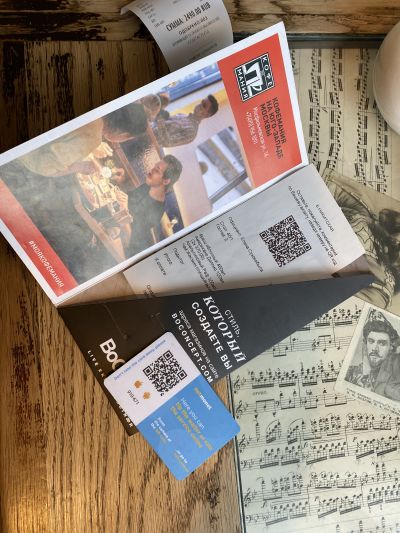
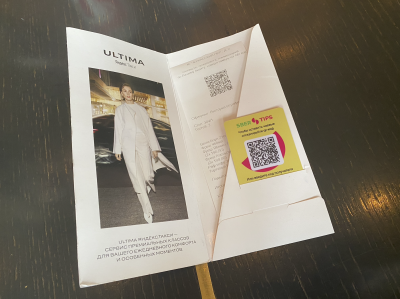
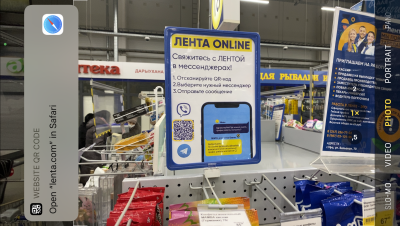
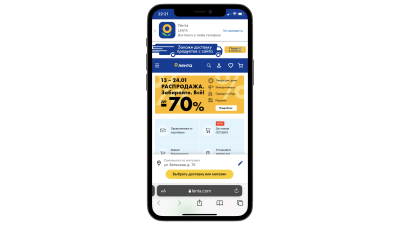
One of the most frequent mistakes is creating a separate QR code for every possible action. If a business wants a customer to leave a review, tip a server, and follow a social media account, they do not need three separate codes. A single, well-designed landing page that presents these options as clear, clickable buttons is far superior. Coffeemania’s use of multiple codes for separate actions created unnecessary visual clutter, whereas Lenta successfully directed users to a single, intuitive support portal.
The Mobile-First Imperative
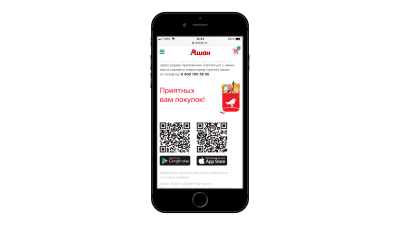
It is a paradox that some brands place QR codes on their own mobile websites. If a user is already browsing on their smartphone, they cannot scan a code on their own screen. The only exception is if the code is meant to be shared with a third party. For almost all other use cases, a simple "Download" button is the correct UI/UX choice.
Deep Linking and Analytics
To truly master the customer journey, businesses should employ:
- Deep Linking: This technology detects the user’s device (iOS vs. Android) and automatically routes them to the correct app store, eliminating the need for the user to choose their platform.
- UTM Parameters: By appending unique identifiers to the URLs within the QR code, businesses can track the performance of specific banners or physical locations. This data is invaluable for determining which marketing channels are actually driving traffic and which ones need to be moved or removed.
Implications for Future Strategy
The proliferation of QR codes has fundamentally altered how businesses interact with customers in the physical world. However, as the novelty wears off, customers are becoming more discerning. They will only engage with technology that provides immediate, tangible value.
"As we continue to evolve these touchpoints," Khrustalev notes, "we must move past the ‘gimmick’ phase of QR implementation. The future belongs to brands that use these codes to provide seamless, personalized, and efficient experiences."
The path forward for any business looking to integrate QR technology is clear: prioritize the user’s context, ensure technical reliability, and maintain a focus on the end goal—making the customer’s journey as frictionless as possible. As the landscape continues to shift, those who treat QR codes as a strategic CX tool, rather than a design afterthought, will be the ones who successfully capture and retain the modern consumer.