When a critical web page—whether it’s a high-intent product listing, a competitor-threatened blog post, or a converting client landing page—suddenly slips in search engine results pages (SERPs), digital marketers and SEO professionals need immediate answers. Waiting for a full site crawl to run, process, and filter can eat up valuable hours when swift triage is required.
Fortunately, site-wide diagnostics are not always necessary to begin troubleshooting. The SEOquake free Chrome extension, developed by Semrush, allows practitioners to audit any individual webpage instantly. It provides actionable insights into technical signals, on-page structures, linking strategies, and core platform metrics without requiring the user to navigate away from the browser tab.

This comprehensive guide breaks down a rapid, structured workflow that takes an SEO professional from initial triage to tactical diagnosis in just three minutes.

Understanding SEOquake: Core Features and Color-Coding
SEOquake is a robust browser tool designed to streamline technical research and on-page analysis. Once installed from the Chrome Web Store, clicking the extension icon while viewing any target URL immediately opens a localized suite of auditing tools.

The extension facilitates audits through two primary interfaces:

- The Quick View Pop-Up: Delivers an instant 60-second health check of core page elements.
- The Full Report Dashboard: Offers an exhaustive, multi-panel dive into advanced technical, content, keyword, and link metrics.
Throughout every report, SEOquake employs an intuitive color-coded system to help auditors instantly separate healthy elements from critical errors:

- Green: Indicates optimal implementation, passing validation checks, and alignment with modern SEO best practices.
- Orange (Yellow): Represents warnings or potential optimization opportunities that require a professional judgment call.
- Red: Signals critical errors, broken elements, or compliance failures that can directly damage search visibility and must be prioritized for remediation.
Phase 1: Triage Any Page’s SEO Issues in Minute One (The Quick View Pop-Up)
The first 60 seconds of the audit are dedicated to triage. The primary objective during this phase is answering a single question: Is there an obvious, high-level failure hurting this page?

The Quick View pop-up is organized into five distinct tabs. For a rapid assessment, auditors should focus on three specific sections, spending approximately 20 seconds per tab: Page Info, Audit, and Content.

1. Start with the Page Info Tab
The Page Info tab delivers a rapid overview of foundational on-page SEO elements. When assessing a target URL (such as an e-commerce product page), the auditor should quickly review:

- Title tag length and keyword inclusion.
- Meta description presence and optimization.
- Canonical tag accuracy.
- Meta robots instructions (indexing permissions).
- Schema.org structured data implementation.
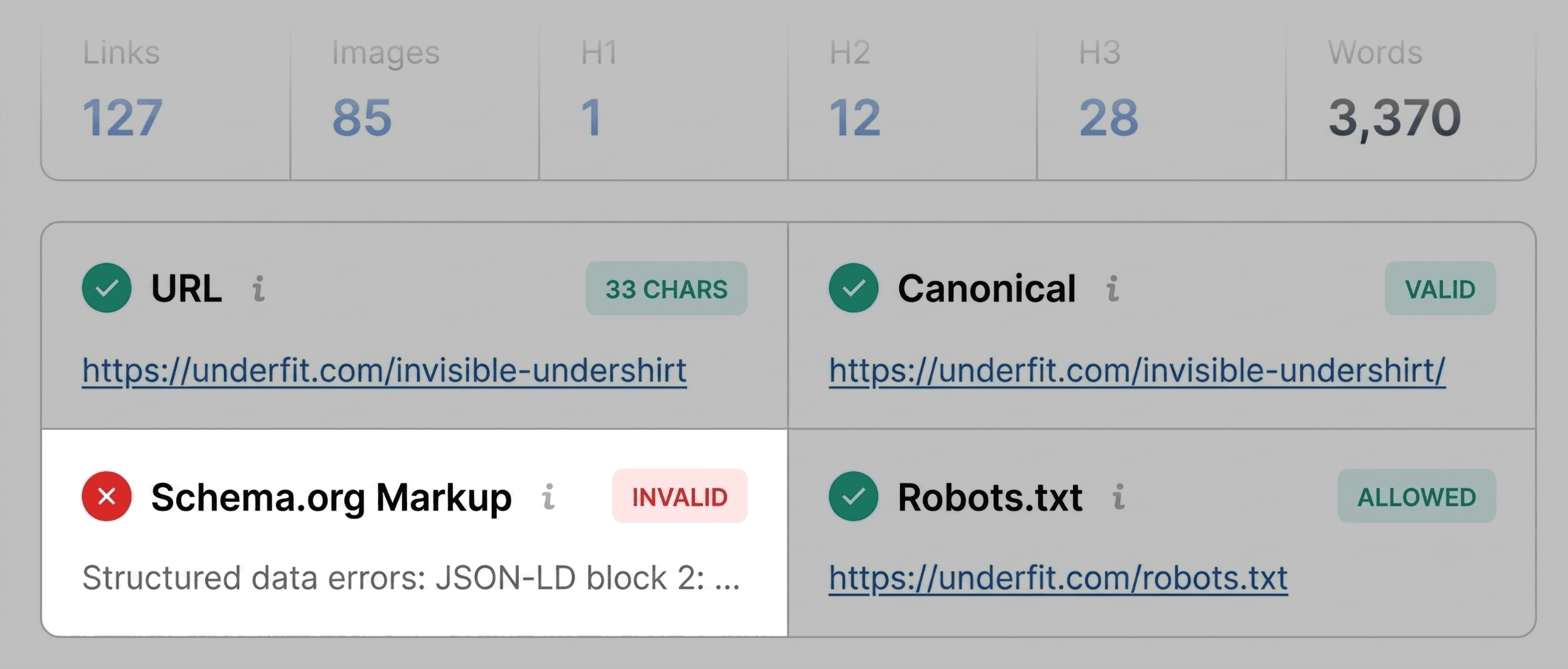
During an audit of the e-commerce brand UnderFit, SEOquake immediately flagged the page’s Schema.org structured data in red. The tool identified underlying JSON-LD syntax errors, meaning search engine crawlers would struggle to parse the structured data. For a product page, this is a serious issue; invalid product schema can strip the listing of eligibility for rich search results, such as dynamic pricing, real-time availability, and aggregate review stars in the SERPs. This immediately lands at the top of the remediation list.

Other elements, such as title tag length or meta descriptions, may display minor length warnings (marked in orange). While not blockades to indexing, these are cataloged for secondary optimization.

2. Scan the Audit Tab for Technical Problems
Next, the auditor opens the Audit tab to catch underlying technical compliance metrics not immediately visible in basic page info. This section evaluates crawlability, indexation status, mobile optimization, and security protocols.

While critical errors will flash red, orange warnings require contextual evaluation. For example, an orange flag regarding missing or incomplete hreflang tags on a single-region English site can safely be dismissed as a non-issue. However, warnings regarding XML sitemap discoverability or mobile-friendliness require immediate technical investigation.

3. Review the Content Tab for Structure and Keywords
The final stop in the 60-second triage is the Content tab, which evaluates how text is organized and consumed by both human visitors and automated search or AI retrieval systems.

Key metrics evaluated here include:

- Word count and readability signals.
- Heading tag (H1 through H6) hierarchy.
- Image optimization and missing alt text summaries.
An examination of heading structures often reveals structural flaws. If an H1 tag appears deep within the body copy, or if the document skips hierarchical steps—such as dropping directly from an H1 to an H4—it creates accessibility barriers and complicates semantic parsing for search engines. Furthermore, the image summary will often highlight missing alt attributes across dozens of visual assets. On image-heavy e-commerce pages, missing alt text limits accessibility for visually impaired shoppers and robs search engines of critical visual context.

Phase 2: Diagnose Issues with the Full Report (Minutes 2 and 3)
With initial triage flags identified within the first minute, the auditor transitions to the Full Report dashboard to uncover the root causes and determine whether issues are page-specific or systemic. Clicking "View Full Report" opens a robust interface containing six comprehensive panels: Overview, Audit, Keyword Density, Internal Links, External Links, and Semrush Analytics.

Deep Dive: Technical Diagnostics in the Audit Panel
The full Audit panel covers a deeper layer of technical compliance, including canonical loops, robots.txt directives, and structured data validation.

Rather than scrolling aimlessly, auditors use the side navigation menu to jump directly to flagged sections. To verify schema errors identified during triage, auditors can click "Test in Rich Results," which launches Google’s official Rich Results Test tool. If Google confirms multiple invalid items, the error is validated, moving from a hypothesis to a confirmed action item.

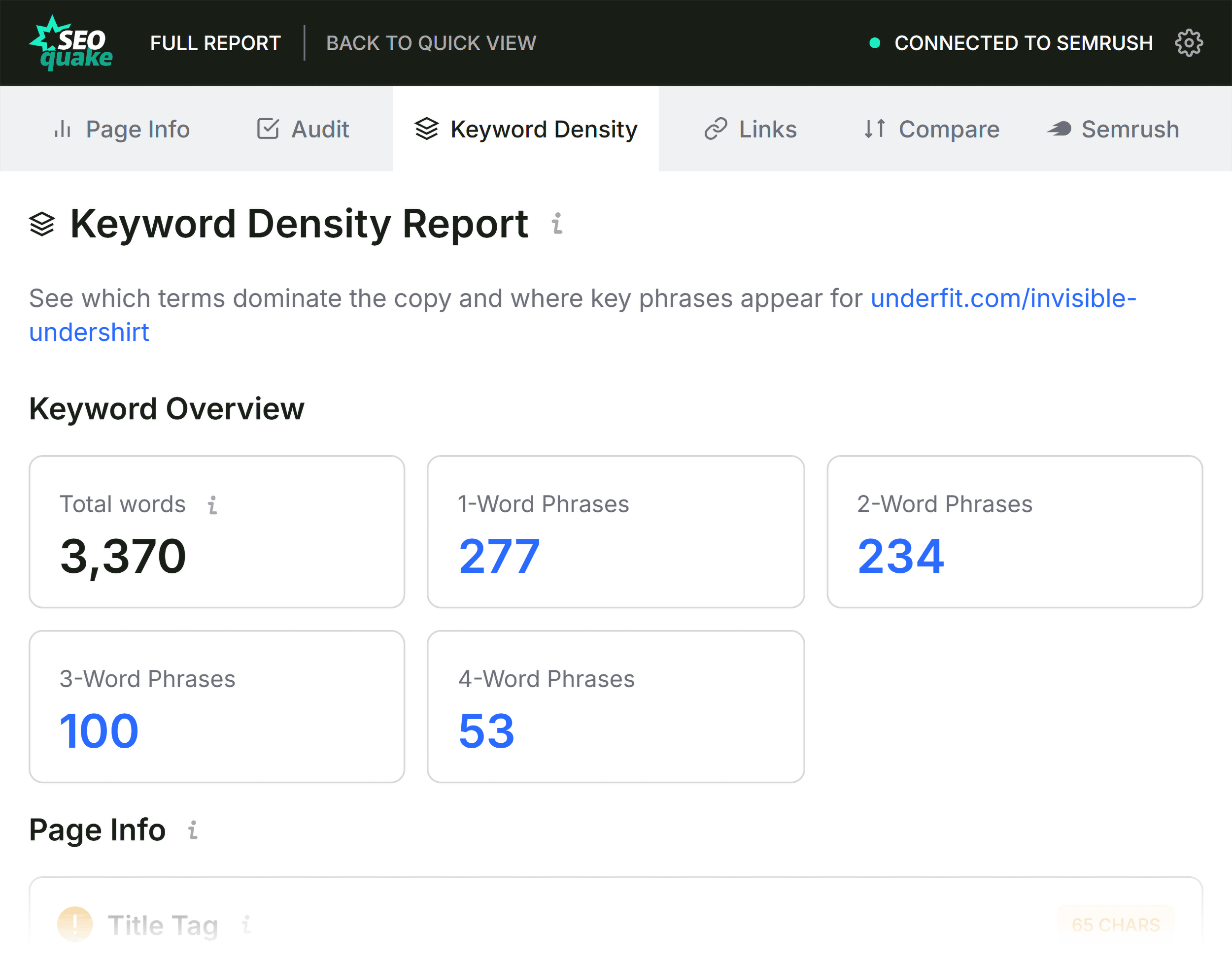
Spotting Topic Coverage Gaps via Keyword Density
When a page underperforms despite having a clean technical bill of health, the Keyword Density panel helps evaluate semantic relevance and topical coverage.

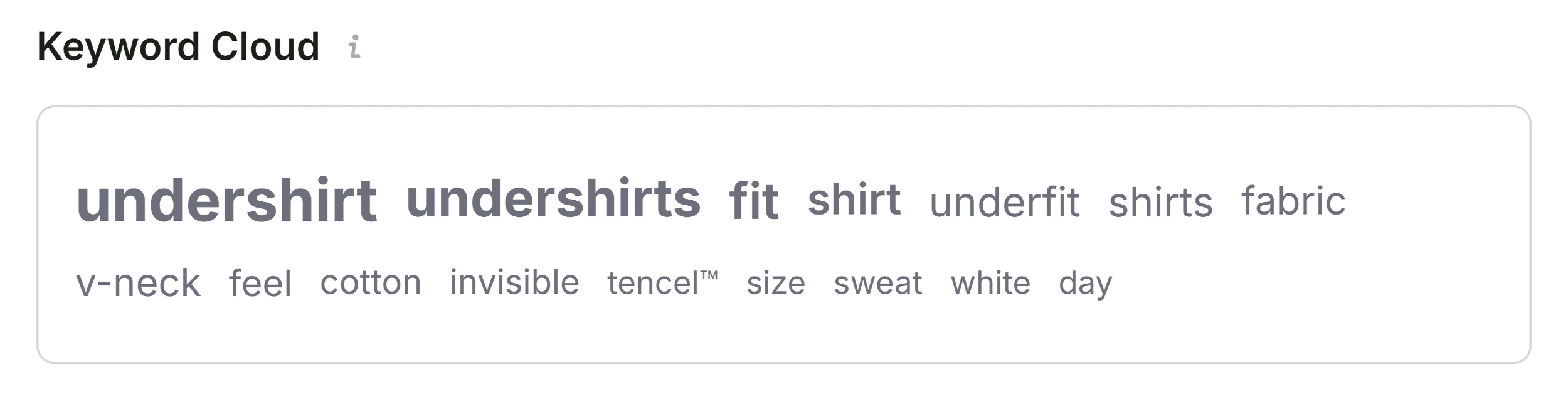
- The Keyword Cloud: Provides an immediate visual representation of prominent single- and multi-word phrases. On a healthy product page, core product terms (e.g., undershirt, fit, fabric, v-neck, cotton) should dominate the cloud.
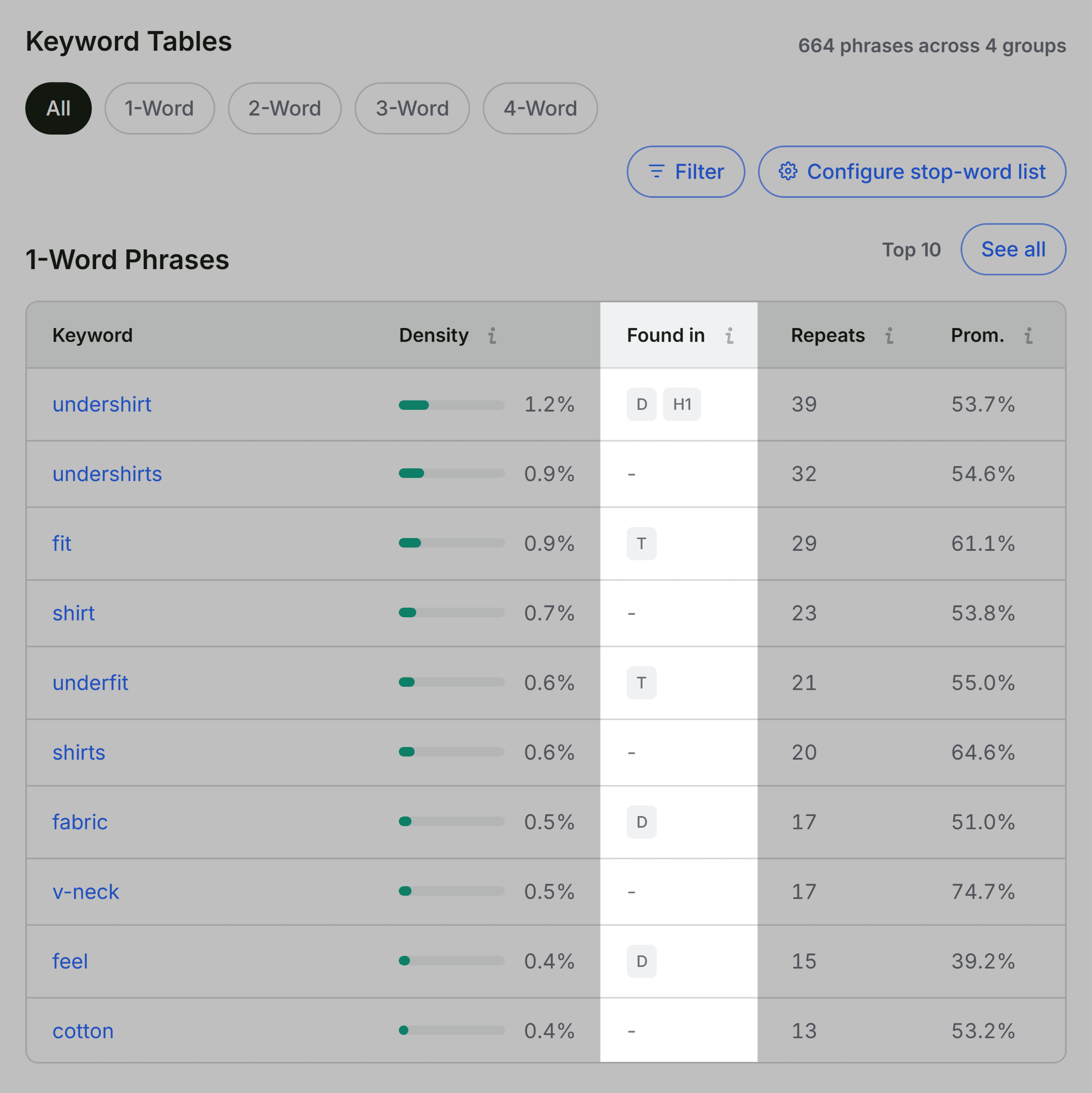
- The "Found In" Column: Verifies whether primary keywords appear in high-value locations, such as the title tag, H1, and meta description.
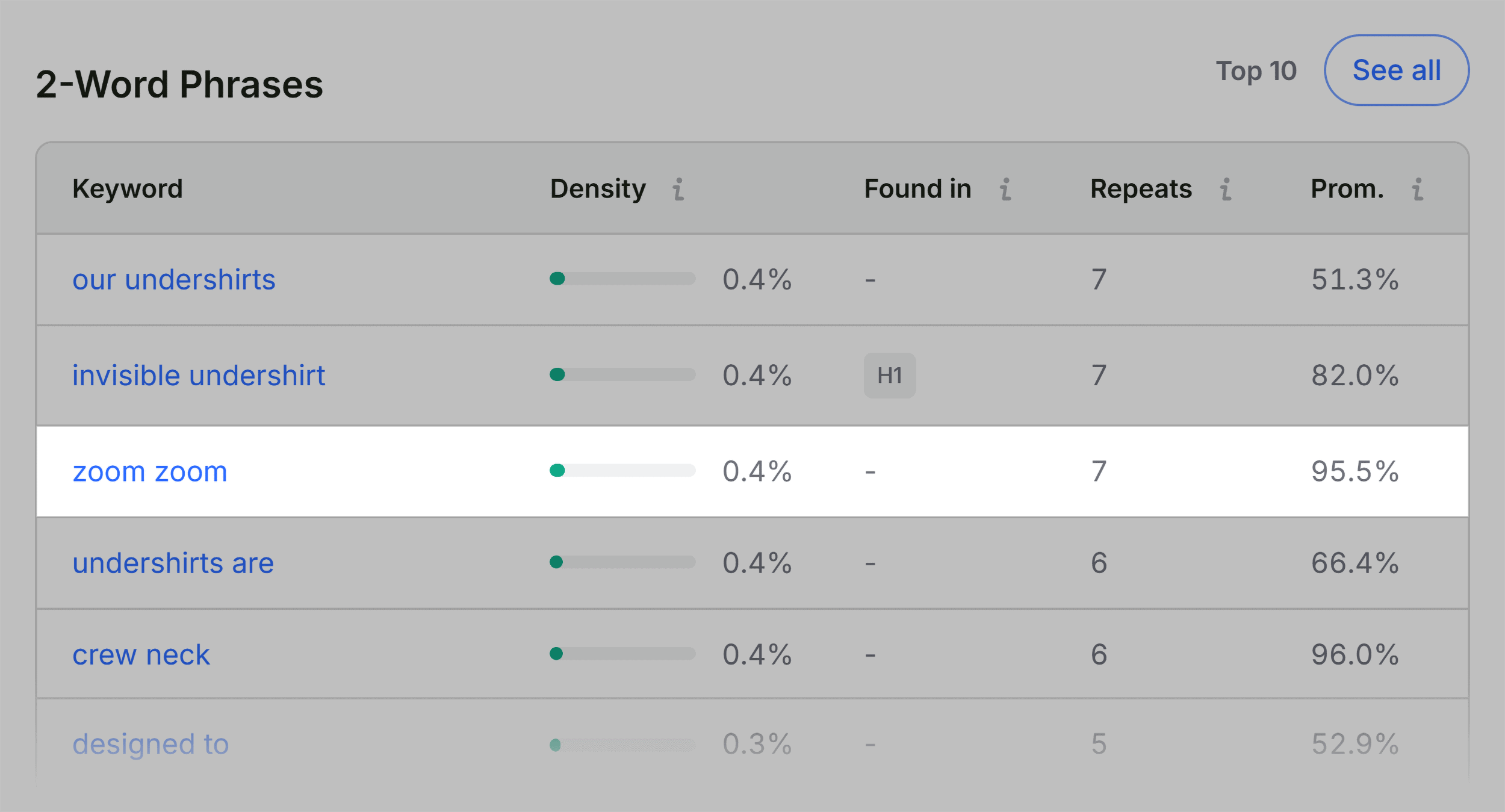
- Anomalies: Auditors should note unusual terms appearing in the density tables (such as UI buttons, scripts, or interface labels like "zoom"). Recognizing that technical frameworks sometimes pull interface text into the DOM helps prevent false alarms.
Checking Link Health in the Links Panel
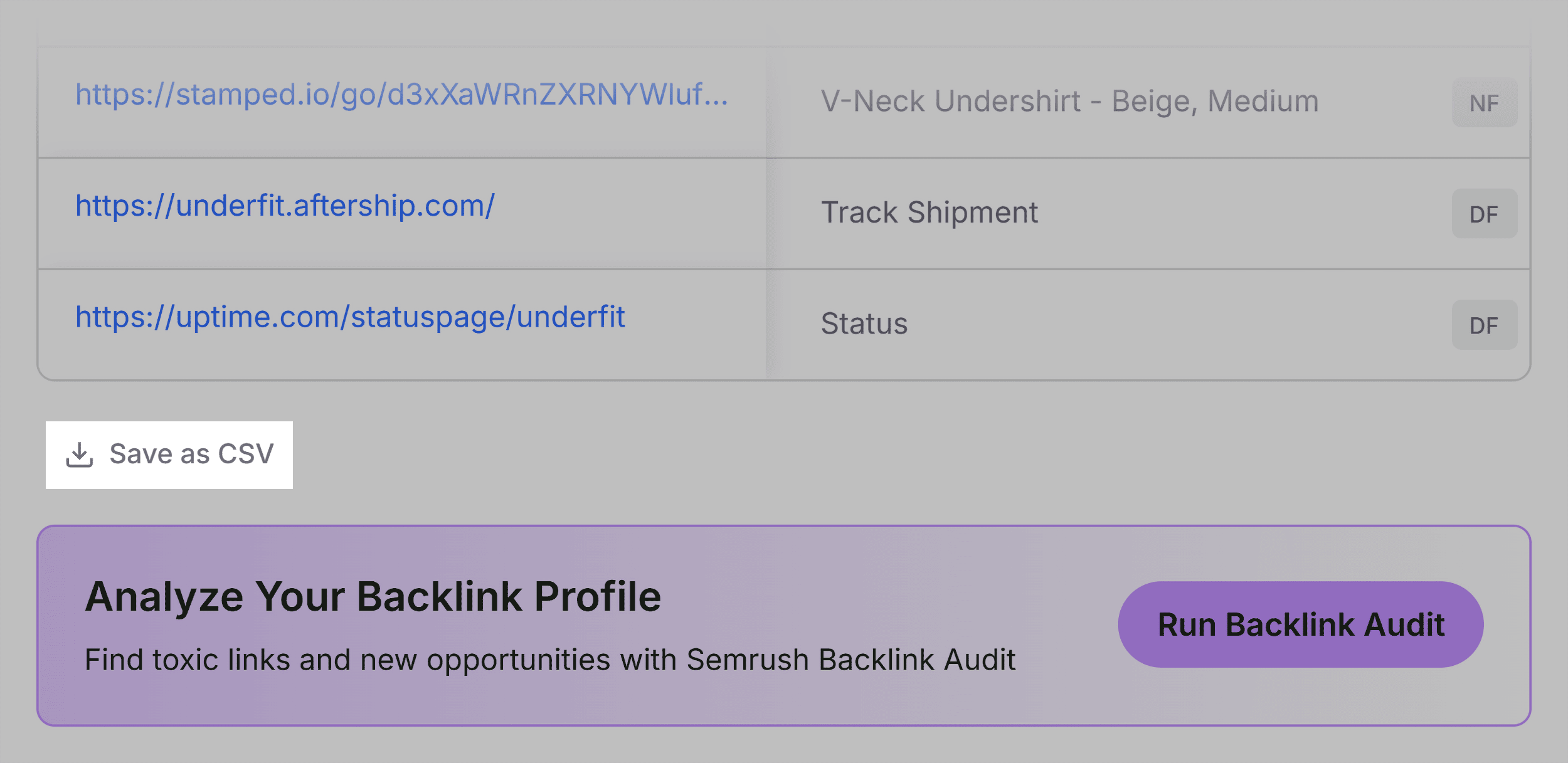
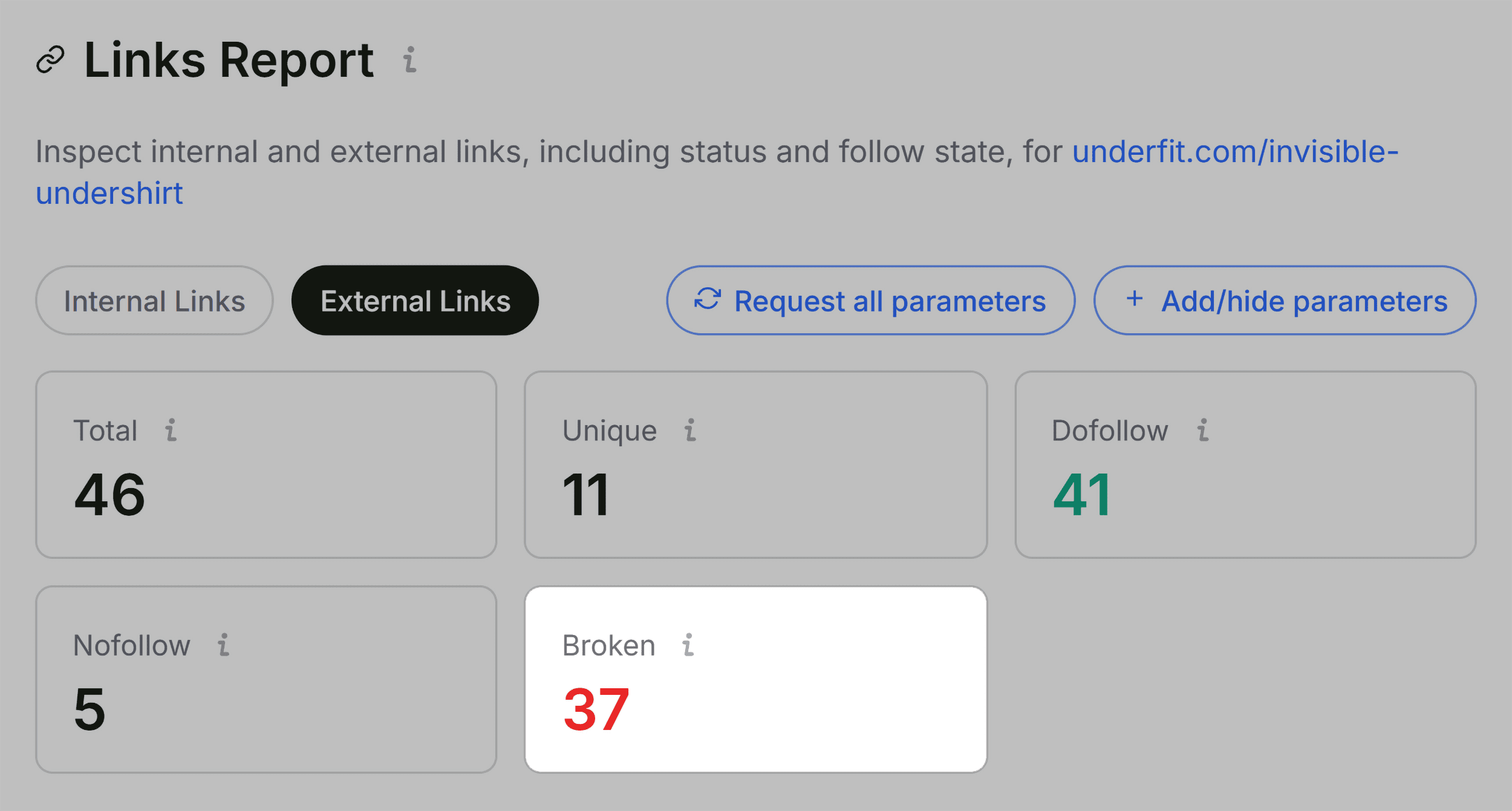
Broken, vague, or unhelpful hyperlinks degrade user experience and waste crawl budget. The Links panel inventories every internal and external link on the page, categorizing them by response code (HTTP status), anchor text, and link attribute (dofollow vs. nofollow).
If a report flags dozens of broken external links, auditors must investigate the underlying code—frequently discovering that JavaScript-rendered widgets or legacy tracking pixels are firing 404 or 504 errors. These links must be isolated to determine whether they originate from static editorial copy or dynamic site-wide templates.
Phase 3: Determining the Scope of Remediation (Page-Level vs. Site-Wide)
Before implementing fixes, the auditor must answer a strategic question: Is this a localized page issue, or is it a symptom of a systemic, site-wide failure?
The Semrush panel within SEOquake provides the necessary macro-context by displaying domain authority, organic keyword footprints, and traffic estimates.
- The Scenario: A weak, underperforming page sitting on a powerful domain with strong overall traffic and a healthy backlink profile typically points to a localized content, keyword, or on-page optimization failure.
- The Exception: Certain technical errors—such as a missing XML sitemap, broken global header templates, or sitewide JSON-LD schema syntax errors—cannot be resolved at the single-page level.
When audit flags point to global infrastructure problems, single-page patches are insufficient. At this stage, professionals should transition from SEOquake’s single-page browser extension to a comprehensive site crawler, such as Semrush Site Audit, to execute a complete architectural analysis across hundreds or thousands of URLs.
Summary of the 3-Minute SEOquake Workflow
| Timeframe | Action | Primary Focus |
|---|---|---|
| Minute 1 | Quick View Triage | Check Page Info (Title, Meta, Schema), basic technical health, and heading structure. |
| Minute 2 | Full Report: Audit & Keywords | Validate technical errors using external testing tools and analyze keyword density/topical coverage. |
| Minute 3 | Full Report: Links & Semrush | Audit internal/external link health and evaluate domain-level metrics to scope the fix. |
Implications for Modern Digital Marketers
The ability to execute a thorough page-level audit in three minutes fundamentally shifts how SEO professionals approach day-to-day optimization and client reporting. By combining rapid browser-based triage with deep diagnostic tooling, marketers can bypass tedious initial data-gathering phases and pivot directly into high-impact execution.
Whether diagnosing sudden traffic drops for an in-house property or auditing a prospective client’s core landing pages on the fly, mastering the SEOquake workflow ensures that technical clarity is always just three minutes away.